Free email subject line tester
Your subject line decides whether an email is opened or ignored. This free tool — built by a Singapore digital marketing agency — scores your subject line out of 100, previews how it looks in the inbox on desktop and mobile, and flags the things that quietly kill open rates: excessive length, spam-trigger words, ALL-CAPS, exclamation overload and missing personalisation. It runs entirely in your browser.
What makes a subject line get opened
The evidence points to a few reliable levers. Length: aim for roughly 20–50 characters — long enough to be specific, short enough to survive mobile truncation (many phones cut off around 33 characters). Personalisation: a first name or a reader-focused “you” consistently lifts opens. Clarity over cleverness: a clear benefit beats a vague pun. And relevance: the subject must honestly reflect the email, or you win the open but lose the trust — and future opens.
Spam words and deliverability
Spammy language doesn’t just look bad — it can send your email to the junk folder before anyone sees it. Words like “free”, “guarantee”, “act now” and “100%”, ALL-CAPS shouting and strings of exclamation marks are classic filter triggers. This tester flags them so you can rephrase. Deliverability also depends on your sending setup — authentication (SPF, DKIM, DMARC), list hygiene and engagement — but a clean subject line is the easiest win.
Don’t forget the preheader
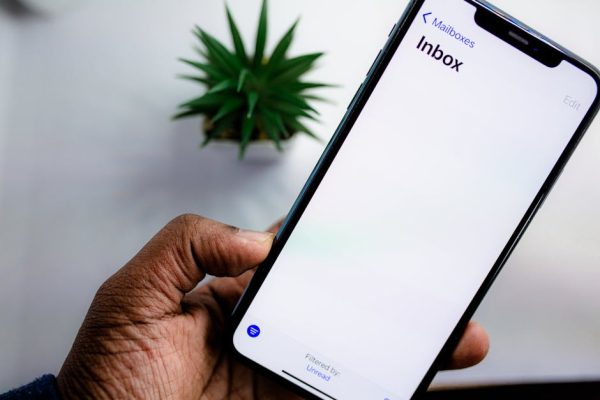
The preheader is the preview snippet shown after the subject in most inboxes — and most senders waste it by letting it default to “View in browser” or the first line of boilerplate. Treat it as an extension of your subject: a second hook that adds detail or urgency. A strong subject-plus-preheader pairing occupies more of the inbox and gives the reader two reasons to open. Enter yours above to preview both together.
Matching the subject line to where the email sits in your funnel
The same subject line rarely works for a cold prospect and a loyal customer. Early in a relationship, curiosity and clarity about the value inside do the heavy lifting, because the reader has no reason yet to trust your name in the inbox. Later — for repeat buyers or engaged subscribers — specificity wins: they already open your emails, so a subject that states exactly what’s inside (“Your September report”, “Two seats left for Thursday”) respects their time and lifts clicks, not just opens. Score a subject line with its actual audience segment in mind, not a generic reader.
Sequence matters too. In a multi-email flow, varying the subject-line style keeps the series from feeling like the same message resent — lead one with a question, another with a benefit, a third with light urgency. If your list is one undifferentiated blast, the fix is usually upstream in your segmentation and lifecycle strategy, something our digital marketing services team helps clients build before worrying about individual lines.
Reading open rates in the age of privacy protection
Open rates are no longer the clean signal they once were. Apple’s Mail Privacy Protection pre-loads images for many users, which inflates opens and can register an “open” that never happened. This doesn’t make the metric useless, but it means you should treat open rate as a directional comparison between your own subject lines rather than an absolute truth — and lean on downstream metrics like clicks, replies and conversions to judge whether the email actually landed.
When you A/B test subject lines, hold everything else constant, use a large enough sample to trust the result, and pick a winner on the metric that matters to the campaign — often clicks rather than opens. A subject line that wins on opens but loses on clicks was writing a cheque the email couldn’t cash, usually because it over-promised. Over time, keep a simple log of which angles win for your audience; that record is worth more than any single benchmark.
Frequently asked questions
What is the ideal email subject line length?
Around 20–50 characters. Mobile clients often truncate at roughly 33 characters, so front-load the most important words. This tool shows both desktop and mobile previews so you can see where yours gets cut.
Do emojis help or hurt open rates?
Used sparingly — one, occasionally two — an emoji can help a subject line stand out. Overdoing it looks spammy and can render inconsistently across email clients. Test and use them purposefully.
Which words trigger spam filters?
Classic triggers include “free”, “win”, “cash”, “guarantee”, “act now” and “100%”, especially combined with ALL-CAPS and multiple exclamation marks. No single word guarantees the spam folder, but stacking them raises the risk. This tool flags common ones.
Does personalisation really improve opens?
Yes — using a recipient’s name or reader-focused language like “you” and “your” reliably lifts open rates by making the email feel relevant and one-to-one rather than a mass blast.
Does the sender name matter as much as the subject line?
Often more. The “from” name is the first thing a reader sees and the single biggest driver of whether they trust the email enough to open it. A recognisable, consistent sender name — a person or a brand the reader knows — can lift opens more than any clever subject line. Keep it stable, keep it human where appropriate, and never disguise who’s writing, because a mismatch between sender and content is a fast route to the spam complaint button.
Should I use the same subject line style for B2B and B2C?
No. B2C audiences respond well to urgency, emotion and playful language read on a phone in a spare moment. B2B readers are scanning a crowded work inbox and reward clarity, relevance and a clear signal of professional value — overt hype can actively reduce opens. The underlying principles (front-load the value, keep it scannable, avoid spam triggers) hold for both, but the register should shift to match the reader’s mindset.