Marketing Dashboards: Build Reports That Drive Action, Not Just Data
Table of Contents
Why Marketing Dashboards Matter
A well-built marketing dashboards guide starts with understanding why dashboards exist: to turn raw data into visible, actionable intelligence that drives better marketing decisions. Without dashboards, data lives in silos—analytics platforms, ad accounts, CRMs and spreadsheets—where it is invisible to the people who need it most.
The average marketing team uses eight to twelve tools, each generating its own reports. Logging into every platform to check performance wastes time and creates fragmented understanding. A dashboard consolidates the most important metrics into a single view, enabling faster decisions and clearer accountability.
In Singapore’s competitive digital market, speed matters. The team that spots a declining campaign on Monday and adjusts by Tuesday will outperform the team that discovers the problem during a monthly review. Dashboards make that speed possible for any digital marketing operation.
Types of Marketing Dashboards
Different stakeholders need different views. Build separate dashboards for each audience rather than cramming everything into one.
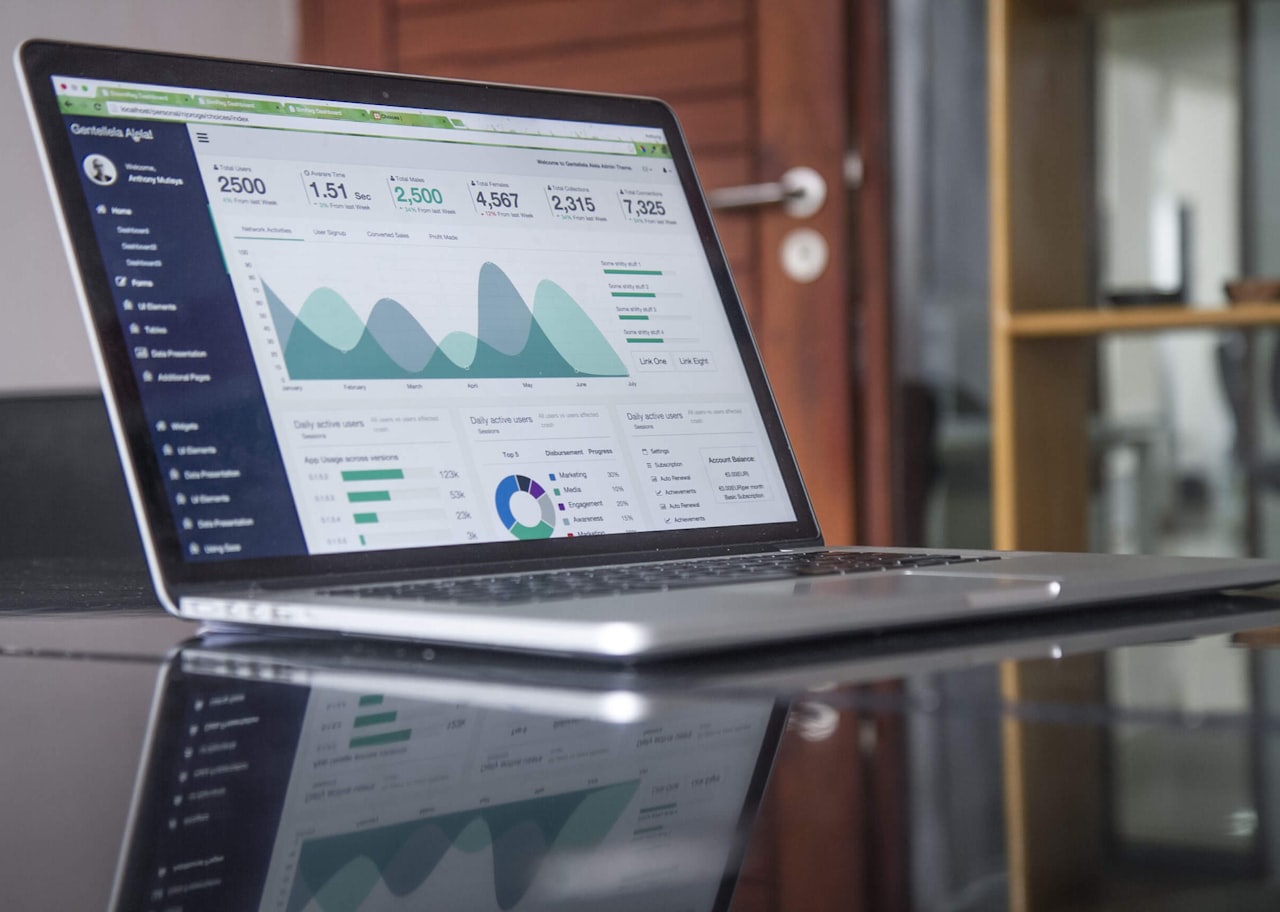
Executive dashboard: High-level metrics for leadership—revenue from marketing, customer acquisition cost, return on ad spend, pipeline value and lead volume. Keep it to five to eight metrics. Executives want the story, not the details.
Channel dashboard: One per major channel—SEO, paid search, social media, email. These show channel-specific metrics that help the team optimise daily. An SEO dashboard might track organic sessions, keyword rankings, backlinks and crawl errors.
Campaign dashboard: Built for a specific campaign or product launch. It tracks the metrics that determine whether the campaign meets its objectives. Include both leading indicators—click-through rate, landing page visits—and lagging indicators—conversions, revenue.
Experiment dashboard: Tracks active growth experiments—hypothesis, status, sample size, statistical significance and result. This keeps the experimentation programme visible and accountable.
Competitive dashboard: Monitors competitor activity—search visibility trends, estimated ad spend, social media growth and content publishing frequency. This provides context for your own performance.
Choosing the Right Metrics
The biggest dashboard mistake is including too many metrics. A dashboard with 50 data points is not a dashboard—it is a data dump. Follow the “so what” test: for every metric you consider adding, ask “If this number changes, will we do something differently?” If the answer is no, leave it out.
Organise metrics into three tiers.
Tier 1—North star and business metrics: These are the two to three metrics that connect marketing to business outcomes. Revenue influenced by marketing, customer acquisition cost and your north star metric belong here.
Tier 2—Channel and funnel metrics: These are the ten to fifteen metrics that explain how Tier 1 metrics are performing. Traffic by channel, conversion rate by funnel stage, cost per lead by campaign and engagement rate by platform are typical examples.
Tier 3—Diagnostic metrics: These are the detailed metrics you consult when diagnosing a problem spotted in Tier 1 or Tier 2. Bounce rate by page, ad quality score, email deliverability rate and page load speed fall here. These do not belong on an executive dashboard but should be accessible when needed.
Dashboard Design Principles
A dashboard is a communication tool. Apply design principles that maximise clarity and minimise cognitive load.

Hierarchy: Place the most important metrics at the top left. Eye-tracking research shows this is where viewers look first. Reserve the top row for Tier 1 metrics and use subsequent rows for supporting data.
Comparison: Numbers in isolation are meaningless. Always show context—compare to previous period, same period last year or target. “500 leads” means nothing. “500 leads vs 380 last month and a target of 450” tells a story.
Colour sparingly: Use colour to indicate status, not decoration. Green for on target, amber for at risk, red for off target. Avoid using more than three colours or the dashboard becomes visually noisy.
Charts over tables: Trends are easier to spot in line charts and bar charts than in tables of numbers. Use tables only for detailed breakdowns that viewers need to scan row by row.
One insight per widget: Each chart or number card should answer one question. If a widget requires a paragraph of explanation, it is too complex. Simplify or split it.
Responsive design: Ensure dashboards render well on mobile devices. Many stakeholders check dashboards on their phones during commutes or between meetings in Singapore’s fast-paced business environment.
Tools and Platforms
You do not need expensive tools to build effective dashboards. Here are options at every budget level.
Free—Google Looker Studio: Formerly Data Studio, Looker Studio connects to Google Analytics, Google Ads, Google Sheets, BigQuery and many third-party sources via community connectors. It is the best free option for most Singapore businesses.
Mid-range—Databox or Geckoboard: These platforms offer pre-built integrations with popular marketing tools, drag-and-drop builders and mobile apps. Pricing starts around $50 to $100 per month and is suitable for teams that want quick setup without technical skills.
Enterprise—Tableau or Power BI: For organisations with large datasets, complex analytics needs and dedicated data teams, Tableau and Power BI offer advanced visualisation and modelling capabilities. These tools pair well with data-driven marketing programmes at scale.
Custom—Python or R dashboards: Teams with technical skills can build custom dashboards using Streamlit, Plotly Dash or R Shiny. This offers maximum flexibility but requires ongoing maintenance.
Building Your First Dashboard
Follow this step-by-step process to build your first marketing dashboard in Google Looker Studio.
Step 1—Define the audience. Who will use this dashboard? An executive dashboard has different needs from a channel manager’s dashboard. Clarify the audience before selecting metrics.
Step 2—List your questions. Write down the five to ten questions the dashboard should answer. Examples: How many leads did we generate this month? Which channel is performing best? Are we on track to hit our quarterly target?
Step 3—Map questions to metrics. For each question, identify the metric that answers it. “How many leads did we generate?” maps to total lead count with a period comparison.
Step 4—Connect data sources. In Looker Studio, add your Google Analytics, Google Ads and any other data sources. Use Google Sheets as an intermediary for data that does not have a native connector.
Step 5—Build the layout. Place Tier 1 metrics at the top, Tier 2 in the middle and any Tier 3 diagnostics at the bottom or on a separate page. Use scorecards for single numbers and time series charts for trends.
Step 6—Add interactivity. Include date range selectors and filter controls so users can drill into specific periods, campaigns or segments without creating separate dashboards.
Step 7—Test and iterate. Share the dashboard with its intended audience, gather feedback and refine. The first version is never perfect—plan for two to three iterations before it stabilises.
Maintaining and Evolving Your Dashboards
A dashboard is a living document, not a one-time project. Without maintenance, dashboards decay—data connections break, metrics become irrelevant and users lose trust.

Monthly health checks: Verify that all data sources are connected and data is flowing correctly. Check for anomalies—sudden zeroes, missing dates or unexpected spikes—that indicate tracking issues.
Quarterly reviews: Reassess whether the metrics on the dashboard still align with your marketing objectives. As your OKRs change each quarter, your dashboards should evolve to reflect new priorities.
Annual overhaul: Once a year, rebuild your dashboards from scratch. This prevents the accumulation of outdated widgets, broken filters and metric creep that makes dashboards unwieldy.
Documentation: Document what each metric means, where the data comes from and any known limitations. This ensures the dashboard remains useful even when team members change. Keep documentation alongside your content marketing and social media marketing standard operating procedures.
Frequently Asked Questions
How many dashboards should a marketing team have?
Start with two—one executive dashboard and one operational dashboard for the marketing team. Add channel-specific dashboards as your data maturity grows. Avoid creating more dashboards than you can maintain.
What is the most important metric on a marketing dashboard?
It depends on your business goals, but most teams should feature customer acquisition cost or cost per lead prominently. This metric directly connects marketing spend to business outcomes.
How often should we check our dashboards?
Operational dashboards should be checked daily. Executive dashboards weekly. Campaign dashboards depend on campaign duration—daily for short campaigns, weekly for longer ones.
Should dashboards be automated or manually updated?
Automate wherever possible. Manual updates introduce delays, errors and inconsistencies. Most dashboard tools offer native integrations that refresh data automatically.
How do we get stakeholders to actually use dashboards?
Send automated email summaries with dashboard links. Reference dashboard data in every meeting. Make dashboards the single source of truth—if a question arises, the answer should come from the dashboard, not a separate spreadsheet.
Can dashboards replace monthly reports?
Dashboards can replace the data portion of monthly reports but not the narrative. Pair dashboards with a brief written commentary that explains trends, highlights wins and recommends actions.
What should we do when dashboard data does not match platform data?
Discrepancies between tools are normal due to differences in attribution models, time zones and data processing delays. Document known discrepancies, use one source as the system of record and focus on trends rather than exact numbers.
How do we build dashboards for clients?
Use tools that support sharing without requiring a login—Looker Studio’s shareable links work well. Limit client dashboards to five to eight metrics that connect to their business goals. Avoid overwhelming clients with granular data they cannot interpret.