Explainer Video Guide: Simplify Complex Products With Animation and Motion
Table of Contents
- What Are Explainer Videos and Why They Work
- Types of Explainer Videos and Animation Styles
- Scripting and Messaging for Maximum Clarity
- The Explainer Video Production Process
- Working With Animators and Production Studios
- Placement and Conversion Optimisation
- Measuring Explainer Video Effectiveness
- Frequently Asked Questions
What Are Explainer Videos and Why They Work
This explainer video guide covers everything you need to know about creating videos that transform complex products, services and concepts into clear, engaging visual narratives. Explainer videos combine animation, narration and storytelling to communicate your value proposition in 60 to 120 seconds, making them one of the most efficient marketing tools available.
The effectiveness of explainer videos is rooted in how the human brain processes information. People retain 95 percent of a message when they watch it in a video compared to 10 percent when reading it in text. Animation adds another layer of comprehension because it can visualise abstract concepts, processes and data that live-action video cannot effectively portray.
For Singapore businesses selling complex products, technical services or innovative solutions, explainer videos solve a critical communication challenge. When your offering requires education before a prospect can evaluate it, an explainer video compresses that education into a digestible format. Software companies, financial services, healthcare providers, B2B technology firms and professional services all benefit from explainer videos.
The format also works for simpler products that need differentiation. In crowded markets, an explainer video that clearly articulates why your product is different and better gives prospects a reason to choose you. The combination of visual storytelling and concise messaging creates memorable impressions that static content cannot match.
Explainer videos sit at the intersection of content marketing and sales enablement. They attract prospects, educate them and move them toward a purchase decision, all within a single piece of content.
Types of Explainer Videos and Animation Styles
The animation style of your explainer video communicates brand personality and affects how your message is received. Choose a style that aligns with your brand and audience expectations.

2D animation is the most popular and versatile style. Flat character illustrations and motion graphics bring stories to life with colourful, engaging visuals. 2D animation suits most business applications, from startup pitch videos to enterprise product explanations. It is relatively cost-effective and allows unlimited creative freedom because everything is illustrated from scratch.
Whiteboard animation simulates hand-drawn illustrations on a white background. A hand appears to draw the concepts in real time as the narrator explains them. This style works well for educational content, process explanations and storytelling. It conveys simplicity and approachability, making complex topics feel less intimidating. The draw-along format also maintains viewer attention through continuous visual progression.
Motion graphics use geometric shapes, typography, icons and data visualisations rather than character illustrations. This style is popular with technology companies, financial services and B2B brands because it conveys professionalism and precision. Motion graphics excel at explaining processes, showcasing data and visualising abstract concepts like software architecture or business workflows.
3D animation creates photorealistic or stylised three-dimensional visuals. This premium style suits product demonstrations where viewers need to see a physical product from all angles, medical and scientific explanations requiring anatomical accuracy and high-budget brand campaigns. 3D animation costs significantly more than 2D but delivers unmatched visual impact for appropriate applications.
Mixed media combines animation with live-action footage. This hybrid approach grounds the explainer in reality while using animation to visualise concepts, processes or features. A presenter filmed live can interact with animated elements, creating a dynamic and credible visual experience. Mixed media suits companies that want the human touch of live-action with the explanatory power of animation.
Screencast with motion graphics overlays works specifically for software products. Screen recordings of the product in use are enhanced with animated callouts, highlights and explanatory graphics. This format provides the most accurate product representation while adding visual polish that makes tutorial content engaging.
Scripting and Messaging for Maximum Clarity
The script is the foundation of every explainer video. A brilliant animation with a weak script produces an expensive failure. Invest disproportionate effort in scripting because everything else builds on this foundation.
Follow the proven explainer video script structure: problem, solution, how it works, call to action. Open by describing the problem your audience faces in terms they relate to emotionally. Introduce your product or service as the solution. Explain how it works in simple, visual terms. Close with a clear call to action that tells viewers exactly what to do next.
Write for a 60 to 90-second video. At 150 words per minute narration pace, that is 150 to 225 words. This constraint forces clarity. Every word must earn its place. If a sentence does not advance understanding or motivate action, remove it. The most effective explainer videos say less, not more.
Use concrete language instead of abstract descriptions. Instead of “Our platform leverages cutting-edge AI to optimise workflows,” say “Our platform automatically sorts your customer emails, responds to common questions and flags urgent issues, saving your team four hours every day.” Specific, tangible language creates pictures in the viewer’s mind.
Address one audience and one problem. Trying to speak to multiple audiences or explain multiple use cases in a single explainer video dilutes the message. If you serve different segments, produce separate explainer videos for each. A focused message for a specific audience converts better than a broad message for everyone.
Start with the viewer’s world, not your product. The opening should describe a situation the viewer recognises from their own experience. “You spend two hours every morning sorting through customer emails” immediately connects with anyone who faces that problem. Only after establishing this shared understanding should you introduce your solution.
End with urgency and a specific CTA. “Start your free trial at [website]” or “Book a demo to see how it works for your business” give viewers a concrete next step. Vague endings like “Learn more at our website” waste the momentum your video has built.
The Explainer Video Production Process
Explainer video production follows a structured process with defined milestones. Understanding each phase helps you provide effective feedback and maintain project momentum.
Phase one is the creative brief and discovery. You provide the production team with information about your product, target audience, brand guidelines, key messages and distribution plans. The better your brief, the fewer revisions you will face later. Include examples of explainer videos you admire and specify what you like about them.
Phase two is scriptwriting. The production team or a dedicated copywriter drafts the script based on the brief. Review the script carefully because changes after this point become increasingly expensive. Read it aloud to check for natural flow. Have someone unfamiliar with your product read it to test comprehension. Approve the script before any visual work begins.
Phase three is storyboarding. The illustrator creates a frame-by-frame visual plan showing how the script will be visualised. Each major scene or concept gets a sketch with notes about transitions, text overlays and visual elements. Storyboard review is your opportunity to ensure the visual narrative matches your vision before full production begins.
Phase four is visual design. The illustrator creates the final artwork, characters, icons, backgrounds and graphic elements in your brand’s visual style. A style frame showing the completed look of one or two key scenes is typically presented for approval before the full design phase proceeds.
Phase five is voiceover recording. A professional narrator records the approved script. Voice selection significantly impacts the video’s tone and brand perception. Request audition recordings from two to three voice artists before selecting. Consider gender, accent, pace and energy level. For Singapore audiences, neutral accents with clear enunciation work best for business content.
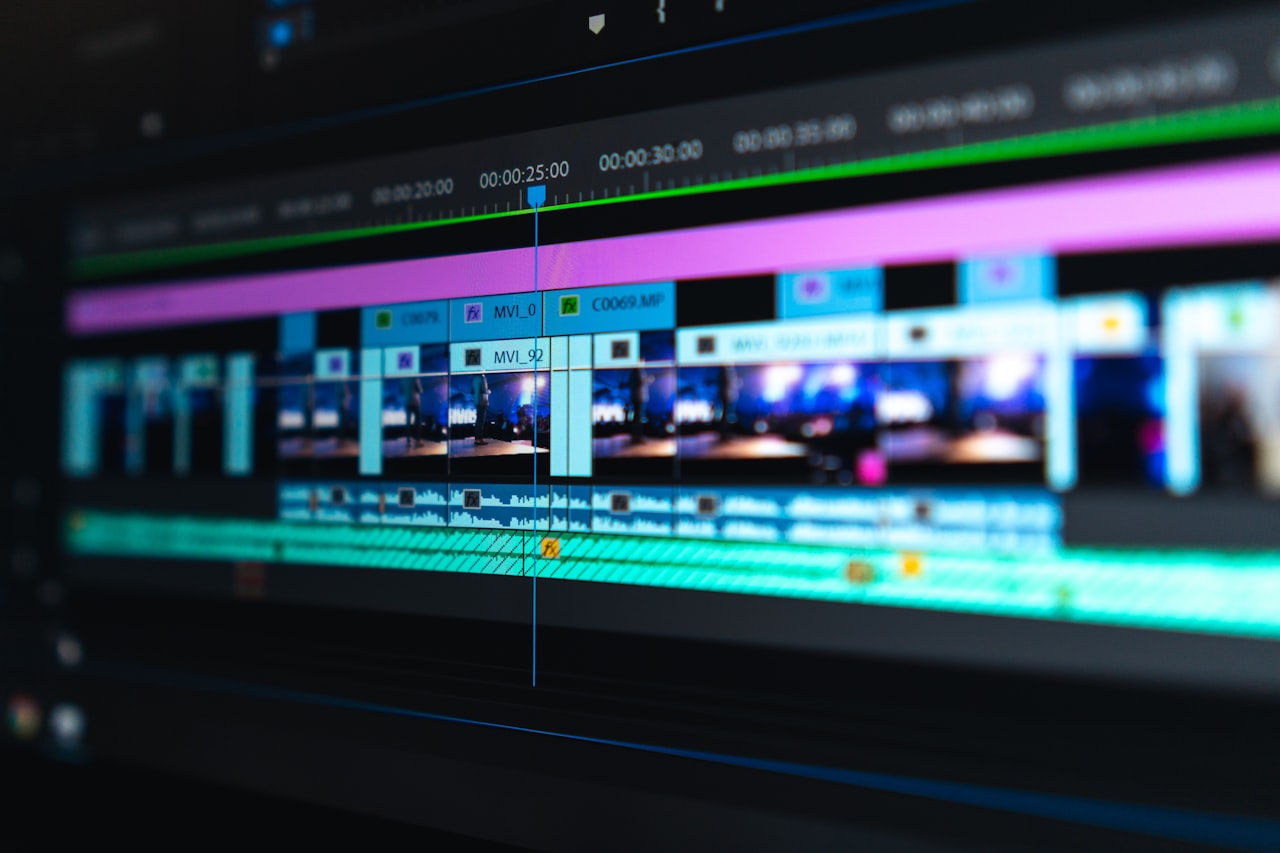
Phase six is animation. The animator brings the visual elements to life, syncing movement to the voiceover and adding transitions, effects and timing. This is the most time-intensive production phase. Initial animation review may reveal timing issues that require minor voiceover or script adjustments.
Phase seven is sound design and music. Background music, sound effects and audio mixing complete the sensory experience. Music sets the emotional tone while sound effects add polish and emphasis to key moments. The final audio mix ensures the voiceover remains clear and prominent above all other audio elements.
Phase eight is revision and delivery. Two to three rounds of revisions refine the final product. Provide consolidated, specific feedback. The final video is delivered in multiple formats optimised for your distribution channels: website, social media, presentations and advertising platforms.
Working With Animators and Production Studios
The production partner you choose shapes the quality, style and efficiency of your explainer video project. Singapore has a growing animation and motion graphics industry alongside global remote options.
Local Singapore studios offer the advantage of face-to-face meetings, cultural understanding and timezone alignment. Rates for a 60 to 90-second explainer video from a Singapore studio range from SGD 5,000 to SGD 20,000 depending on animation style, complexity and studio reputation. Premium studios with established portfolios charge at the higher end.
Freelance animators, both local and international, offer competitive pricing. A skilled freelance animator can produce a quality 2D explainer video for SGD 2,000 to SGD 8,000. The trade-off is less project management support, potentially longer timelines and higher variability in quality. Thoroughly review portfolios and check references before committing.
International production studios, particularly in Southeast Asia, offer lower-cost options. Studios in the Philippines, Vietnam and India can produce explainer videos at 30 to 50 percent below Singapore rates. Quality varies widely, so due diligence is essential. Language barriers and timezone differences can complicate communication and revision processes.
When evaluating potential partners, look for these indicators. A portfolio that demonstrates range and consistent quality across different projects. Clear communication during the proposal phase, as this predicts communication during production. A defined process with specific milestones and deliverables. Transparent pricing with itemised quotes. Positive client references, ideally from companies similar to yours.
Provide a comprehensive brief and brand guidelines. Share your logo, colour palette, typography, brand voice examples and any existing visual assets. The more guidance you provide upfront, the closer the first draft will be to your vision, reducing revision rounds and associated costs. Budget guidance is available in our video production cost breakdown.
Placement and Conversion Optimisation
Strategic placement determines whether your explainer video educates a handful of viewers or drives thousands of conversions. Every distribution channel requires specific optimisation.
Your homepage is the primary placement for a company-level explainer video. Position it above the fold where visitors see it immediately. Data consistently shows that homepage videos increase time on site by 100 percent or more and improve conversion rates by 20 to 80 percent depending on the industry. Ensure the video loads fast and has a compelling thumbnail that encourages clicks.
Product and service landing pages benefit from topic-specific explainer videos. A landing page for your SEO services should feature an explainer video about your SEO approach. A SaaS product page should have an explainer showing the software in action. Match the video content precisely to the page content for maximum relevance and conversion impact.
Embed explainer videos in blog posts and content marketing assets. An explainer video within a comprehensive blog post increases engagement metrics including time on page, scroll depth and social shares. These improved engagement signals also benefit your SEO rankings.
YouTube hosting provides organic search visibility. Optimise the title, description and tags with keywords your prospects search for. Your explainer video can rank for queries like “how does [product category] work” or “what is [service type],” attracting prospects at the education stage of their journey. This ties into your broader YouTube marketing strategy.
Social media distribution extends reach to new audiences. Share explainer videos on LinkedIn for B2B audiences, Facebook for broader reach and Instagram for brand-building. Each platform requires format adjustments: square format for LinkedIn and Facebook feeds, vertical for Stories and Reels, horizontal for YouTube.
Email marketing amplifies the explainer video to your existing audience. Include the video in welcome sequences for new subscribers, nurture campaigns for leads and re-engagement emails for dormant contacts. Video in email increases click-through rates by 200 to 300 percent compared to text-only emails.
Sales presentations and pitch decks benefit from embedded explainer videos. Opening a sales meeting with your explainer video sets context, conveys professionalism and ensures all attendees have a baseline understanding before the detailed discussion begins.
Measuring Explainer Video Effectiveness
Measuring explainer video performance connects your production investment to business outcomes and informs future video decisions.
View count and reach indicate distribution effectiveness but not business impact. Track these as baseline metrics but do not use them as primary success measures. A video with 500 views from your target audience is more valuable than one with 50,000 views from irrelevant viewers.
Watch-through rate reveals content quality. What percentage of viewers watch to the end? A healthy completion rate for a 90-second explainer video is 60 to 70 percent. Below 40 percent suggests the opening is not compelling enough or the content loses relevance midway. Analyse retention graphs to identify specific drop-off points and address them in future videos.
Click-through rate measures the video’s ability to drive action. How many viewers click the CTA at the end? Track clicks to your website, demo booking page or sign-up form. A CTR above 3 percent is good for explainer videos. Above 5 percent is excellent and indicates strong alignment between the video content and the audience’s needs.
Conversion rate is the ultimate metric. Among viewers who visited your website after watching the explainer video, how many completed the desired action: signing up, requesting a demo, making a purchase or submitting an enquiry? Use UTM parameters and event tracking to attribute conversions to the explainer video specifically.
Compare page performance with and without the explainer video. Run an A/B test on your landing page: one version with the video prominently placed, one without. Measure conversion rate, bounce rate and time on page for each version. This controlled comparison quantifies the explainer video’s direct impact on page performance.
Calculate ROI by dividing the revenue attributed to the explainer video by its total production and distribution cost. Include the ongoing value: unlike paid advertising, an explainer video continues generating views and conversions for years after its one-time production cost. Amortised over a two to three-year useful life, the per-month cost of an explainer video is remarkably low compared to other digital marketing investments.
Frequently Asked Questions
How long should an explainer video be?
Sixty to 90 seconds is optimal for most explainer videos. This length conveys a focused message without losing viewer attention. Complex products may require up to two minutes, but exceeding this length significantly reduces completion rates. If your explanation requires more than two minutes, consider splitting it into a series of shorter videos.
How much does an explainer video cost in Singapore?
Basic 2D animation: SGD 2,000 to SGD 5,000. Professional 2D animation: SGD 5,000 to SGD 12,000. Premium animation with custom illustration: SGD 12,000 to SGD 20,000. 3D animation: SGD 15,000 to SGD 30,000 or more. The primary cost drivers are animation style, video length, illustration complexity and revision rounds.
How long does it take to produce an explainer video?
Four to eight weeks from brief to final delivery is typical. Scripting takes one to two weeks. Storyboarding and design take one to two weeks. Animation takes two to three weeks. Voiceover and sound design are integrated throughout. Rush timelines of two to three weeks are possible for premium pricing. The largest variable is revision cycles, which depend on how efficiently feedback is managed.
Should we use animation or live-action for our explainer video?
Animation is better for explaining abstract concepts, software products, processes and ideas. Live-action is better when human connection, physical products and real-world environments are central to the message. Mixed media combines both advantages. Most businesses explaining complex offerings benefit from animation because it can visualise concepts that cameras cannot capture.
Can we update an explainer video after production?
Minor updates like changing a CTA, updating a statistic or swapping a logo are feasible if you retain the source files. Major changes to the script, visual style or animation require significant rework that approaches the cost of a new production. Discuss future update needs with your production partner and ensure you receive editable source files upon project completion.
What voiceover style works best for explainer videos?
A conversational, friendly tone works best for most business explainer videos. Avoid overly formal corporate narration, which feels distant and impersonal. Match the voiceover energy to your brand personality: tech startups suit an energetic, upbeat voice; financial services suit a calm, authoritative voice. Always choose clarity and warmth over dramatic flair.
Where should we place the explainer video on our website?
Above the fold on your homepage is the primary placement. Also embed on relevant product pages, services pages and landing pages. Ensure the video has an appealing thumbnail and a clear play button. Auto-play is acceptable if muted, but many users prefer click-to-play. Test both approaches and measure engagement differences.
Do explainer videos improve SEO?
Indirectly, yes. Pages with video see higher engagement metrics: longer time on page, lower bounce rate and more social shares. These signals positively influence search rankings. Video schema markup can earn rich snippets in search results. Hosting on YouTube creates additional ranking opportunities for video search results. The combined effect improves overall organic visibility.