Part of our Marketing by Industry & Audience guide →
Managing your finances accurately is not just good practice — it is a legal requirement for every Singapore business. From filing GST returns with IRAS to meeting ACRA’s annual reporting obligations, the best accounting software Singapore businesses choose directly impacts compliance, efficiency and peace of mind. The right platform automates tedious bookkeeping tasks, reduces errors and gives you real-time visibility into your financial health.
Singapore’s regulatory environment adds specific requirements that not every accounting software handles well. Your platform needs to support 9 percent GST calculations, generate GST F5 and F7 returns in the format IRAS expects, handle CPF contributions for payroll and manage multi-currency transactions — a reality for most Singapore businesses that deal with suppliers or customers overseas. Choosing software that handles these requirements natively saves hours of manual work every month.
In this guide, we evaluate eight of the best accounting software Singapore businesses can use in 2026. For each platform, we cover key features, pricing, pros and cons, and who it is best suited for. Whether you are a sole proprietor looking for a simple invoicing tool or a growing SME that needs full-featured accounting, this comparison will help you make the right choice. Running a business involves more than just finances — our digital marketing services can help you grow the revenue side of your ledger.
Table of Contents
Xero
Xero is the most popular cloud accounting software among Singapore SMEs and accountants, and for good reason. The New Zealand-headquartered company has built a platform that balances powerful accounting features with an approachable interface. Xero’s Singapore-specific features — including GST reporting, multi-currency support, and a large ecosystem of local integrations — make it the default recommendation for most Singapore businesses.
Key Features: Xero provides double-entry bookkeeping, invoicing, bank reconciliation, expense tracking, accounts payable and receivable, financial reporting, inventory management, and fixed asset management. Singapore-specific features include automated GST calculation at 9%, GST F5 return generation compliant with IRAS requirements, multi-currency support for over 160 currencies, and bank feeds from major Singapore banks including DBS, OCBC, and UOB. Xero integrates with over 1,000 third-party applications, including payroll providers, CRM systems, and e-commerce platforms. The mobile app allows you to manage finances on the go.
Pricing: Xero offers three plans for Singapore businesses. The Starter plan at SGD 36/month supports 20 invoices and 5 bills per month with basic features. The Standard plan at SGD 55/month removes transaction limits and adds multi-currency support. The Premium plan at SGD 75/month adds payroll functionality for up to 5 employees. Additional payroll capacity costs SGD 5/employee/month. All plans include unlimited users, which is a significant advantage over competitors that charge per user.
Pros: Xero’s unlimited user model means your entire team and accountant can access the platform without additional cost. The bank feed integration with Singapore banks automates reconciliation and saves hours of manual data entry. The GST reporting is compliant with IRAS standards and generates ready-to-submit returns. The ecosystem of third-party integrations is the largest of any accounting platform. The interface is clean and relatively easy to learn for non-accountants.
Cons: The Starter plan’s transaction limits can be restrictive for businesses that send many invoices. The built-in payroll module is relatively basic compared to dedicated payroll software — it handles CPF calculations but lacks advanced features. Inventory management is adequate for simple needs but insufficient for businesses with complex stock requirements. Customer support is primarily via email and the online help centre; there is no phone support, which can be frustrating when you need urgent assistance. Some advanced reporting features require third-party add-ons.
Best For: Xero is the best all-round accounting software for Singapore SMEs. It suits businesses from sole proprietorships to mid-sized companies that want reliable cloud accounting with strong Singapore compliance features. If your accountant recommends a platform, chances are it will be Xero.
QuickBooks Online
QuickBooks Online, developed by Intuit, is a global accounting heavyweight with a strong presence in Singapore. While Xero dominates the local accounting profession, QuickBooks has its own loyal user base, particularly among businesses that value its intuitive interface and robust reporting capabilities. The platform has improved its Singapore-specific features significantly in recent years, making it a genuine alternative to Xero.

Key Features: QuickBooks Online offers invoicing, expense tracking, bank reconciliation, accounts payable and receivable, financial reporting, project profitability tracking, inventory management, and tax preparation tools. Singapore features include GST tracking at 9%, GST report generation, multi-currency support, and bank feeds from local banks. The platform’s reporting engine is particularly strong, with customisable dashboards and over 80 built-in report templates. QuickBooks integrates with hundreds of third-party applications including Shopify, Stripe, and PayPal.
Pricing: QuickBooks Online offers four plans in Singapore. The Simple Start plan at approximately SGD 20/month supports basic bookkeeping for one user. The Essentials plan at SGD 30/month adds bill management and up to three users. The Plus plan at SGD 45/month adds inventory tracking, project profitability, and up to five users. The Advanced plan at SGD 90/month supports 25 users and adds advanced reporting, custom user permissions, and automated workflows. A 30-day free trial is available on all plans.
Pros: QuickBooks’ interface is arguably the most intuitive among accounting platforms, making it accessible for business owners without accounting backgrounds. The reporting capabilities are superior to most competitors, with highly customisable financial reports. The lower entry price point makes it attractive for startups and freelancers. The mobile app is well-designed and functional. Receipt capture and automatic categorisation using AI reduce manual data entry.
Cons: QuickBooks charges per user on most plans, which makes it more expensive as your team grows — a notable disadvantage compared to Xero’s unlimited users. The GST reporting, while improved, is not as seamlessly integrated as Xero’s for IRAS filing. The ecosystem of Singapore-specific integrations is smaller than Xero’s. Bank feed connectivity with Singapore banks can occasionally be unreliable. The entry-level plan is limited to a single user.
Best For: QuickBooks Online is well-suited for small businesses and freelancers that prioritise ease of use and strong reporting. It is a solid choice for business owners who want to manage their own books without extensive accounting knowledge. If you are a solo entrepreneur or small team, QuickBooks’ lower entry price and intuitive interface may be more appealing than Xero.
MYOB
MYOB (Mind Your Own Business) is an Australian accounting software company with a long history in the Asia-Pacific market. MYOB has been a staple of Singapore businesses for decades, initially as a desktop application and now as a cloud-based platform. While it may not generate the same buzz as Xero or QuickBooks, MYOB remains a reliable choice, particularly for businesses that have used it for years and value continuity.
Key Features: MYOB offers invoicing, expense management, bank reconciliation, GST reporting, payroll, inventory management, job and project tracking, and financial reporting. The platform supports Singapore’s 9% GST with automated calculations and return generation. MYOB’s payroll module handles CPF calculations, SDL, and other Singapore employment contributions. Bank feeds connect with major Singapore banks. The platform offers both online and hybrid (cloud plus desktop) options. MYOB also provides a comprehensive onboarding support programme for new users.
Pricing: MYOB’s Essentials plan starts at approximately SGD 30/month for basic accounting and invoicing. The Plus plan at SGD 50/month adds payroll, inventory, and multi-currency features. The pricing includes a single user, with additional users available at SGD 10/user/month. MYOB offers a free 30-day trial and periodic promotional pricing for new subscribers. The company also offers one-time setup assistance for an additional fee.
Pros: MYOB has been in the Asia-Pacific market for decades, so its Singapore compliance features are mature and well-tested. The payroll module is more capable than Xero’s built-in option, handling CPF, SDL, and other statutory requirements comprehensively. MYOB’s local support team understands Singapore business and accounting practices. The platform offers a good balance of features at a competitive price point. Transitioning from MYOB desktop to cloud is straightforward for existing users.
Cons: MYOB’s user interface feels dated compared to Xero and QuickBooks, and the design has not kept pace with modern expectations. The ecosystem of third-party integrations is significantly smaller than Xero’s, which can limit workflow automation. Mobile app functionality is more limited. MYOB’s market share among Singapore accountants has declined in favour of Xero, which means fewer accounting firms actively support it. The per-user pricing makes it costlier for teams.
Best For: MYOB is best for Singapore businesses already using the platform that see no compelling reason to switch, and for businesses that want built-in payroll with strong Singapore compliance without needing a separate payroll application.
Zoho Books
Zoho Books is part of the Zoho ecosystem — a comprehensive suite of over 55 business applications. For Singapore businesses already using Zoho CRM, Zoho Projects, or other Zoho products, Zoho Books provides seamless integration that creates a unified business management platform. Even as a standalone accounting solution, Zoho Books offers impressive functionality at competitive pricing.
Key Features: Zoho Books provides invoicing, expense tracking, bank reconciliation, project accounting, inventory management, purchase orders, time tracking, and comprehensive reporting. Singapore-relevant features include automated GST calculations, GST return reports, multi-currency support, and recurring invoicing. The platform offers workflow automation, approval processes, and a client portal where customers can view invoices and make payments. Integration with the broader Zoho suite (CRM, Projects, Inventory, Analytics) creates a powerful end-to-end business platform. Zoho Books supports API access for custom integrations.
Pricing: Zoho Books offers a free plan for businesses with revenue under SGD 67,000/year (USD 50,000), which includes basic features for a single user. The Standard plan at approximately SGD 20/month supports three users with advanced features. The Professional plan at SGD 33/month adds purchase orders, bills, and vendor management for five users. The Premium plan at SGD 54/month supports ten users and adds custom modules and budgeting. The Elite plan at SGD 80/month adds inventory tracking and supports 15 users.
Pros: The free plan is genuinely useful for micro-businesses and sole proprietors just starting out. Zoho Books’ integration with the broader Zoho ecosystem is a major advantage for businesses using multiple Zoho products — data flows seamlessly between CRM, accounting, and inventory. The automation features (workflow rules, recurring transactions, payment reminders) save significant time. The per-plan pricing with multiple users included offers good value. The API is well-documented for custom integrations.
Cons: Zoho Books’ Singapore-specific features are not as mature as Xero’s — the GST reporting may require additional configuration to match IRAS formats precisely. Bank feed connectivity with Singapore banks is more limited, and some users report delays in bank feed updates. The learning curve can be steep due to the breadth of features. Customer support response times can be slow, especially on lower-tier plans. The interface, while functional, is not as polished as QuickBooks.
Best For: Zoho Books is ideal for Singapore businesses already using other Zoho products that want their accounting integrated into the same ecosystem. It is also an excellent choice for startups and micro-businesses that can take advantage of the free plan. If you are using email marketing through Zoho Campaigns, the integration with Zoho Books provides useful customer spending data for segmentation.
FreshBooks
FreshBooks started as an invoicing tool and has evolved into a full-featured accounting platform particularly popular among freelancers, consultants, and service-based businesses. While it may not have the depth of Xero or QuickBooks for complex accounting needs, FreshBooks excels at making financial management simple and even pleasant for people who dislike accounting.
Key Features: FreshBooks offers invoicing, expense tracking, time tracking, project management, proposals, estimates, bank reconciliation, double-entry accounting, and financial reporting. The invoicing experience is the platform’s standout feature — professional templates, automatic payment reminders, online payment acceptance, and a client portal for viewing and paying invoices. FreshBooks supports multi-currency transactions and recurring invoices. The mobile app is well-designed for capturing receipts and managing finances on the go. Integrations with over 100 apps include Stripe, PayPal, Shopify, and various project management tools.
Pricing: FreshBooks Lite starts at approximately SGD 23/month for five billable clients. The Plus plan at SGD 40/month supports 50 clients and adds proposals, bank reconciliation, and accountant access. The Premium plan at SGD 73/month offers unlimited clients, project profitability, and customised email signatures. The Select plan provides custom pricing for larger businesses. All plans include one user; additional team members cost SGD 14/user/month. A 30-day free trial is available.
Pros: FreshBooks offers the best invoicing experience of any accounting platform — invoices look professional and the automated payment reminder system improves cash flow. Time tracking and project management features are valuable for service businesses that bill by the hour. The interface is intuitive and designed for non-accountants. The mobile app is genuinely useful, not just a stripped-down version of the desktop experience. Client communication features (proposals, estimates, client portal) streamline the sales-to-payment workflow.
Cons: FreshBooks’ Singapore compliance features are limited — there is no built-in GST F5 return generation, so you or your accountant will need to prepare returns manually. The accounting capabilities, while improved, are not as comprehensive as Xero or QuickBooks for businesses with complex needs. The per-client pricing model on lower plans can be restrictive. Bank feed connectivity with Singapore banks is less reliable than Xero. Inventory management is minimal.
Best For: FreshBooks is ideal for Singapore-based freelancers, consultants, and small service businesses that primarily need excellent invoicing and time tracking. If you bill clients for time and projects rather than selling physical products, FreshBooks’ workflow is purpose-built for you. Combine it with our content marketing services to attract more clients to your freelance or consulting business.
Wave
Wave is a free accounting software that has earned a dedicated following among micro-businesses and freelancers who need basic financial management without the cost of a paid platform. Acquired by H&R Block, Wave offers core accounting features at no charge, with revenue generated through optional paid services like payment processing and payroll. For Singapore businesses on the tightest budgets, Wave can be a viable starting point.
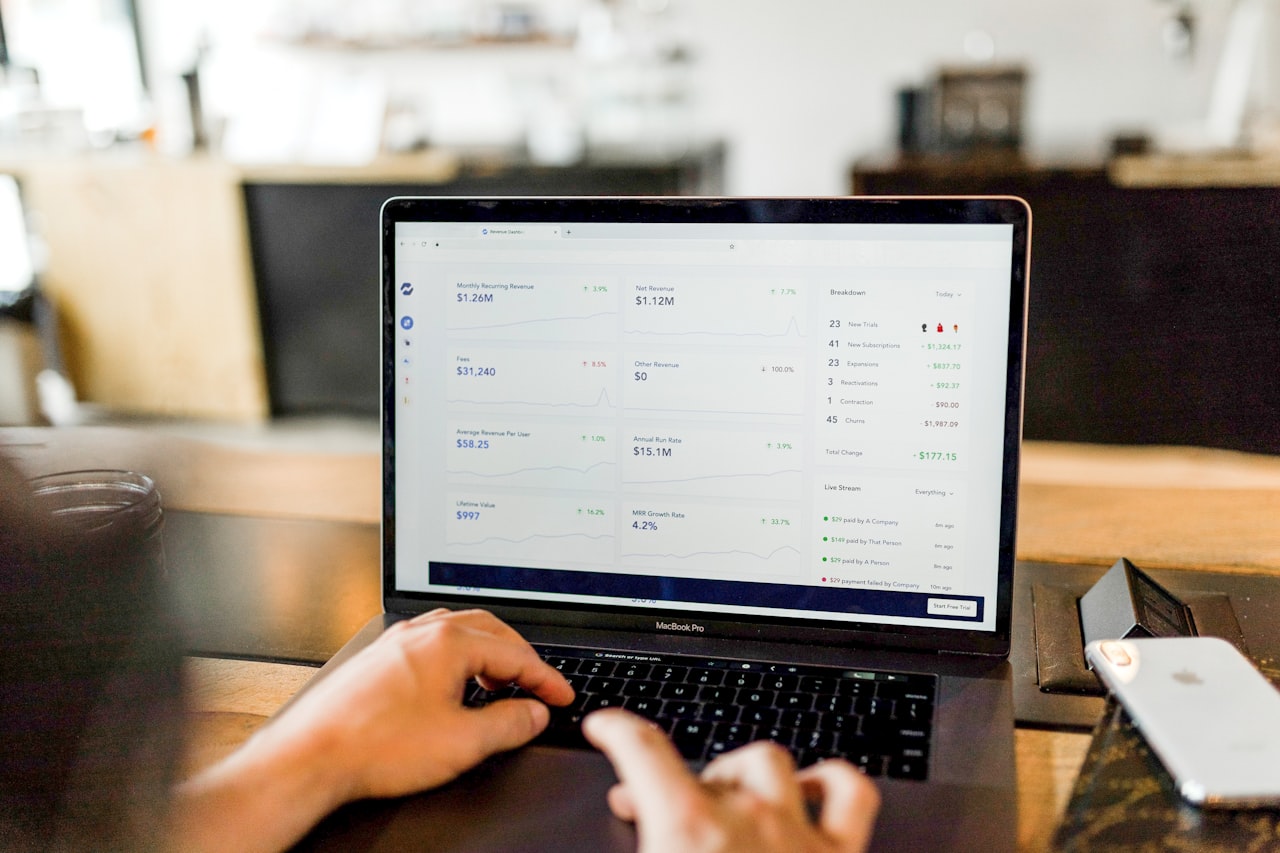
Key Features: Wave provides invoicing (unlimited), expense tracking, bank reconciliation, financial reporting (profit and loss, balance sheet, cash flow), receipt scanning, and double-entry bookkeeping — all for free. The platform supports multiple currencies, which is useful for Singapore businesses dealing with international clients. Wave also offers paid add-ons including online payment processing and payroll services. The invoicing tool supports customisable templates, automatic payment reminders, and recurring invoices. The dashboard provides a clear overview of income, expenses, and cash flow.
Pricing: Wave’s core accounting, invoicing, and receipt scanning features are completely free with no user limits and no transaction restrictions. Payment processing (accepting credit card payments on invoices) is available at 2.9% + SGD 0.40 per transaction. Payroll services are available in the US and Canada only, which limits their usefulness for Singapore businesses. There are no premium tiers for accounting features — everything is included in the free plan.
Pros: Wave is genuinely free for accounting and invoicing — there is no catch, no trial period, and no feature gating. The interface is clean and easy to navigate for accounting beginners. Unlimited invoicing and users make it accessible for growing teams. The financial reports are adequate for basic business needs. Receipt scanning reduces manual data entry. For bootstrapped startups and side projects, the zero cost is a compelling advantage.
Cons: Wave has no Singapore-specific features — there is no automated GST calculation, no GST return generation, and no bank feeds from Singapore banks. This means significantly more manual work compared to Xero or QuickBooks. Payroll services are not available in Singapore. The lack of inventory management makes it unsuitable for product-based businesses. Customer support is limited on the free plan. The platform lacks the integration ecosystem of paid alternatives. There is no mobile accounting app (only a receipt scanning app).
Best For: Wave suits Singapore freelancers and micro-businesses on extremely tight budgets that need basic invoicing and bookkeeping. It is a reasonable starting point, but most businesses will outgrow it as they scale. Consider Wave if you are just starting out and plan to migrate to Xero or QuickBooks once your revenue justifies the investment.
Osome
Osome takes a fundamentally different approach to accounting by combining software with human expertise. Rather than giving you a tool and leaving you to manage your own books, Osome pairs its platform with a dedicated accounting team that handles the work for you. For Singapore business owners who want to outsource their accounting entirely while maintaining visibility through a digital dashboard, Osome offers an attractive all-in-one solution.
Key Features: Osome provides a cloud-based dashboard for tracking income, expenses, and financial health, combined with a dedicated team of accountants who handle bookkeeping, GST filing, financial statements, and ACRA compliance. The platform automates document collection and categorisation using AI. Osome’s team prepares and files your GST returns with IRAS, compiles unaudited financial statements for ACRA annual returns, and handles corporate secretarial tasks. The dashboard gives you real-time visibility into your financial position. Osome also offers company incorporation, nominee director services, and payroll management as add-on services.
Pricing: Osome’s accounting plans start at approximately SGD 200/month for basic bookkeeping and GST filing for small businesses. The full-service plan, including financial statements and corporate secretary, starts at around SGD 300/month. Custom pricing is available for businesses with higher transaction volumes. Company incorporation starts from SGD 350 as a one-time fee. The pricing is significantly higher than self-service software because it includes professional accounting services, not just a software licence.
Pros: Osome eliminates the need to learn accounting software or manage your own books — a significant time-saver for busy founders. The Singapore-based accounting team understands local compliance requirements thoroughly. GST returns are prepared and filed correctly by professionals, reducing the risk of errors and penalties. The combination of software and service means you get both real-time visibility and expert support. ACRA annual return preparation is included, simplifying year-end obligations.
Cons: Osome is significantly more expensive than self-service accounting software, which may not be justifiable for businesses with simple accounting needs. You are somewhat dependent on Osome’s team for your financial data — if you decide to switch, the transition can be more involved than migrating between software platforms. The turnaround time for queries depends on the team’s workload. The platform itself has fewer features than Xero or QuickBooks since the expectation is that the team handles most tasks. You have less control over the accounting process.
Best For: Osome is ideal for Singapore startup founders and small business owners who want to outsource their accounting entirely and are willing to pay a premium for professional service combined with technology. If you prefer spending your time on growing your business rather than managing spreadsheets, Osome provides genuine hands-off financial management.
Sleek
Sleek, like Osome, offers a technology-enabled accounting service rather than a purely self-service software platform. The company combines a digital dashboard with professional accounting services, targeting Singapore businesses that want modern technology with human expertise. Sleek has expanded from its accounting roots to offer a broad suite of corporate services including incorporation, corporate secretary, and tax advisory.
Key Features: Sleek provides a cloud dashboard for financial monitoring, combined with professional bookkeeping, GST filing, financial statement preparation, and tax computation services. The platform uses AI to automate document processing and categorisation. Additional services include company incorporation, corporate secretary, nominee director, employment pass applications, and tax advisory. Sleek integrates with popular business tools and banks for automated data capture. The dashboard offers real-time financial insights, expense categorisation, and document management.
Pricing: Sleek’s accounting packages start at approximately SGD 200/month for the essentials package covering bookkeeping and GST filing. Comprehensive packages including financial statements and corporate secretary services start at around SGD 350/month. Annual plans offer discounted rates. Add-on services like payroll management, tax advisory, and audit support are priced separately. Sleek occasionally offers promotional rates for new clients. Company incorporation starts from approximately SGD 399.
Pros: Sleek offers a comprehensive suite of corporate services beyond accounting, making it a one-stop shop for Singapore business administration. The technology platform is modern and provides useful financial insights. The accounting team is Singapore-based and understands local compliance requirements. The combination of accounting, corporate secretary, and tax services under one roof simplifies vendor management. The onboarding process is straightforward and well-supported.
Cons: Like Osome, Sleek’s pricing is significantly higher than self-service accounting software. The range of services can lead to cost creep if you add multiple add-ons. Response times for support queries can vary during peak periods (like financial year-end). The dashboard, while improving, does not match the depth of features in standalone accounting software like Xero. Switching away from Sleek requires transitioning both the technology and the professional services.
Best For: Sleek suits Singapore SME owners who want a single provider for all corporate administration — accounting, corporate secretary, incorporation, and tax — with the convenience of a modern technology platform. If you want to consolidate your business service providers, Sleek’s breadth of services is compelling. Focus on growing your revenue with our digital marketing services while Sleek handles the administrative side.
Summary Comparison Table
| Software | Starting Price | GST Compliant | Payroll | Multi-Currency | Best For |
|---|---|---|---|---|---|
| Xero | SGD 36/mo | Yes (IRAS) | Basic (add-on) | Yes (160+) | SMEs (best all-round) |
| QuickBooks | ~SGD 20/mo | Yes | No (SG) | Yes | Small biz, freelancers |
| MYOB | ~SGD 30/mo | Yes (IRAS) | Yes (CPF) | Yes | Existing MYOB users |
| Zoho Books | Free | Partial | No (SG) | Yes | Zoho ecosystem users |
| FreshBooks | ~SGD 23/mo | Limited | No (SG) | Yes | Freelancers, services |
| Wave | Free | No | No (SG) | Yes | Micro-businesses |
| Osome | ~SGD 200/mo | Yes (filed for you) | Add-on | Yes | Hands-off founders |
| Sleek | ~SGD 200/mo | Yes (filed for you) | Add-on | Yes | One-stop corporate |
How to Choose the Right Accounting Software
Selecting the best accounting software for your Singapore business depends on several key factors. Here is how to make the right decision.

GST compliance is non-negotiable. If your business is GST-registered (mandatory once revenue exceeds SGD 1 million), your accounting software must handle GST calculations and reporting correctly. Xero and MYOB offer the most robust IRAS-compliant GST features. If you choose a platform with limited GST support (like Wave or FreshBooks), you or your accountant will need to handle GST reporting separately, which increases the risk of errors.
Decide between self-service and managed service. Self-service platforms (Xero, QuickBooks, Zoho Books) are cheaper but require you or your accountant to manage the bookkeeping. Managed services (Osome, Sleek) cost more but handle the work for you. The right choice depends on your time, expertise, and budget. Many businesses start with self-service software and their own accountant, which is typically the most cost-effective approach.
Consider your team size and user needs. Xero includes unlimited users on all plans, making it the most cost-effective for teams. QuickBooks and MYOB charge per user, which adds up quickly. If multiple people (owner, bookkeeper, accountant) need access, factor in the total user cost, not just the base subscription.
Evaluate integrations with your existing tools. Your accounting software should integrate with your e-commerce platform, payment gateway, bank, and payroll provider. Xero leads in integration breadth, but QuickBooks and Zoho Books also offer strong connectivity. Check that specific integrations you need are available before committing. Our web design team can advise on integrating your website and accounting systems for seamless financial management.
Plan for scalability. Software that works for a two-person startup may not scale to a 50-person company. Consider your growth trajectory and choose a platform with a clear upgrade path. Migrating accounting software mid-growth is disruptive and expensive, so it pays to choose wisely from the start.
Frequently Asked Questions
Is Xero or QuickBooks better for Singapore businesses?
Xero is generally the better choice for Singapore businesses due to its superior GST compliance features, wider local accountant adoption, stronger Singapore bank integrations, and unlimited user model. QuickBooks is a solid alternative if you prioritise ease of use and strong reporting, especially for smaller businesses with one or two users. Both platforms handle core accounting well, but Xero’s Singapore-specific advantages make it the default recommendation for most local businesses.
Do I need GST-compliant accounting software if I am not GST-registered?
If your business revenue is below SGD 1 million, GST registration is optional (though you can voluntarily register). Even if you are not currently GST-registered, choosing GST-compliant software is advisable if you expect to grow past the threshold. Migrating accounting data and reconfiguring GST settings mid-business is more disruptive than starting with a GST-ready platform. Most recommended options like Xero and QuickBooks include GST features on all plans at no extra cost.
Can I use free accounting software for my Singapore business?
Yes, but with significant limitations. Zoho Books offers a free plan with basic features suitable for micro-businesses earning under SGD 67,000/year. Wave is entirely free but lacks Singapore-specific features like GST compliance and local bank feeds. For businesses with simple needs and tight budgets, these free options are viable starting points. However, most growing businesses will benefit from paying for Xero or QuickBooks, where the time saved through automation and compliance features easily justifies the monthly cost.
Should I outsource my accounting to Osome or Sleek instead of using software?
Outsourcing to Osome or Sleek makes sense if you value your time more than the cost difference (typically SGD 150-250/month more than self-service software). Founders who prefer to focus entirely on business operations rather than bookkeeping benefit most from managed services. However, if you already have a bookkeeper or accountant, self-service software like Xero combined with professional oversight is usually more cost-effective. The choice ultimately depends on whether you want to manage your finances or have someone else manage them for you.
How do I handle multi-currency accounting for my Singapore business?
Most accounting platforms covered in this guide support multi-currency transactions. Xero (Standard plan and above), QuickBooks, Zoho Books and FreshBooks all allow you to invoice in foreign currencies, record expenses and track exchange rate gains and losses. For Singapore businesses dealing with suppliers in USD, CNY or MYR, this is essential. Xero and QuickBooks automatically update exchange rates daily, reducing manual work.
How do I migrate from one accounting software to another?
Most platforms offer import tools for chart of accounts, contacts, invoices and transactions via CSV files. Xero and QuickBooks both provide migration guides and support. The best time to migrate is at the start of a financial year to keep clean records. Export all historical data before switching and run both systems in parallel for one to two months to verify accuracy. Consider engaging your accountant to oversee the migration.
What accounting software works best with Shopify or WooCommerce?
Xero and QuickBooks both offer strong integrations with Shopify and WooCommerce, automatically syncing orders, payments and refunds. Xero’s integration through apps like A2X or Amaka provides detailed revenue breakdowns by payment method and product. For e-commerce businesses in Singapore, choose a platform that handles marketplace fees, multi-currency transactions and GST on international sales correctly.
Do I need separate payroll software if I use Xero or QuickBooks?
Xero includes basic payroll on its Premium plan handling CPF calculations for small teams. For businesses with more complex payroll needs — shift workers, commission structures, leave management — a dedicated payroll solution like Talenox or PayBoy integrated with your accounting software provides more comprehensive features. QuickBooks does not offer Singapore payroll natively, so a third-party integration is required.
Is cloud accounting software secure enough for my business data?
Reputable cloud accounting platforms like Xero, QuickBooks and Zoho Books use bank-level encryption, multi-factor authentication and regular security audits. They are generally more secure than desktop software or spreadsheets stored on local computers. Ensure you enable two-factor authentication, use strong passwords and limit user access to only the features each team member needs. Cloud platforms also provide automatic backups, eliminating the risk of data loss from hardware failures.