
Best Proposal Software for Agencies and Freelancers in 2026
Winning new business is the lifeblood of any agency or freelance practice, and the proposal is often the final hurdle between a promising lead and a signed contract. Yet many agencies still cobble together proposals in Google Docs or Word, sending static PDFs that offer zero insight into whether the prospect actually read the document. Dedicated proposal software changes the game entirely.
Modern proposal tools offer interactive, web-based proposals with embedded e-signatures, real-time analytics showing exactly when a prospect opens and reads your document, and automated follow-up sequences. For Singapore-based agencies competing for clients across Southeast Asia, professional proposals that reflect your brand and streamline the signing process can significantly shorten your sales cycle.
This guide compares eight of the best proposal software options available in 2026. We cover templates, e-signatures, analytics capabilities, CRM integration, and pricing — helping you choose the right tool for your digital marketing agency or freelance business.
What to Look for in Proposal Software
The right proposal tool should do more than make your documents look pretty. It should actively help you close deals faster. Here are the key criteria worth evaluating before committing to a platform.
Template quality and customisation: Good templates accelerate proposal creation without making every document look identical. The best platforms offer industry-specific templates that you can adapt to your branding, with drag-and-drop editors for rearranging sections, inserting pricing tables, and embedding media.
E-signature integration: Built-in e-signatures eliminate the need for a separate signing tool like DocuSign. Look for legally binding electronic signatures that comply with international standards, including Singapore’s Electronic Transactions Act. The ability to require signatures on specific sections — such as terms and conditions — adds an extra layer of protection.
Analytics and tracking: Knowing when a prospect opens your proposal, how long they spend on each section, and whether they forwarded it to a colleague is invaluable for follow-up timing. The best tools provide real-time notifications and detailed engagement metrics that help you refine your approach.
CRM integration: Your proposal software should connect to your existing sales workflow. Integration with HubSpot, Salesforce, Pipedrive, or other CRMs ensures proposal data flows into your pipeline automatically, reducing manual data entry and keeping your team aligned.
Pricing structure: Proposal tools vary widely in pricing models. Some charge per user, others per proposal sent, and some offer unlimited proposals on all plans. For growing agencies, understanding the cost at scale matters as much as the entry-level price.
Proposify
Proposify is one of the most established proposal platforms, used by thousands of agencies worldwide. It positions itself as a comprehensive proposal management solution with strong emphasis on team workflows and content libraries.
Key Features: Proposify offers a drag-and-drop proposal editor with a content library system for reusable sections, fee tables, and images. The platform includes built-in e-signatures, proposal analytics with open and view tracking, interactive pricing with optional line items that clients can select, and approval workflows for team-based proposal review. Integration options include Salesforce, HubSpot, Pipedrive, and Zapier for broader connectivity.
Pricing: The Team plan starts at approximately USD 49 per user per month. The Business plan, which adds Salesforce integration and advanced approval workflows, is custom-priced. There is no free plan, but a 14-day trial is available. For a small agency with three team members, the annual cost comes to roughly USD 1,764.
Pros: Robust content library system saves significant time on repeat proposals. Interactive pricing tables let clients customise their own packages. Strong analytics with granular section-level engagement data. Good team collaboration features with roles and approval chains. Reliable e-signature functionality.
Cons: Per-user pricing becomes expensive for larger teams. The editor can feel clunky compared to web-native alternatives like Qwilr. Template designs, while professional, are not as visually modern as some competitors. Limited integrations on the base plan. The learning curve is moderate — expect a few hours to get comfortable.
Best For: Mid-size agencies with established sales processes that need structured proposal workflows, content libraries, and team-based approval chains. Particularly strong for agencies sending high volumes of proposals that reuse common sections.
PandaDoc
PandaDoc has grown beyond proposals into a broader document automation platform covering contracts, quotes, and forms. This makes it a strong choice for businesses wanting a single tool for their entire document workflow.
Key Features: PandaDoc provides a drag-and-drop document editor, a library of over 750 templates, built-in e-signatures (unlimited on all paid plans), document analytics, and a content library. Its standout feature is the integrated payment collection — clients can pay directly from the proposal using Stripe or PayPal. CRM integrations include HubSpot, Salesforce, Pipedrive, Zoho, and many others. API access is available for custom integrations.
Pricing: A free plan (Essentials) includes unlimited e-signatures and document uploads but lacks templates and analytics. The Starter plan at approximately USD 35 per user per month adds templates, analytics, and the content library. The Business plan at around USD 65 per user per month includes CRM integration, custom branding, and approval workflows. Enterprise pricing is custom.
Pros: Versatile — handles proposals, contracts, quotes, and forms in one platform. Integrated payment collection is a significant advantage for closing deals quickly. Generous CRM integrations across all major platforms. The free plan is genuinely useful for freelancers starting out. Strong API for custom workflows.
Cons: The breadth of features means the platform can feel bloated if you only need proposal functionality. Per-user pricing adds up quickly for teams. Some users report occasional slowness in the document editor. Template quality varies — some look dated. Customer support response times can be slow on lower-tier plans.
Best For: Agencies and freelancers who want a single platform for proposals, contracts, and invoicing. Particularly valuable if you want clients to pay directly from the accepted proposal, streamlining the transition from proposal to project kickoff.
Better Proposals
Better Proposals focuses on creating visually impressive, web-based proposals that are designed to convert. The platform emphasises simplicity and conversion optimisation, making it a favourite among freelancers and small agencies.
Key Features: Better Proposals delivers proposals as interactive web pages rather than static documents. The editor is block-based, with pre-designed content blocks for introductions, pricing tables, timelines, and team bios. Built-in e-signatures are included, along with real-time notifications when proposals are opened, read, or signed. The platform includes over 200 proposal templates designed by professionals. Integration options include Stripe and PayPal for payments, plus connections to major CRMs and project management tools via Zapier.
Pricing: The Starter plan costs approximately USD 19 per user per month (billed annually) and includes unlimited proposals, e-signatures, and analytics. The Premium plan at around USD 29 per user per month adds payment integration, custom domain, and content library. The Enterprise plan at approximately USD 49 per user per month includes Salesforce integration and priority support.
Pros: Beautiful web-based proposal designs that look impressive on any device. Competitive pricing compared to Proposify and PandaDoc. The block-based editor is intuitive and quick to learn. Conversion-focused features like urgency timers and social proof blocks. Solid analytics with useful insights on proposal performance.
Cons: Less suitable for complex, highly customised proposals that need flexible layouts. The web-based format means proposals require an internet connection to view — no offline option. Template library, while attractive, has fewer industry-specific options than PandaDoc. Team collaboration features are less developed than Proposify’s. Limited native CRM integrations without Zapier.
Best For: Freelancers and small agencies that want visually stunning proposals without a steep learning curve or high price point. Excellent for content marketing and creative agencies where visual presentation matters.
Qwilr
Qwilr takes a distinctive approach by turning proposals into interactive web pages with embedded media, dynamic pricing, and real-time content. The result feels more like a micro-website than a traditional document, which can be highly effective for visual and creative industries.
Key Features: Qwilr proposals are responsive web pages that can include embedded videos, interactive maps, live data feeds, and dynamic pricing calculators. The editor uses a section-based approach with drag-and-drop functionality. Built-in e-signatures and payment collection via Stripe are included. ROI calculators and interactive pricing tables let prospects configure their own packages. CRM integrations cover HubSpot, Salesforce, and Pipedrive. The platform also offers page-level analytics and engagement scoring.
Pricing: The Business plan starts at approximately USD 35 per user per month (billed annually), including e-signatures, analytics, and basic integrations. The Enterprise plan at custom pricing adds advanced security, SSO, and dedicated support. No free plan is available, but a 14-day trial lets you evaluate the platform.
Pros: The most visually impressive proposal format available — proposals genuinely feel like branded micro-sites. Interactive pricing calculators are a unique and powerful feature. Excellent for creative, design, and technology agencies where innovation matters. Strong engagement analytics. Mobile-first design ensures proposals look great on phones and tablets.
Cons: The web-page format may not suit traditional industries that expect PDF-style documents. Learning curve is steeper than simpler tools like Better Proposals. Pricing is higher than entry-level competitors. Some users find the editor restrictive when trying to achieve very specific layouts. Fewer templates than PandaDoc or Better Proposals.
Best For: Creative and technology agencies that want proposals to double as a showcase of their digital capabilities. If your agency specialises in web design or UX design, sending a Qwilr proposal demonstrates your commitment to exceptional digital experiences.
HoneyBook
HoneyBook is a client management platform that includes proposal functionality as part of a broader suite covering invoicing, contracts, scheduling, and project management. It is particularly popular among creative professionals and service-based businesses.
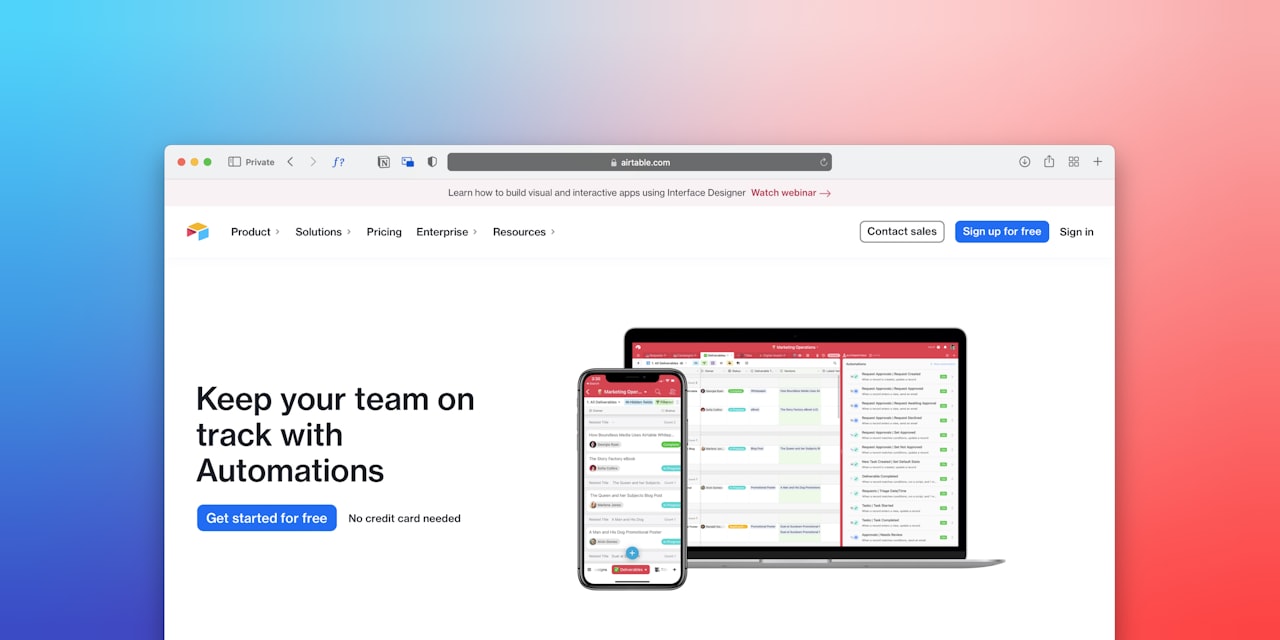
Key Features: HoneyBook combines proposals, contracts, and invoices into a single smart file that clients can review, sign, and pay in one seamless flow. The platform includes pipeline management, automated workflows, task tracking, and a client portal. Proposal templates are customisable with your branding, and the editor supports text, images, pricing tables, and embedded contracts. Payment processing is built in via Stripe and ACH transfers.
Pricing: HoneyBook uses a flat-rate pricing model rather than per-user pricing. The Starter plan costs approximately USD 16 per month (billed annually), with the Essentials plan at around USD 32 per month adding automation and scheduling. The Premium plan at approximately USD 66 per month unlocks all features including priority support and multiple pipelines.
Pros: All-in-one platform eliminates the need for separate proposal, contract, invoicing, and project management tools. Flat-rate pricing is predictable and team-friendly — no per-user charges. The combined proposal-contract-invoice flow is exceptionally smooth for the client experience. Strong automation features for follow-ups and reminders. Beautiful, modern interface.
Cons: Proposal functionality alone is less powerful than dedicated tools like Proposify or Qwilr. The platform is designed for small teams and freelancers — it may not scale well for larger agencies. Limited CRM integrations compared to standalone proposal tools. Reporting and analytics are basic compared to dedicated proposal platforms. Not ideal if you already have established systems for invoicing and project management.
Best For: Freelancers and small agencies wanting an all-in-one client management solution. Especially strong for service-based businesses in creative industries where the proposal, contract, and payment flow should be seamless.
Nusii
Nusii is a focused proposal tool built specifically for creative agencies and freelancers. It avoids feature bloat by concentrating on doing proposals exceptionally well, without trying to be a complete business management platform.
Key Features: Nusii provides a clean, distraction-free proposal editor with reusable sections and a content library. Proposals are delivered as web pages with built-in e-signatures. Analytics track opens, views, and time spent on each section. The platform includes client-facing pricing options, allowing recipients to choose between packages. Notification system alerts you when clients interact with proposals. Integrations are available via Zapier and a webhook API.
Pricing: The Freelancer plan costs approximately USD 29 per month for a single user with unlimited proposals. The Agency plan at around USD 49 per month supports up to five users and adds team features. The Business plan at approximately USD 129 per month covers up to 20 users with priority support. All plans include e-signatures and analytics.
Pros: Clean, focused interface without unnecessary features. Designed specifically for creative agencies and freelancers. Reusable section library speeds up proposal creation. Flat-rate pricing per plan rather than per-user, offering good value for small teams. Good notification system keeps you informed of client engagement.
Cons: Limited integrations — no native CRM connections, relying on Zapier. Smaller template library than competitors. Fewer advanced features like payment collection or interactive pricing calculators. The web-based proposal format does not include a PDF download option on all plans. Less suitable for complex enterprise proposals with multiple stakeholders.
Best For: Freelancers and small creative agencies who want a straightforward, no-nonsense proposal tool without the complexity of platforms like PandaDoc or HoneyBook. Good for agencies that already have separate tools for CRM and invoicing and just need a dedicated proposal solution.
Bidsketch
Bidsketch is one of the original proposal software platforms, having been in the market for over a decade. It focuses on speed and efficiency, helping agencies create professional proposals quickly using a modular, section-based approach.
Key Features: Bidsketch uses a section-based proposal builder where you assemble proposals from reusable content blocks — introductions, scope sections, fee tables, terms, and team bios. The platform includes e-signatures, proposal analytics, and basic CRM features. Fee tables support optional line items that clients can select. Proposals can be delivered as web pages or PDFs. The platform integrates with major CRMs and accounting tools via Zapier.
Pricing: The Solo plan costs approximately USD 29 per month for a single user. The Team plan at around USD 79 per month supports up to three users with shared content libraries. The Business plan at approximately USD 149 per month covers unlimited users with advanced analytics and priority support. Annual billing discounts are available.
Pros: Veteran platform with a proven track record. The modular approach is excellent for agencies that send similar types of proposals frequently. Solid e-signature and analytics features. Both web-page and PDF delivery options provide flexibility. Optional fee items let clients self-select scope.
Cons: The interface feels dated compared to modern competitors like Qwilr and Better Proposals. Pricing is relatively high for what you get, especially at the Team and Business tiers. The template library is smaller and less visually polished. Innovation has slowed compared to newer competitors. Limited advanced features like payment collection or interactive pricing calculators.
Best For: Established agencies with a tried-and-tested proposal structure that want a reliable, efficient tool for assembling proposals from existing content. Better suited for text-heavy proposals in professional services than for visually-driven creative pitches.
AND CO
AND CO (now part of Fiverr Workspace) is a freelancer-focused platform that combines proposals with invoicing, contracts, time tracking, and expense management. It provides a complete freelance business management toolkit at an accessible price point.
Key Features: AND CO offers proposal creation with customisable templates, built-in e-signatures, and automatic conversion of accepted proposals into projects and invoices. The platform includes time tracking, expense management, task boards, and tax-ready financial reports. Proposals can include milestone-based payment schedules. Payment processing supports multiple methods including bank transfer and PayPal. The platform is available as a web app and mobile app.
Pricing: AND CO offers a free plan with limited features for up to three active clients. The premium plan costs approximately USD 24 per month (billed annually) for unlimited clients and full features. As part of Fiverr Workspace, some features are included for Fiverr sellers at no additional cost.
Pros: Extremely affordable for the breadth of features offered. The proposal-to-project-to-invoice flow is seamless. Time tracking and expense management add significant value for freelancers. Milestone-based payment schedules help manage cash flow. Mobile app allows business management on the go.
Cons: Proposal functionality is basic compared to dedicated tools — limited templates and customisation options. Not suitable for agencies with multiple team members due to the freelancer-focused design. Analytics and tracking features are minimal. Integration options are limited. The Fiverr acquisition has created some uncertainty about the platform’s independent future.
Best For: Solo freelancers who need an affordable all-in-one business management tool. If proposals are just one small part of your workflow and you also need invoicing, time tracking, and expense management, AND CO offers remarkable value for money.
Comparison Table
| Tool | E-Signatures | Payment Collection | CRM Integration | Analytics | Starting Price |
|---|---|---|---|---|---|
| Proposify | Yes | Via integration | Salesforce, HubSpot, Pipedrive | Detailed | USD 49/user/month |
| PandaDoc | Yes (unlimited) | Stripe, PayPal | HubSpot, Salesforce, Zoho, Pipedrive | Detailed | Free (paid from USD 35/user/month) |
| Better Proposals | Yes | Stripe, PayPal | Via Zapier | Good | USD 19/user/month |
| Qwilr | Yes | Stripe | HubSpot, Salesforce, Pipedrive | Detailed | USD 35/user/month |
| HoneyBook | Yes | Stripe, ACH | Limited | Basic | USD 16/month (flat) |
| Nusii | Yes | No | Via Zapier | Good | USD 29/month |
| Bidsketch | Yes | No | Via Zapier | Basic | USD 29/month |
| AND CO | Yes | Bank, PayPal | Limited | Minimal | Free (paid from USD 24/month) |
Choosing the Right Proposal Tool
Your choice depends on your team size, budget, and how central proposals are to your sales process. For dedicated proposal functionality with strong team features, Proposify leads the field. For versatility across documents, PandaDoc’s broader platform is hard to beat.

Freelancers and solo operators should look at Better Proposals for the best balance of price and design quality, or HoneyBook if you want an all-in-one client management solution. AND CO offers the most affordable complete business management toolkit for solo freelancers.
Agencies that want their proposals to make a visual statement should consider Qwilr — its interactive web-page format is uniquely impressive. For agencies already running a content-heavy sales process with reusable sections, Bidsketch or Nusii provide focused, efficient proposal assembly.
Regardless of which tool you choose, pair it with a strong content strategy that ensures your proposal messaging aligns with your overall brand narrative. The best software in the world cannot compensate for a poorly positioned value proposition.
Frequently Asked Questions
Are e-signatures from proposal software legally binding in Singapore?
Yes. Electronic signatures are recognised under Singapore’s Electronic Transactions Act (ETA). All eight platforms reviewed in this article provide e-signatures that are legally binding in Singapore and most international jurisdictions. For high-value contracts, you may want to verify specific compliance requirements with your legal advisor, but for standard agency proposals and service agreements, e-signatures from these platforms are fully enforceable.
How much does proposal software typically cost for a small agency?
For a small agency with three to five team members, expect to pay between USD 100 and USD 300 per month depending on the platform. Per-user pricing (Proposify, PandaDoc, Better Proposals) scales linearly with team size, while flat-rate platforms (HoneyBook, Nusii) offer more predictable costs. Annual billing typically saves 15 to 20 per cent compared to monthly payments.
Can I use proposal software without a CRM?
Absolutely. All the tools reviewed include basic pipeline or client management features that can serve as a lightweight CRM for small teams. HoneyBook and AND CO include the most comprehensive built-in client management. However, as your agency grows, connecting your proposal tool to a dedicated CRM like HubSpot or Pipedrive provides better visibility across your entire sales pipeline.
Which proposal software has the best templates for marketing agencies?
Better Proposals and PandaDoc both offer extensive template libraries with options specifically designed for digital marketing agencies. Better Proposals edges ahead on visual design quality, while PandaDoc offers more variety across industries. Qwilr’s templates are fewer in number but more visually distinctive, making them ideal for agencies wanting to stand out.
How do I improve my proposal close rate?
Beyond choosing the right software, focus on these factors: personalise every proposal to the specific client’s needs rather than sending generic templates; include social proof such as case studies and testimonials; offer clear, transparent pricing with options rather than a single take-it-or-leave-it figure; follow up within 24 hours of a proposal being opened (analytics help here); and keep proposals concise — aim for five to eight pages maximum rather than overwhelming prospects with lengthy documents.