What Is Bounce Rate? How to Measure and Reduce It
Table of Contents
GA4 Bounce Rate vs Engagement Rate
Understanding what is bounce rate requires grasping how GA4 fundamentally changed the definition. In the older Universal Analytics, a bounce was any single-page session — even a visitor who read an entire article for ten minutes counted as a bounce if they left without clicking another page. This made the metric misleading for content sites.
GA4 redefined bounce rate as the inverse of engagement rate. A session is “engaged” if it meets any of three criteria: lasts longer than ten seconds, includes at least two page views or triggers a conversion event. Bounce rate is the percentage of sessions that were not engaged. This definition is far more meaningful — a visitor reading your page for 30 seconds no longer counts as a bounce.
Engagement rate is GA4’s primary metric: (engaged sessions / total sessions) x 100. If your site has 1,000 sessions and 700 are engaged, engagement rate is 70 per cent and bounce rate is 30 per cent. You can adjust the engagement threshold from the default ten seconds up to sixty seconds in GA4 settings. Because the definition changed, GA4 bounce rates are generally lower than Universal Analytics figures for the same site — do not compare them directly.
Benchmarks by Page Type
There is no single “good” bounce rate. Acceptable levels vary dramatically by page type, traffic source and user intent.
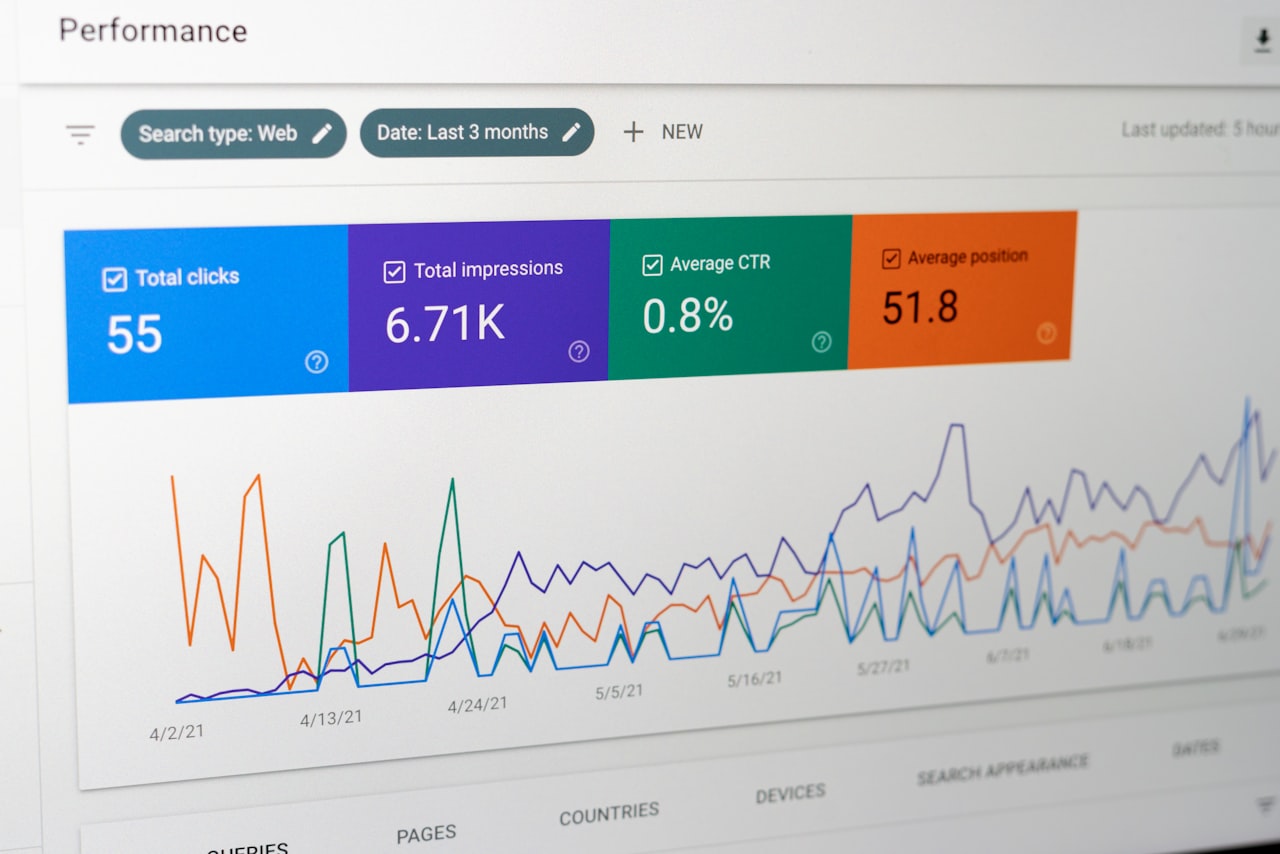
Blog posts: 40 to 65 per cent in GA4. Visitors often arrive from search, consume the article and leave. This is not necessarily problematic if engagement time is strong. Improve blog bounce rates with internal links, related posts and compelling calls to action.
Landing pages: 20 to 40 per cent. Pages designed to drive specific actions should retain most visitors. High rates indicate disconnect between the ad or link and the page content.
Homepage: 30 to 50 per cent. Should effectively direct visitors to their desired content. High rates may signal poor navigation or unclear value proposition.
Product and service pages: 25 to 45 per cent. Visitors evaluating offerings should explore further. High rates suggest content, design or trust issues needing attention.
Contact and conversion pages: These should have the lowest rates. Visitors reaching checkout or contact forms who bounce indicate significant friction — confusing forms, unexpected costs or trust concerns requiring immediate investigation.
Always interpret bounce rate with engagement time. A blog post with 60 per cent bounce rate but four minutes average engagement is performing well. A landing page with 40 per cent bounce but five seconds engagement has a serious problem.
Causes of High Bounce Rate
Understanding why visitors bounce is the first step toward improvement. The most common causes affect Singapore websites as much as any market.
Slow page speed is the primary culprit. As load time increases from one to three seconds, bounce probability rises by 32 per cent. At five seconds, it rises by 90 per cent. Mobile users — over 60 per cent of Singapore web traffic — are especially impatient.
Content mismatch occurs when visitors expect one thing and find another. Misleading ad copy, inaccurate meta descriptions or keyword targeting that attracts the wrong audience all cause immediate departures.
Poor mobile experience: Text too small, buttons too close together, horizontal scrolling requirements and forms difficult on touchscreens. If your site looks good on desktop but struggles on mobile, bounce rates from mobile traffic will be disproportionately high.
Weak content quality: Thin, outdated or poorly formatted content fails to hold attention. If visitors determine within seconds that your content will not answer their question, they leave.
Trust issues: Missing SSL, outdated design, no social proof, broken elements and missing contact information erode trust. Singapore consumers are digitally savvy and quick to judge. A professionally designed website addresses these signals systematically.
Reducing Bounce Rate Through Page Speed
Speed optimisation is the highest-impact action for reducing bounce rates.

Compress images using WebP or AVIF. Implement lazy loading. Use responsive image markup (srcset). Optimise Core Web Vitals: LCP under 2.5 seconds, INP under 200 milliseconds, CLS under 0.1. For Singapore businesses, choose hosting with Asia-Pacific servers and use a CDN like Cloudflare.
Minimise CSS and JavaScript, defer non-critical scripts, remove unused code and leverage browser caching. Audit third-party scripts — analytics, chat widgets, advertising pixels — and remove unnecessary ones. Load non-essential scripts asynchronously. Even small speed improvements can produce measurable bounce rate reductions.
Reducing Bounce Rate Through Content
Match search intent precisely. Analyse queries driving traffic to each page and verify content comprehensively answers them. If visitors searching “marketing agency pricing Singapore” land on a generic about page, they will bounce. Align content with intent through careful keyword research.
Strengthen above-the-fold content. The first few seconds determine whether a visitor stays. Use clear, benefit-driven headlines, concise opening paragraphs addressing the visitor’s need and visual elements reinforcing your message.
Format for scanning. Descriptive subheadings, short paragraphs (three to four sentences), bullet points, bold key phrases and summary boxes help visitors find information quickly, reducing the likelihood of bouncing.
Keep content fresh. Outdated material signals unreliability. Update regularly with current statistics, recent examples and references to the current year. Display “last updated” dates to reassure visitors the information is current.
Reducing Bounce Rate Through UX and Design
Clean, modern design builds trust and encourages exploration. Clarity and professionalism matter more than trendy effects. Intuitive navigation should let visitors find anything within two to three clicks. Mobile-first design is non-negotiable given Singapore’s traffic patterns.
Strategic internal linking gives visitors pathways to continue their journey. Link to related posts, service pages and resources within content. Aim for three to five internal links per page. Related content recommendations at the bottom of each page provide clear next steps for engaged visitors.
Clear CTAs guide visitors forward. Each page needs a contextually relevant call to action — a content marketing article should link to content services, not unrelated offers. Match CTA intensity to funnel stage: soft CTAs for educational content, direct CTAs for decision-stage pages.
Bounce Rate vs Exit Rate
These related metrics are frequently confused. What is bounce rate vs exit rate? Bounce rate applies only to landing sessions — visits where a page was the entry point. It measures how well a page performs as an entry point. Exit rate applies to all page views and measures how frequently a page is the last one viewed.

A page can have low bounce rate but high exit rate — works well as a landing page but is also where longer sessions end. Bounce rate evaluates landing pages, ad destinations and search entry points. Exit rate identifies friction in user journeys — pages where visitors consistently drop out of checkout flows or multi-step processes.
In GA4, exit rate is not in standard reports. Access it through Explorations by combining “exits” and “views” dimensions.
Frequently Asked Questions
Is bounce rate a Google ranking factor?
Google has stated it does not use Analytics bounce rate as a direct ranking factor. However, Google measures user engagement signals through its own data. Pages consistently failing to satisfy intent may decline. Focus on genuinely useful content and positive experiences rather than optimising bounce rate metrics specifically.
What is a good bounce rate for my website?
Using GA4 metrics: below 30 per cent is excellent, 30 to 45 is average, 45 to 60 may need improvement depending on context, above 60 typically warrants investigation. Compare against your own historical data and direct competitors.
Why did my bounce rate suddenly increase?
Common causes: a redesign introducing issues, traffic source changes (new campaign targeting wrong audience), technical problems (slow loading, broken functionality), content changes mismatching expectations or seasonal patterns. Investigate by segmenting data by page, source, device and date range.
Should I worry about high bounce rate on blog posts?
Not necessarily. Blog posts naturally have higher rates. The better questions: did visitors engage meaningfully (check engagement time)? Did they convert? Did they return later? A post with 55 per cent bounce but strong engagement time and conversions is performing well.
How quickly can I improve bounce rate?
Speed fixes, pop-up removal and content mismatch corrections show results within days. Content quality upgrades, design overhauls and internal linking strategies take weeks to months. Prioritise quick wins first, then invest in longer-term improvements.
Does mobile vs desktop bounce rate differ significantly?
Mobile rates are typically 5 to 15 percentage points higher than desktop. The gap has narrowed but remains significant. Singapore’s 90-plus per cent mobile penetration makes mobile bounce rate optimisation especially important.
How do pop-ups affect bounce rate?
Aggressive pop-ups increase bounce rate. Intrusive interstitials on mobile can also trigger Google penalties. Use sparingly — one per visit, timed after engagement, easy to dismiss. Exit-intent pop-ups on desktop are less disruptive than entry pop-ups.
What is the relationship between bounce rate and digital marketing ROI?
High bounce rates on paid landing pages mean wasted ad spend — you pay for clicks that do not convert. Reducing landing page bounce rate directly improves cost per acquisition. For organic pages, lower bounce rates signal better content satisfaction, supporting long-term SEO performance.