Hotjar Guide: How to Use Heatmaps, Recordings and Surveys to Improve Your Website
Table of Contents
What Hotjar Offers and Why It Matters
This Hotjar guide evaluates the platform’s features, pricing and suitability for Singapore businesses looking to understand how visitors interact with their websites. Hotjar is a behaviour analytics and user feedback tool that shows you what people do on your site through heatmaps, session recordings, surveys and feedback widgets. It answers the qualitative questions that Google Analytics cannot: where users click, how far they scroll, what confuses them and why they leave.
Quantitative analytics tools tell you what is happening — bounce rates, conversion rates, traffic numbers. Hotjar tells you why it is happening. A page might have a 70% bounce rate, but without heatmaps and recordings, you cannot see that visitors are clicking on an element that looks like a button but is not, scrolling past your call to action without noticing it, or abandoning a form at a specific field. These qualitative insights drive specific, actionable improvements.
For Singapore businesses optimising their website performance, Hotjar bridges the gap between data and understanding. It is particularly valuable during website redesigns, landing page optimisation and conversion rate improvement projects where you need evidence-based insights rather than guesswork to guide design decisions.
Pricing and Plans
Hotjar restructured its pricing into two separate products: Observe (heatmaps and recordings) and Ask (surveys and feedback). Each product has its own pricing tier, and you can subscribe to one or both depending on your needs.

Observe Basic is free and includes 35 daily sessions of heatmaps and recordings. Observe Plus costs US$39 per month for 100 daily sessions. Observe Business costs US$99 per month for 500 daily sessions and adds filtering, custom user attributes and frustration scoring. Observe Scale costs US$213 per month for 500+ daily sessions with advanced features.
Ask Basic is free and includes 20 monthly survey responses and three surveys or feedback widgets. Ask Plus costs US$59 per month for 250 monthly responses and unlimited surveys. Ask Business costs US$79 per month for 500 responses with advanced targeting, custom branding and API access.
For most Singapore SME websites with moderate traffic, the free tiers or Plus plans provide sufficient data. High-traffic e-commerce sites or businesses running continuous optimisation programmes may need Business tiers for the increased session limits and advanced filtering capabilities. The free tiers are genuinely useful for initial evaluation and ongoing light usage.
Heatmaps and Click Tracking
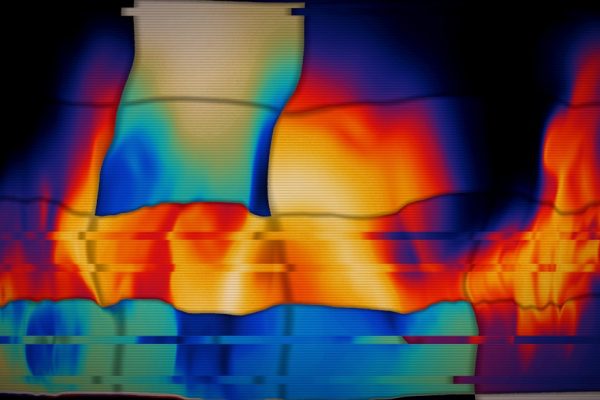
Heatmaps visualise where visitors click, move their cursors and how far they scroll on any page. Click heatmaps show which elements receive the most interaction, revealing whether visitors find your calls to action, navigation links and interactive elements. Scroll heatmaps show how much of your page content visitors actually see, which is critical for determining optimal placement for key messages and conversion elements.
Move heatmaps track cursor movement, which correlates roughly with visual attention. While not as precise as eye-tracking studies, move heatmaps provide directional insights about what draws visitors’ attention and what they ignore. For long-form content pages, these maps reveal whether visitors read your content or skim past it.
The Hotjar guide assessment is that heatmaps are most valuable when used to validate or challenge design assumptions. If your team assumes visitors see the call-to-action button below the fold, a scroll heatmap might reveal that only 40% of visitors scroll that far. This data-driven insight justifies moving the button higher — a change that would otherwise be based on opinion rather than evidence.
Heatmaps can be filtered by device type, traffic source, country and custom attributes on paid plans. This segmented view is important because mobile and desktop visitors behave differently on the same page. A heatmap that combines both device types may mask device-specific issues that need separate solutions.
Session Recordings
Session recordings capture individual visitor sessions, showing every mouse movement, click, scroll, page transition and form interaction in real time. Watching recordings reveals the specific moments where users hesitate, get confused, encounter errors or abandon their journey. This granular, individual-level insight is impossible to extract from aggregate analytics data.

Recordings are most valuable for diagnosing specific conversion problems. If your checkout page has a high abandonment rate, watching ten recordings of visitors who abandoned reveals the exact friction points — a confusing shipping options interface, a payment form error, an unexpected cost appearing at the final step. These concrete observations lead to specific, testable fixes.
Frustration detection is a feature on Business plans that automatically flags sessions containing rage clicks (rapid repeated clicking), u-turns (quick navigation back and forth) and dead clicks (clicks on non-interactive elements). This saves time by surfacing the most problematic sessions without requiring you to watch every recording manually.
Privacy considerations matter, particularly for Singapore businesses subject to the Personal Data Protection Act. Hotjar automatically suppresses keystrokes in form fields and offers controls to exclude sensitive page elements from recordings. Review Hotjar’s privacy settings to ensure compliance with PDPA requirements, particularly for pages that collect personal information.
Surveys and Feedback Tools
On-page surveys appear as small pop-ups on specific pages, triggered by time on page, scroll depth, exit intent or page-specific rules. Targeted questions like “What almost stopped you from completing this form?” or “Did you find what you were looking for?” capture qualitative feedback at the moment of experience, producing more accurate responses than retrospective surveys.
External surveys can be shared via link or email for longer research projects. These support multiple question types including rating scales, multiple choice, open text and Net Promoter Score. For periodic customer satisfaction research or post-purchase feedback, external surveys complement the on-page experience insights.
The Feedback widget provides a persistent mechanism for visitors to flag issues or share opinions on any page. Users can highlight specific page elements and attach a screenshot with their feedback. This passive feedback channel catches issues that you might not think to survey about, and it signals to visitors that you care about their experience.
For Singapore businesses conducting user research to inform website redesigns or product improvements, Hotjar’s survey tools provide a cost-effective alternative to formal usability testing. While not a replacement for in-depth user research, on-page surveys and feedback widgets capture real-time insights from actual visitors in their natural browsing context.
Strengths and Limitations
Hotjar’s primary strength is accessibility. It requires no technical expertise to set up, interpret or act on. Marketing managers, business owners and designers can all extract useful insights from heatmaps, recordings and surveys without training in analytics or user research. This democratisation of user behaviour data is the platform’s core value.
The free tier is genuinely useful. Thirty-five daily sessions of heatmaps and recordings plus twenty monthly survey responses provide enough data for most small to mid-sized websites. Singapore SMEs can start deriving insights immediately without budget approval, making it a low-risk addition to the digital marketing toolkit.
A limitation is the sampling approach on free and lower-paid tiers. With 35-100 daily sessions, you are seeing a sample of visitor behaviour rather than the complete picture. High-traffic pages may not be fully represented. For statistically robust analysis, especially on pages with diverse traffic sources, Business tier limits are recommended.
Hotjar does not provide quantitative analytics. It does not replace Google Analytics 4 for traffic measurement, conversion tracking or attribution. It complements quantitative data with qualitative context. Teams that try to use Hotjar as their primary analytics tool will find it insufficient; those who use it alongside GA4 find it invaluable.
Hotjar Versus the Alternatives
Hotjar versus Microsoft Clarity is the most relevant comparison for budget-conscious businesses. Clarity is completely free, offers unlimited heatmaps and recordings, and includes frustration detection and integration with Google Analytics. Clarity lacks survey functionality, custom filtering and some advanced features. If you only need heatmaps and recordings, Clarity provides remarkable value at zero cost. If you need surveys and feedback tools, Hotjar’s combined offering justifies the premium.
Hotjar versus FullStory is the comparison for businesses needing enterprise-grade session analytics. FullStory provides more powerful session analysis with structured event data, advanced search capabilities and product analytics features. It is significantly more expensive and complex. FullStory suits product teams at scale; Hotjar suits marketing and design teams at SME and mid-market levels.
Hotjar versus Lucky Orange is a close comparison. Lucky Orange offers similar heatmaps, recordings and surveys at comparable price points, with the addition of live visitor views and chat integration. The user interfaces differ — Hotjar is generally considered more polished — but both tools serve similar use cases effectively.
Hotjar versus dedicated survey tools like Typeform or SurveyMonkey is relevant if surveys are your primary need. Dedicated survey platforms offer more question types, logic branching, design customisation and response analysis. Hotjar’s surveys are adequate for on-page feedback and short research questions but lack the depth of purpose-built survey tools for comprehensive research projects.
Frequently Asked Questions
Is Hotjar free to use?
Yes. The free tiers of both Observe and Ask products provide genuine functionality. Free Observe includes 35 daily sessions of heatmaps and recordings. Free Ask includes 20 monthly survey responses and three surveys. These limits are sufficient for small to medium websites to start gathering actionable insights.
Does Hotjar slow down my website?
Hotjar’s tracking script loads asynchronously and has minimal impact on page load speed. Independent tests typically show less than 100 milliseconds of additional load time. The script is lightweight and designed to not interfere with user experience. For performance-sensitive sites, test the impact using Google PageSpeed Insights before and after installation.
Is Hotjar PDPA compliant for Singapore businesses?
Hotjar provides privacy controls including automatic keystroke suppression, element-level suppression and consent management integration. Compliance with Singapore’s PDPA requires you to configure these settings appropriately, include Hotjar in your privacy policy and obtain consent where required. Hotjar alone does not guarantee compliance — your implementation and consent practices determine that.
How many recordings do I need to get useful insights?
For a specific page or conversion flow, watching 20-30 recordings typically reveals the major usability issues. You do not need to watch hundreds of sessions. Focus on recordings of visitors who dropped off at critical points, as these contain the most actionable insights about friction and confusion.
Can Hotjar track single-page applications?
Yes. Hotjar supports single-page applications built with React, Angular, Vue and other frameworks. The tracking script captures virtual page views and dynamic content changes. Some configuration may be required to ensure heatmaps and recordings capture the full user experience on dynamically rendered pages.
What is the difference between Hotjar and Google Analytics?
Google Analytics provides quantitative data — traffic volume, conversion rates, user demographics and acquisition channels. Hotjar provides qualitative data — visual representations of how individual users interact with your pages. GA4 tells you what is happening; Hotjar shows you why. Use both together for a complete understanding of website performance.
How do I get started with Hotjar?
Sign up for a free account, install the tracking code on your website (one JavaScript snippet in the page header) and heatmaps and recordings begin collecting automatically. You can also install through Google Tag Manager if you prefer. Initial data appears within hours of installation.
Can I use Hotjar on my e-commerce checkout pages?
Yes, and checkout pages are among the most valuable pages to track. Configure element suppression to exclude sensitive fields like credit card numbers and personal details from recordings. Hotjar provides specific guidance on suppressing sensitive data to maintain privacy compliance while still capturing the overall checkout experience.
How often should I review Hotjar data?
Review heatmaps and key recordings monthly as part of your regular performance analysis. During active optimisation projects or after website changes, review more frequently — weekly or even daily. Set up saved views for your most critical pages so you can check them quickly without building reports from scratch each time.
Should I use Hotjar or Microsoft Clarity?
Use Clarity if you only need heatmaps and recordings and budget is a constraint — it is free and unlimited. Use Hotjar if you need on-page surveys, feedback widgets, advanced filtering and the combined observe-and-ask functionality. Many businesses start with Clarity and add Hotjar when they need survey capabilities.