WordPress.com vs WordPress.org: Which One Should You Use?
Table of Contents
The Fundamental Difference
Two very different products share the WordPress name, and the confusion trips up Singapore business owners every year. Understanding WordPress.com vs WordPress.org is the first step to making the right decision for your website.
WordPress.org is open-source software you download for free and install on your own web hosting. You control everything: the server, the files, the database, and every aspect of how your site looks and functions. Think of it as owning a property outright, free to renovate however you choose.
WordPress.com is a hosted platform built on top of the same WordPress software, operated by Automattic. It handles hosting, security, and updates for you. Think of it as renting a flat: convenient and maintenance-free, but with rules about what you can and cannot change. When professionals and statistics reference “WordPress powering 40% of the web,” they are primarily referring to self-hosted WordPress.org installations.
The distinction matters because choosing the wrong option can cost you time, money, and flexibility. Some sign up for WordPress.com expecting full control, only to discover they cannot install the plugins they need. Others assume WordPress.org is too technical, missing out on the platform that powers the vast majority of professional business websites.
Hosting: Managed vs Self-Hosted
Hosting is where the two platforms diverge most significantly, and it affects everything else: speed, security, cost, and flexibility.
With WordPress.org, you choose and pay for your own hosting. In Singapore, popular options include managed providers like Cloudways, Kinsta, and SiteGround, plus local providers. Costs range from S$5-15 per month for shared hosting to S$30-100+ for managed WordPress hosting with better performance and support.
The advantage is control. You choose the server location (a Singapore or Asia-Pacific data centre for faster load times), specifications, and provider. If your site outgrows the current plan, you migrate to something more powerful. You are never locked in.
WordPress.com includes hosting in its plans. The free tier provides a subdomain (yoursite.wordpress.com). Paid plans allow custom domains with increasingly better resources. The advantage is simplicity: you never think about server maintenance, uptime, or security patches.
The downside is zero control over server configuration. You cannot choose data centres, adjust PHP settings, or optimise server-level caching. For businesses serious about performance in Singapore, where page speed affects both user experience and search rankings, this limitation can be significant.
Customisation and Theme Control
WordPress.org gives unrestricted access to theme files: PHP templates, CSS stylesheets, and JavaScript. You can use any of thousands of free and premium themes, or build a completely custom theme from scratch. Child themes let you modify any theme without losing changes during updates.
WordPress.com’s free and Personal plans limit you to pre-approved themes with basic customisation through the visual customiser. You cannot access or edit code. The Premium plan adds custom CSS. Only the Business and eCommerce plans, at significantly higher cost, allow third-party theme installation and full code access.
For Singapore businesses that need a professional, branded website rather than a blog that looks like a template, this gap is critical. A professional web design requires custom layouts, interactions, and visual elements that WordPress.com’s lower tiers simply do not permit.
Plugin Access and Functionality
Plugins make WordPress extraordinarily versatile. The WordPress.org directory contains over 60,000 free plugins covering everything from contact forms and SEO tools to full e-commerce platforms and learning management systems.
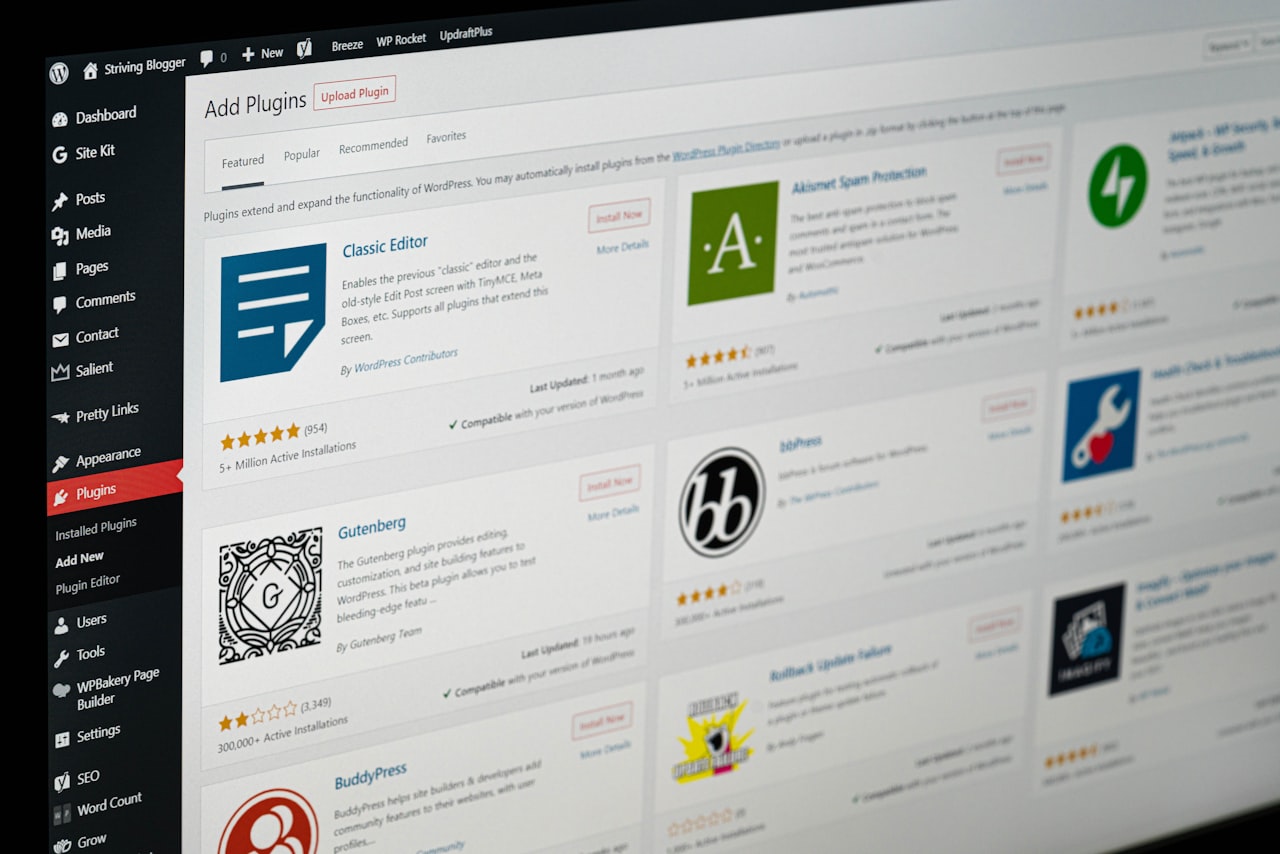
On WordPress.org, you install any plugin without restriction. Need WooCommerce for e-commerce? Yoast SEO or Rank Math for search optimisation? A CRM integration, custom form builder, or multilingual plugin? No barriers exist.
WordPress.com restricts plugin installation to its Business plan (approximately S$45 per month) and above. Free, Personal, and Premium plans allow no third-party plugins. WordPress.com includes some built-in features replicating common plugin functionality, but these are generally less capable than dedicated alternatives.
This restriction is arguably the single biggest limitation for business users. Without plugins, you cannot add advanced forms, implement marketing automation, integrate with your CRM, set up detailed analytics tracking, or run A/B tests. For any business planning to grow beyond a basic informational site, the plugin limitation on lower tiers is a significant bottleneck.
Pricing Compared
Comparing WordPress.com vs WordPress.org on price requires looking beyond sticker cost because the two bundle expenses differently.
WordPress.com ranges from free through Personal (approximately S$6 per month), Premium (S$12), Business (S$45), and eCommerce (S$65). WordPress.org costs nothing for the software itself. Hosting runs S$60-600 per year, a domain S$15-25 annually, premium themes S$0-100 one-time, and essential plugins S$0-400 per year.
For a basic blog, WordPress.com’s free or Personal plan is cheapest. But for a business website with plugin needs, the comparison flips. WordPress.com Business costs approximately S$540 per year. A self-hosted WordPress.org site on quality shared hosting with a premium theme might cost S$150-300 total, half the price with far more flexibility.
Understanding the full cost of a website in Singapore goes beyond platform fees to include design, development, content, and maintenance. But at the platform level, WordPress.org typically delivers better value for business users.
SEO Control and Marketing Tools
For businesses depending on organic search traffic, and in Singapore’s competitive landscape most do, SEO control is non-negotiable.
WordPress.org with Yoast SEO or Rank Math gives comprehensive control over title tags, meta descriptions, canonical URLs, schema markup, XML sitemaps, robots.txt, breadcrumbs, and social meta tags for every page. You can implement structured data, hreflang tags, and custom redirect rules. This level of control is essential for any business investing in digital marketing and expecting measurable SEO results.
WordPress.com’s SEO depends on your plan. Free and Personal offer only basic settings. Premium adds some SEO tools. Only Business unlocks plugin installation, matching WordPress.org capabilities, but at S$45 per month for what self-hosting delivers at a fraction of the cost.
Marketing tool integration also diverges. WordPress.org allows direct Google Analytics installation, any email platform integration, conversion tracking pixels, and third-party scripts. WordPress.com restricts code injection on lower plans, limiting your ability to implement the tracking and tools your advertising campaigns depend on.
Who Should Use Which Platform
WordPress.com suits personal bloggers wanting zero maintenance, hobby projects on tight budgets, writers needing a simple publishing platform, and people with no technical knowledge who will not hire a developer.

WordPress.org suits business websites needing professional, branded design. E-commerce stores using WooCommerce. Any site requiring SEO control and marketing tool integration. Agencies managing client sites. Membership platforms, course sites, and anything needing specific plugins. Singapore businesses that value ownership and long-term flexibility.
For the vast majority of Singapore businesses, from start-ups to established companies, WordPress.org is the right choice. The additional effort of managing hosting, or outsourcing it to a professional team, is a small price for the flexibility, control, and scalability it provides. If there is any chance you will outgrow WordPress.com’s limitations, starting on WordPress.org avoids the pain and cost of migration later.
Frequently Asked Questions
Is WordPress.org really free?
The software is 100% free and open-source. You pay for hosting (typically S$5-50 per month), a domain (S$15-25 per year), and optionally premium themes or plugins. Total cost for a basic site starts at roughly S$80-200 per year, cheaper than WordPress.com Business while offering far more flexibility.
Can I switch from WordPress.com to WordPress.org later?
Yes. WordPress.com provides an export tool for posts, pages, and comments. You import this into a new WordPress.org installation. However, themes, design customisations, and platform-specific features do not transfer automatically and may need rebuilding. Starting on WordPress.org avoids this hassle.
Which platform is better for SEO?
WordPress.org with an SEO plugin provides significantly more control than WordPress.com’s lower tiers. WordPress.com Business can match this through plugin installation, but costs approximately S$45 per month for capability that WordPress.org delivers at a fraction of the price.
Do I need technical skills for WordPress.org?
Basic management, publishing content, installing plugins, and updating themes, requires no coding. Modern hosts offer one-click installation and user-friendly dashboards. For initial setup and custom design, many Singapore businesses work with a professional team and then manage day-to-day content themselves.
Which is more secure?
WordPress.com handles security automatically, an advantage for non-technical users. WordPress.org requires keeping core, themes, and plugins updated, but gives more security options: dedicated plugins, firewalls, and two-factor authentication. With proper maintenance, WordPress.org is equally or more secure because you control your security posture.
Can I run an online store on WordPress.com?
Only on the eCommerce plan at approximately S$65 per month. WordPress.org with WooCommerce provides far more e-commerce functionality, more payment gateways, and greater customisation at lower total cost. For a detailed comparison, see our WordPress vs Shopify guide.
What happens to my site if WordPress.com shuts down?
While unlikely, you depend on WordPress.com’s infrastructure and terms of service. They can suspend sites that violate their rules. With WordPress.org, your site lives on your hosting infrastructure. If a host closes, you simply move to another. You maintain full ownership.
Is WordPress.com good for a portfolio website?
For a simple personal portfolio with no need for custom functionality, WordPress.com’s Premium plan works adequately. For a professional portfolio that needs custom design, analytics integration, and contact form customisation, WordPress.org provides a better foundation at comparable cost.
Can I use Google Analytics with WordPress.com?
Full Google Analytics integration requires the Business plan or above. Lower tiers offer only WordPress.com’s built-in statistics, which are less detailed. WordPress.org allows direct GA4 installation on any hosting plan at no additional platform cost.
Which platform loads faster?
It depends on your setup. WordPress.com manages performance optimisation automatically. WordPress.org speed depends on your hosting quality, theme, plugins, and optimisation. A well-configured WordPress.org site on quality hosting typically outperforms WordPress.com because you can fine-tune caching, CDN, and server configuration specifically for your audience.