
12 Google Ads Mistakes That Waste Your Budget
Table of Contents
- Broad Match Without Negative Keywords
- Landing Pages and Conversion Tracking Failures
- Ignoring Quality Score and Ad Assets
- Wrong Bidding Strategy and Poor Budget Allocation
- Neglecting Search Terms and Ad Copy Testing
- Overlooking Audience Targeting and Remarketing
- How to Audit Your Account for These Mistakes
- Frequently Asked Questions
Broad Match Without Negative Keywords
The most expensive of all Google Ads mistakes is deploying broad match keywords without a robust negative keyword strategy. Broad match gives Google the widest latitude to match your ads to search queries, including synonyms, related searches and loosely connected terms. While Google’s AI has improved broad match significantly, using it without safeguards is like leaving your front door open and hoping only welcome guests enter.
The problem is particularly acute in Singapore where English-language keywords can trigger ads for irrelevant searches from other English-speaking markets or for tangentially related queries with zero commercial intent. A Singapore law firm bidding on “contract review” may find its ads appearing for searches about music contracts or mobile phone contracts without proper negatives in place.
The fix is straightforward but requires discipline. Build your negative keyword list before launching campaigns by brainstorming irrelevant queries. Expand it continuously using the Search Terms report. Consider starting new campaigns with phrase match or exact match to control costs while gathering data, then selectively introduce broad match for keywords where you have enough negative keyword coverage. Review search terms weekly during the first month and fortnightly thereafter. Working with a Google Ads specialist ensures this foundational work is done properly from day one.
Landing Pages and Conversion Tracking Failures
Two of the most damaging Google Ads mistakes involve what happens after the click. Poor landing pages waste the traffic you paid for, while broken conversion tracking means every optimisation decision is built on flawed data.

Many advertisers send traffic to their homepage, a generic about page or a landing page that does not match the promise made in the ad. Common landing page failures include slow loading speeds, no clear call to action, mismatched messaging, cluttered layouts, excessive form fields and missing trust signals. Create dedicated landing pages for each major campaign theme. Ensure the headline directly matches the ad, include a single clear call to action above the fold and add testimonials, certifications and security badges. A professional web design approach to landing pages pays for itself many times over.
Running Google Ads without conversion tracking is equally destructive. You might be spending thousands monthly with no way to determine which campaigns, keywords or ads drive business results. Common tracking errors include counting page views as conversions, double-counting, not tracking phone calls and using conversion windows that do not match your sales cycle. Set up comprehensive tracking — form submissions, phone calls, chat engagements and purchases — before spending a single dollar on ads. Use Google Tag Manager for clean implementation and test thoroughly by completing test conversions.
Ignoring Quality Score and Ad Assets
Quality Score is Google’s rating of the relevance and quality of your keywords, ads and landing pages. It directly impacts your ad position and cost per click — a higher Quality Score means you pay less for the same or better position. Yet many advertisers never check their Quality Scores or understand the three components: expected click-through rate, ad relevance and landing page experience.
Monitor Quality Scores regularly by adding the Quality Score columns to your keyword reports. For keywords scoring below six, examine which components are underperforming. Improve expected CTR by writing more compelling ad copy with keywords in headlines. Improve ad relevance by ensuring tight thematic alignment between keywords and ad copy within each ad group. Improve landing page experience through fast load times, relevant content and strong mobile experience.
Ad assets (formerly called extensions) are equally neglected despite being free to add and factored into Ad Rank calculations. Implement every relevant asset type: sitelinks linking to key pages, callouts highlighting unique selling points, structured snippets listing services, call assets and location assets for local businesses. For e-commerce, add price and promotion assets. Review and update assets quarterly. The more useful information you provide, the larger your ad appears and the higher your CTR — without spending an additional cent per click.
Wrong Bidding Strategy and Poor Budget Allocation
Choosing the wrong bidding strategy results in either overpaying for clicks or missing valuable impressions entirely. The most common error is using automated bidding strategies like Target CPA or Maximise Conversions before you have enough conversion data for the algorithm to optimise effectively. Google recommends at least 30 conversions per month before using these strategies.

Match your bidding to your data volume. For new campaigns with limited data, start with Manual CPC or Enhanced CPC to maintain control while gathering data. Once you have sufficient conversion volume, transition to automated strategies. Review your bidding approach monthly and adjust as data matures. Another frequent mistake is using Maximise Clicks when your goal is conversions — this optimises for traffic, not business outcomes.
Budget allocation errors compound bidding mistakes. Spreading budget too thinly across too many campaigns, allocating equally regardless of performance and underfunding bottom-of-funnel campaigns that deliver direct ROI are all common. Allocate based on performance data: campaigns with the lowest CPA or highest ROAS deserve the most budget. Set budgets high enough that campaigns are not “Limited by budget” during peak hours. Implement dayparting to increase bids during high-converting hours and reduce them during low-performing periods. A digital marketing partner can help structure budgets across campaigns for maximum impact.
Neglecting Search Terms and Ad Copy Testing
The Search Terms report reveals the actual queries that triggered your ads — which often differ significantly from your target keywords. Ignoring this report means irrelevant searches quietly eat your budget while valuable keyword opportunities go unnoticed. Review search terms weekly for active campaigns and daily during the first two weeks of any new campaign.
Add irrelevant search terms as negative keywords immediately. Look for patterns — repeated irrelevant themes should be blocked with broad match negatives to eliminate entire categories. Also mine the report for positive opportunities: high-converting queries you had not targeted can be added as keywords in dedicated ad groups. This report is arguably the single most valuable optimisation tool in Google Ads.
Equally wasteful is writing one set of ads and leaving them running indefinitely. With Responsive Search Ads as the default format, provide at least 10 to 12 distinct headlines and three to four descriptions covering different value propositions, calls to action and angles. Pin critical headlines to position one. Review the Combinations report to see which pairings perform best. Replace underperforming headlines monthly. Test fundamentally different approaches: price-focused versus benefit-focused, urgency-driven versus trust-focused. Continuous testing compounds improvements over time.
Overlooking Audience Targeting and Remarketing
Google Ads offers sophisticated audience targeting that many advertisers either ignore or use superficially. Available audiences include in-market segments (actively researching your category), affinity audiences (long-term interests), custom audiences (based on search behaviour and URLs visited), remarketing audiences and customer match.
Add relevant audiences in “observation” mode first to gather performance data without restricting reach. After two to four weeks, analyse which audiences convert best and apply bid adjustments accordingly. Create custom audiences based on competitor URLs and relevant search terms. Use demographic targeting to exclude segments that do not convert for your business.
Not using remarketing may be the single most costly omission. Remarketing targets users who have already visited your website, and it consistently delivers the lowest CPAs and highest conversion rates of any targeting method. These users know your brand and have shown interest. Set up segmented remarketing lists based on behaviour — product page visitors, form abandoners, past customers — and tailor messaging to each segment. Combine with social media remarketing on Facebook and Instagram for multi-channel reinforcement. A typical Singapore business can reduce its effective CPA by 30 to 50 per cent simply by implementing structured remarketing.
How to Audit Your Account for These Mistakes
A systematic account audit uncovers which of these mistakes are actively costing you money. Run through this checklist quarterly, or engage a professional for an independent assessment.
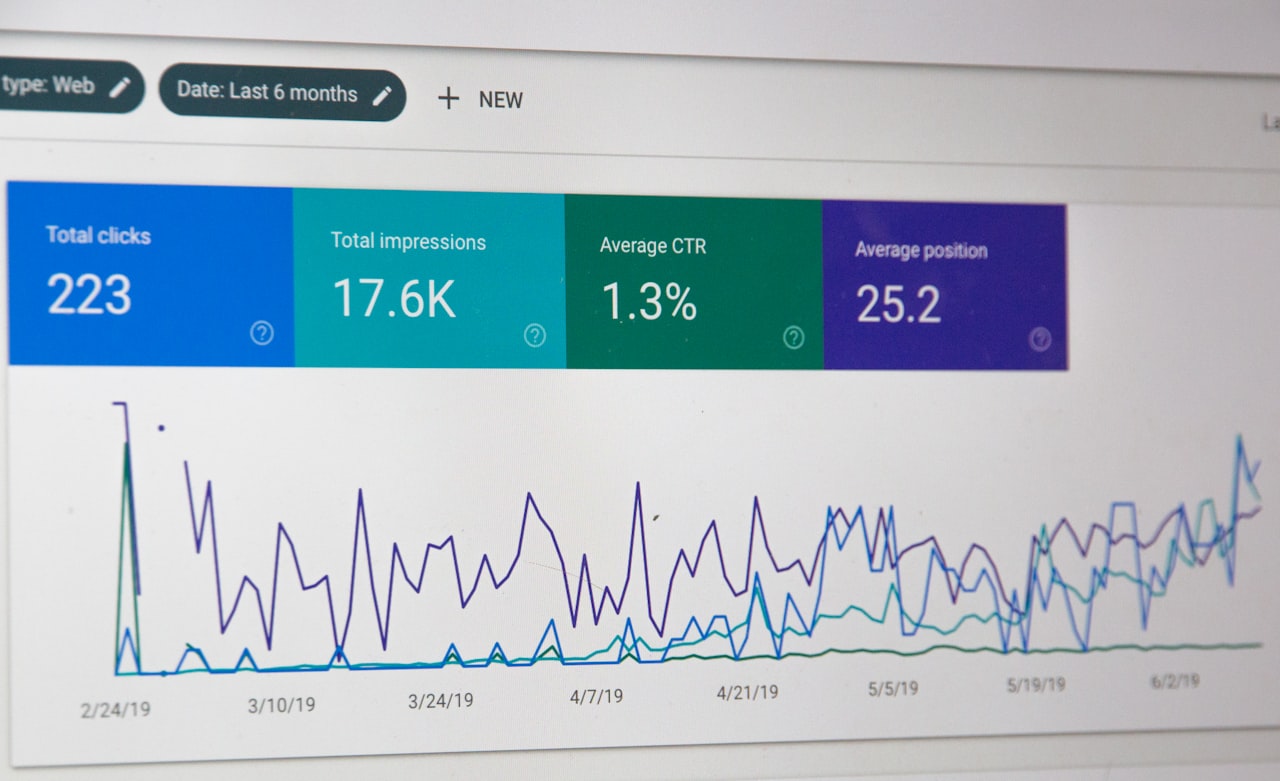
Start with conversion tracking verification. Complete test conversions and confirm they register correctly in Google Ads. Check for duplicate counting, missing phone tracking and mismatched conversion windows. Then review account structure: assess whether ad groups contain too many loosely related keywords and whether each group has tightly themed, relevant ad copy.
Pull the Search Terms report for the past 90 days. Sort by cost and identify the highest-spending irrelevant queries. Add negatives and calculate how much budget has been wasted. Review Quality Scores for all active keywords and flag anything below six for remediation. Check that every campaign has complete ad assets — sitelinks, callouts, structured snippets at minimum.
Examine bidding strategies against conversion volume. Campaigns using Target CPA with fewer than 30 monthly conversions should be switched to Manual or Enhanced CPC. Review budget allocation and confirm that top-performing campaigns are not limited by budget while underperformers consume disproportionate spend. Finally, verify that remarketing campaigns are active and segmented. The entire audit should take two to three hours for a typical account and can save thousands in monthly waste.
Frequently Asked Questions
How much budget should I allocate for Google Ads testing?
Allocate 10 to 20 per cent of your total budget for testing new keywords, ad copy, audiences and landing pages. This ensures continuous improvement without risking core campaign performance. Testing budgets should be viewed as an investment in long-term optimisation rather than an expense.
How quickly can I fix a poorly performing account?
Significant improvements appear within two to four weeks of implementing structural changes like proper conversion tracking, negative keyword lists and improved ad copy. Full optimisation typically takes two to three months as you gather enough data for informed decisions about bidding, audiences and budget allocation.
Is it better to manage Google Ads in-house or hire an agency?
For businesses spending less than SGD 3,000 monthly on ads, in-house management may suffice with proper education. For larger budgets, agency expertise and dedicated attention typically deliver better ROI than the management fee costs. The critical factor is ensuring whoever manages your account has current expertise and dedicates sufficient time to ongoing optimisation.
What is a good conversion rate for Google Ads in Singapore?
Average Search conversion rates are three to five per cent, with top performers reaching ten per cent or higher. Home services and healthcare see higher rates due to urgent search intent, while B2B and real estate typically see lower rates. Focus on improving your own rate over time rather than chasing external benchmarks.
How often should I optimise my Google Ads campaigns?
Review search terms and add negatives weekly. Adjust bids and budgets weekly to fortnightly based on performance data. Refresh ad copy monthly. Conduct comprehensive account audits quarterly. Avoid making too many simultaneous changes, which makes it impossible to attribute performance shifts to specific actions.
What is the biggest Google Ads mistake for Singapore SMEs?
Not tracking conversions properly. Without accurate conversion data, you cannot determine which keywords, ads or campaigns drive business results. Every other optimisation depends on reliable tracking. If you fix only one thing after reading this guide, verify that your conversion tracking is accurate and comprehensive.
Can Google Ads work with a small budget in Singapore?
Yes, but strategy becomes even more important. With a limited budget, focus on a narrow set of high-intent keywords with exact or phrase match, create highly relevant landing pages and track every conversion meticulously. Avoid spreading a small budget across too many campaigns or keywords. SGD 1,500 to SGD 2,000 per month is typically the minimum needed for meaningful results in most Singapore industries.
How do I know if my Google Ads agency is making these mistakes?
Request full access to your Google Ads account and review the change history log, search terms report and Quality Scores yourself. If negative keywords are not being added regularly, ad copy has not been updated in months, or Quality Scores sit below five for major keywords, these are signs of under-management regardless of what the agency’s reports claim.
Should I pause Google Ads while fixing these mistakes?
Usually not. Most fixes can be implemented while campaigns continue running. Pause only specific campaigns or ad groups with clearly wasteful spend patterns. Stopping all advertising creates a revenue gap and loses the momentum and data your account has accumulated. Fix issues incrementally while maintaining profitable campaigns.
What tools help identify Google Ads mistakes?
Google Ads’ built-in Recommendations tab highlights some issues, though it should be used selectively as not all suggestions benefit the advertiser. The Search Terms report, Quality Score columns, Auction Insights and Change History are the most valuable native tools. Third-party tools like Optmyzr and Adalysis provide more sophisticated auditing capabilities for larger accounts.