Customer Success Automation: Proactive Engagement at Scale
Acquiring a new customer in Singapore costs five to seven times more than retaining an existing one. Yet many businesses still treat customer success as a reactive function — waiting for complaints, churn signals or renewal deadlines before taking action. Customer success automation flips that model by using data-driven workflows to identify at-risk accounts, trigger proactive outreach and surface expansion opportunities before a human even needs to get involved.
For growing companies — SaaS providers, agencies, e-commerce brands and professional services firms — automation is the only way to deliver personalised attention at scale without building an unsustainably large customer success team. This guide covers the frameworks, workflows and tools you need to build a customer success automation engine tailored to Singapore’s market.
What Is Customer Success Automation?
Customer success automation is the practice of using software workflows to monitor customer behaviour, trigger timely interventions and deliver personalised communications throughout the customer lifecycle — without requiring manual action for every touchpoint. It sits at the intersection of CRM data, product usage analytics, email automation and task management.
Reactive vs Proactive Customer Success
Reactive customer success waits for something to go wrong: a support ticket, a missed payment, a cancellation request. Proactive customer success uses leading indicators — declining login frequency, feature non-adoption, slowing engagement — to intervene before the customer even considers leaving. Automation makes proactive success scalable by encoding your best customer success manager’s instincts into repeatable workflows.
Why Automation Matters for Singapore Businesses
Singapore’s business landscape is characterised by high customer expectations, a competitive talent market and a strong emphasis on efficiency. Automating repetitive customer success tasks allows lean teams to manage larger portfolios without sacrificing the personal touch that Singapore’s relationship-driven culture demands. When your digital marketing services bring in a steady stream of new clients, automation ensures each one receives a consistent, high-quality experience from day one.
Building a Customer Health Score
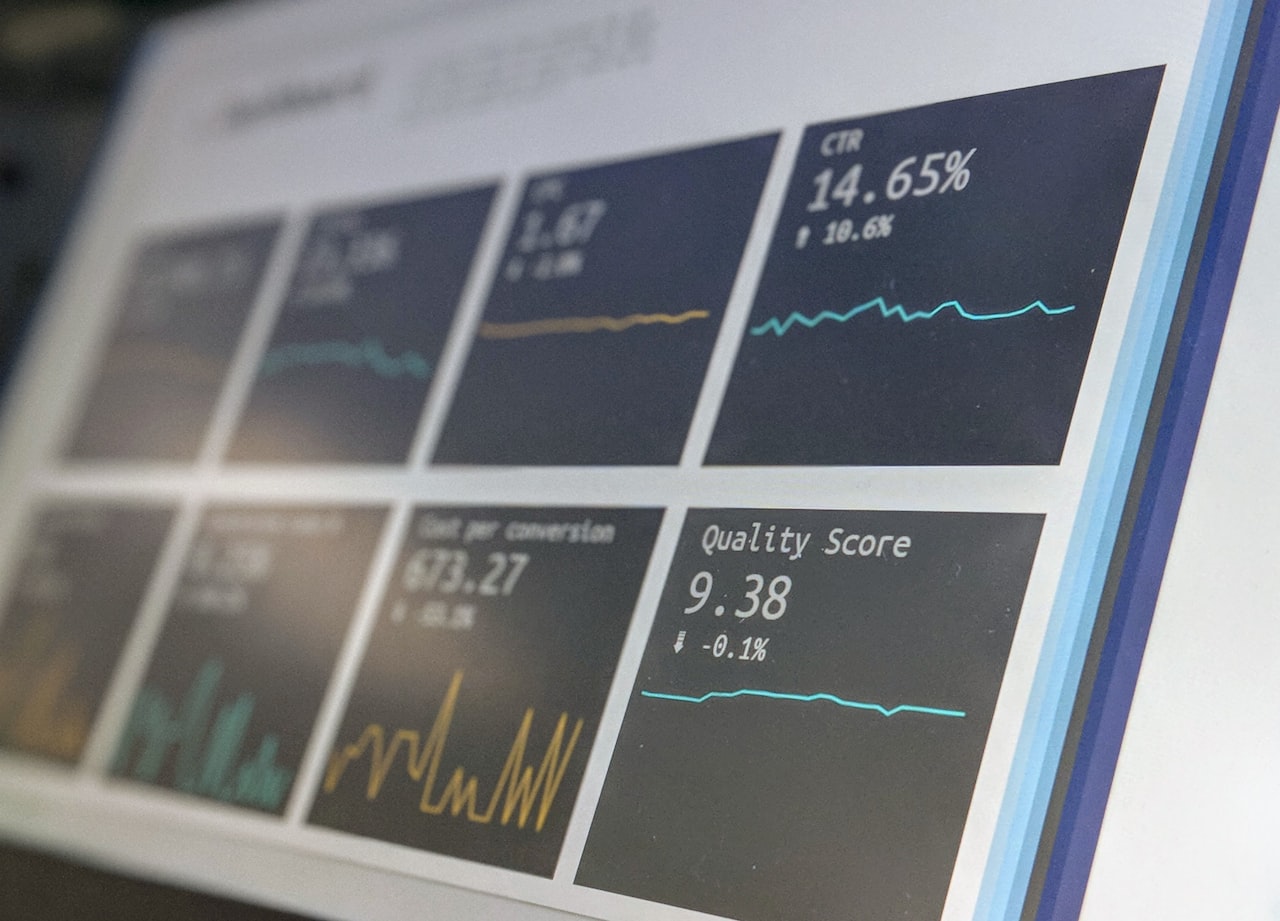
The health score is the foundation of any customer success automation system. It aggregates multiple signals into a single metric that predicts whether a customer is likely to renew, expand or churn.
Key Inputs for Health Scoring
A robust health score typically incorporates four categories of data:
- Product usage — login frequency, feature adoption depth, time spent in the platform, API call volume.
- Support interactions — ticket volume, sentiment of recent conversations, time to resolution, escalation history.
- Engagement signals — email open rates, webinar attendance, community participation, NPS or CSAT survey responses.
- Commercial indicators — payment history, contract utilisation (are they using what they are paying for?), expansion conversations in the CRM.
Scoring Methodology
Assign weighted scores to each input based on its predictive power. For instance, a SaaS company might weight product usage at 40 per cent, support interactions at 25 per cent, engagement at 20 per cent and commercial indicators at 15 per cent. Normalise the composite score to a 0–100 scale and define thresholds: green (70–100), yellow (40–69), red (0–39).
Automating Score Calculation
Use your customer success platform (Gainsight, Totango, ChurnZero) or a combination of CRM workflows and data tools to recalculate health scores daily or weekly. When a score drops below a threshold, the system should automatically create a task for the customer success manager and trigger an outreach workflow.
Automated Onboarding Workflows
First impressions define the customer relationship. A structured, automated onboarding sequence ensures every customer achieves their first value milestone quickly.
Welcome Sequence Design
Build a multi-touch onboarding sequence that spans the first 30 to 60 days. A typical flow for a B2B service in Singapore might look like this:
- Day 0 — Welcome email with login credentials, a quick-start guide and a link to book a kickoff call.
- Day 2 — If the customer has not logged in, send a reminder with a short video walkthrough.
- Day 7 — Feature spotlight email highlighting the three most impactful features for their use case.
- Day 14 — Check-in email asking if they have completed their first key action (e.g. launched a campaign, imported contacts, connected an integration).
- Day 30 — First review — automated summary of usage metrics with an invitation to a strategy call.
Milestone-Based Triggers
Complement time-based emails with milestone triggers. When a customer completes a critical setup step — connecting their ad account, publishing their first campaign, inviting a team member — send a congratulatory message and guide them to the next milestone. This approach ensures the sequence adapts to the customer’s actual pace rather than following a rigid calendar.
Personalisation with CRM Data
Pull data from your CRM to personalise onboarding content. If the customer signed up for social media marketing services, the onboarding sequence should highlight social-specific features. If they purchased SEO services, lead with keyword tracking and site audit modules. Dynamic content blocks within your email marketing services platform make this segmentation straightforward.
Proactive Outreach Triggers
Beyond onboarding, customer success automation keeps the relationship warm through ongoing, behaviour-driven outreach.
Usage Drop Alerts
If a customer’s weekly active usage drops by more than 30 per cent compared to their rolling average, trigger an automated check-in email: “We noticed you have not logged in recently — is there anything we can help with?” If the drop persists for two consecutive weeks, escalate to a personal call from the customer success manager.
Feature Adoption Nudges
Identify high-value features that correlate with retention but have low adoption rates. Create automated nudge campaigns that educate customers on these features with short tutorials, use-case examples and one-click links to try the feature. Segment nudges by customer tier and use case for maximum relevance.
Renewal Preparation Sequences
Begin the renewal conversation 90 days before the contract end date. Send an automated usage summary showing the value delivered — campaigns launched, leads generated, revenue attributed. At 60 days, introduce renewal terms. At 30 days, escalate to the account manager if the renewal has not been confirmed. This cadence prevents last-minute renewal scrambles and gives time to address objections.
Sentiment-Based Routing
When a customer submits a low NPS score or a negative CSAT response, automatically route the feedback to a senior customer success manager, create a high-priority task and trigger a personalised apology and resolution email within one hour. Speed of response after negative feedback is the strongest predictor of recovery in Singapore’s service-oriented market.
Expansion and Upsell Automation
Retention is the floor; expansion is the growth lever. Automation helps you identify and act on upsell opportunities systematically.

Usage Threshold Triggers
When a customer approaches or exceeds their plan limits — email sends, API calls, user seats, storage — send an automated notification explaining the overage and presenting upgrade options. Frame the message around value: “You have sent 9,500 of your 10,000 monthly emails — great engagement! Here is how upgrading unlocks unlimited sends and advanced segmentation.”
Cross-Sell Based on Behaviour
If a customer using your Google Ads services starts exploring organic traffic reports in their dashboard, trigger a cross-sell sequence introducing your SEO capabilities. Behavioural signals are far more effective than generic promotional blasts because they reflect genuine, in-the-moment interest.
Champion Identification
Automate the identification of power users and internal champions — the people who log in most frequently, invite colleagues and engage with your content. These individuals are your strongest advocates for expansion. Trigger personalised outreach that empowers them to make the business case internally: ROI summaries, comparison reports and pre-built presentation slides they can share with their leadership.
Churn Prevention Workflows
Catching churn early is the highest-ROI application of customer success automation.
Early Warning System
Combine health score declines with specific red-flag events to create a layered early warning system. Red flags include: support ticket escalation, executive sponsor departure (detected via LinkedIn or CRM updates), payment failure, and prolonged inactivity. When two or more red flags coincide, classify the account as “at risk” and trigger the churn prevention playbook.
Automated Save Offers
For customers who initiate cancellation, present automated save offers before routing to a human. Options might include a temporary discount, a plan downgrade, a pause period or a complimentary strategy session. In Singapore’s price-sensitive SME market, a well-timed 20 per cent discount for three months can recover accounts that would otherwise be lost.
Win-Back Sequences
If a customer does churn, enrol them in a win-back sequence that begins 30 days after cancellation. Share product updates, new features and success stories. At 60 days, offer a re-activation incentive. At 90 days, send a final “we would love to have you back” message. Keep the sequence respectful and PDPA-compliant — always include an unsubscribe option.
Tools and Technology Stack
The right tools depend on your business model, customer volume and existing infrastructure.
Dedicated Customer Success Platforms
Gainsight, Totango, ChurnZero and Planhat are purpose-built for customer success automation. They offer health scoring, playbook automation, lifecycle management and integrations with CRMs and support platforms. These are ideal for SaaS companies and agencies with 50+ managed accounts.
CRM-Native Automation
HubSpot, Salesforce and Zoho CRM all offer workflow automation that can handle basic customer success use cases — onboarding sequences, renewal reminders and task creation based on deal properties. For smaller teams, this avoids the cost and complexity of a dedicated platform.
Integration Layer
Zapier, Make (formerly Integromat) and n8n connect your product analytics (Mixpanel, Amplitude), support platform (Zendesk, Freshdesk), billing system (Stripe, Xero) and communication tools (email, Slack, WhatsApp) into a cohesive automation fabric. This is especially useful for Singapore businesses using a mix of local and international tools.
Analytics and Reporting
Layer a business intelligence tool (Metabase, Looker, Google Looker Studio) on top of your customer data to build dashboards that track health scores, churn rates, expansion revenue and customer success manager productivity. Automated weekly reports keep leadership informed without manual effort.
Implementation Roadmap for Singapore Teams
Here is a phased approach to deploying customer success automation that balances speed with thoroughness.

Phase 1: Data Foundation (Weeks 1–3)
Audit your existing customer data across CRM, product analytics, support and billing. Identify gaps, clean duplicates and establish a unified customer identifier. Without clean data, automation workflows will misfire — garbage in, garbage out.
Phase 2: Health Score and Segmentation (Weeks 4–5)
Define your health score model, assign weights and build the calculation logic. Segment your customer base into green, yellow and red tiers. This segmentation drives every subsequent workflow.
Phase 3: Core Workflows (Weeks 6–8)
Build your highest-impact workflows first: onboarding sequence, usage drop alerts and renewal preparation. Test each workflow with a small cohort before scaling. Collaborate with your content marketing services team to create the email copy, tutorials and case studies these workflows require.
Phase 4: Expansion and Churn Playbooks (Weeks 9–11)
Add upsell triggers, cross-sell sequences and churn prevention workflows. These are more complex and benefit from the data patterns established in the earlier phases.
Phase 5: Optimise and Scale (Ongoing)
Review workflow performance monthly. Adjust health score weights based on actual churn and expansion data. Refine email copy based on open and click rates. Continuously add new triggers and content to keep the system responsive to evolving customer behaviour.
Frequently Asked Questions
What is customer success automation?
Customer success automation uses software workflows to monitor customer behaviour, trigger proactive outreach and deliver personalised communications throughout the customer lifecycle without requiring manual action for every interaction.
How does a customer health score work?
A customer health score aggregates weighted signals — product usage, support interactions, engagement metrics and commercial indicators — into a single composite score (typically 0–100) that predicts the likelihood of renewal, expansion or churn.
What tools are best for customer success automation?
Dedicated platforms like Gainsight, Totango and ChurnZero are ideal for mid-to-large teams. Smaller teams can use CRM-native automation in HubSpot or Salesforce combined with Zapier for cross-platform workflows.
How long does it take to implement customer success automation?
A phased implementation typically takes 10 to 12 weeks, covering data preparation, health scoring, core workflows, expansion playbooks and team training. Simpler setups focusing on onboarding and renewal reminders can be live within four to six weeks.
Is customer success automation only for SaaS companies?
No. Any business with recurring revenue or ongoing client relationships benefits — agencies, managed service providers, subscription e-commerce, professional services firms and membership organisations. The workflows adapt to different business models.
How do I ensure PDPA compliance with automated customer outreach?
Ensure all automated communications are sent to contacts who have given consent or fall under an existing business relationship exception. Include unsubscribe options in marketing-type messages, store data securely and document your data processing purposes in your privacy policy.
Can customer success automation replace human customer success managers?
No. Automation handles repetitive monitoring, data aggregation and routine outreach so that human customer success managers can focus on strategic conversations, complex problem-solving and relationship-building. The goal is augmentation, not replacement.
What is the ROI of customer success automation?
Companies typically report a 10–25 per cent reduction in churn rate and a 15–30 per cent increase in expansion revenue within the first year. The ROI compounds over time as workflows improve and the customer data set grows richer.
How do I measure the effectiveness of my customer success automation?
Track churn rate, net revenue retention, time to first value (onboarding speed), customer health score distribution, expansion revenue per account and customer success manager portfolio capacity. Compare these metrics before and after automation to quantify impact.
Should I automate customer success before or after scaling my marketing?
Ideally, build customer success automation in parallel with your marketing scale-up. If your digital marketing efforts bring in more clients than your team can manually onboard and manage, you risk poor experiences and higher churn — which undermines the marketing investment.