
Website Migration SEO Checklist: How to Migrate Without Losing Rankings
Table of Contents
Types of Website Migrations
A website migration SEO plan starts with understanding your migration type. When executed poorly, migrations can wipe out years of organic growth — traffic drops of 30 to 60 per cent are common after botched migrations. Yet migrations are often unavoidable: new CMS, redesign, domain change, HTTPS switch, URL restructure or site consolidation.
Platform/CMS migration (e.g., WordPress to Webflow) carries moderate-to-high risk as URL structures and templates change significantly. Domain migration is the highest-risk type requiring full link equity transfer. Protocol migration (HTTP to HTTPS) is relatively low risk if done correctly. Site restructure risk varies by how many URLs change. Site consolidation requires careful redirect mapping and content deduplication. Regardless of type, every migration changing URLs requires the same core checklist.
Pre-Migration Planning and Audit
Thorough planning is the single greatest factor in migration success. Benchmark current performance: monthly organic traffic by landing page (12 months), keyword rankings, indexed pages, backlink profile with destination URLs, top-performing pages, Core Web Vitals scores and a complete crawl using Screaming Frog.
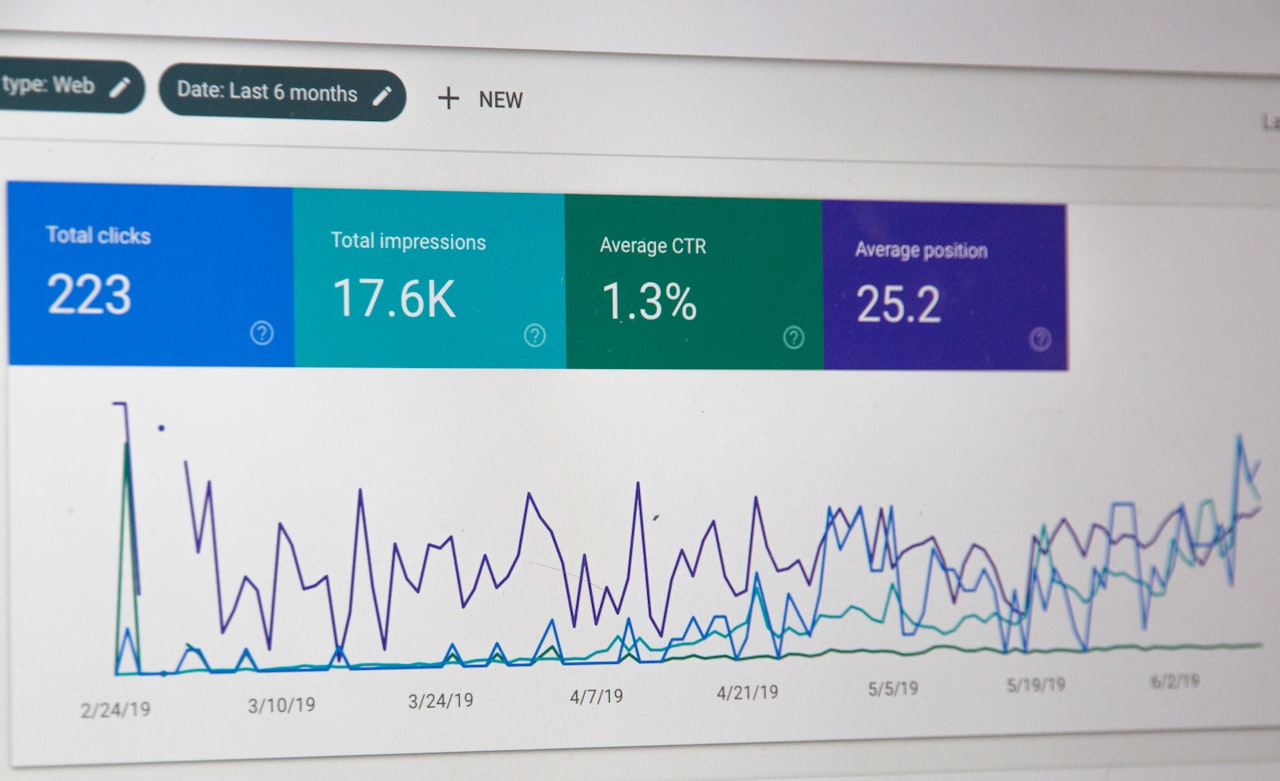
Inventory all URLs: pages (including non-navigation), blog posts, media files, URL variations and every URL receiving organic traffic or backlinks (check Google Search Console, Ahrefs or SEMrush). This inventory is the foundation of your redirect mapping — missing URLs mean lost rankings. Identify priority pages driving traffic, backlinks or conversions for extra attention during migration.
URL Mapping and Redirect Strategy
URL mapping and redirects are the most critical technical element of any website migration SEO project. Build a spreadsheet mapping every old URL to its new URL including page title, organic traffic, backlink count, redirect type (301 in almost all cases) and notes.
Follow these principles: use 301 redirects (passing the most link equity), map one-to-one (never redirect everything to the homepage), avoid redirect chains, handle URL parameters and redirect all variations (www/non-www, HTTP/HTTPS, trailing slash). Test redirects on staging before launch — crawl the old URL list against the staging server to verify every redirect resolves correctly. For Singapore businesses, working with professional SEO services during migration significantly reduces risk.
Technical SEO Migration Checklist
XML Sitemaps: Generate new sitemap with new URLs, submit to Google Search Console immediately after launch, keep old sitemap accessible for a few weeks, ensure only 200-status URLs are included.

Robots.txt: Ensure new site does not block important pages or resources, verify CSS/JS/images are crawlable, reference new sitemap URL, do not block the old site from crawling.
Canonical tags: Update all to reference new URLs, verify self-referencing canonicals, ensure none point to old URLs. Internal linking: Update all links to new URLs directly (do not rely on redirects for internal links), check navigation, footer, sidebar and in-content links, verify breadcrumbs. Structured data: Migrate all Schema.org markup, update referenced URLs, test with Rich Results Test. Hreflang tags: Update all annotations to new URLs if applicable.
Content and On-Page SEO Preservation
For priority pages, preserve title tags, meta descriptions, H1 tags, body content, image alt text and internal link anchor text. Making too many changes simultaneously makes diagnosis impossible if rankings drop. A migration is a good opportunity to consolidate thin or duplicate content — merge pages targeting the same keyword and redirect the others.
For removed pages, redirect to the most relevant remaining page. Only use 410 (Gone) if content is truly obsolete with no alternative. Never let pages with backlinks or traffic return 404 without a redirect. A well-planned website redesign coordinates content changes with the migration timeline.
Launch Day Process
Pre-launch final checks: Crawl staging site and compare against old crawl, verify redirects, confirm robots.txt, test sitemap, verify canonicals, check analytics and Search Console setup, test page speed.
Launch sequence: Deploy new site, activate 301 redirects, submit new sitemap to Search Console, use Change of Address tool if changing domains, request indexing for priority pages, monitor server logs for crawl errors, spot-check redirects and functionality.
Within 24 hours: Check Search Console for crawl errors, monitor response codes for 404s and redirect loops, verify Google is discovering new URLs, test critical user journeys and confirm analytics data collection.
Post-Migration Monitoring
Week 1 (daily): Compare organic traffic to benchmarks, monitor priority keyword rankings, review Search Console errors, check server logs for 404s, verify indexing progress. Weeks 2 to 4 (weekly): Compare weekly traffic to prior months, track indexed page count, monitor backlink attribution to new URLs, check for remaining old indexed URLs.

Months 2 to 3: Most well-executed migrations recover within four to eight weeks. If traffic has not recovered after eight weeks, investigate technical issues. Track organic traffic vs baseline, keyword positions, pages indexed vs submitted, crawl budget usage and Core Web Vitals.
If rankings drop significantly: check for broken redirects, redirect chains, canonical tags pointing to old URLs, robots.txt blocks, accidental noindex tags, missing sitemaps. Compare before and after crawls. Verify backlink attribution. Review content changes. For expert assistance, professional SEO services can conduct a full migration audit and recovery plan. Singapore businesses should also factor in the impact on Google Ads campaigns that link to migrating pages.
Frequently Asked Questions
How long does it take for rankings to recover after a website migration?
A well-executed migration typically stabilises within four to eight weeks. Some fluctuation in the first two weeks is normal. If rankings have not recovered after eight to twelve weeks, there is likely a technical issue that needs investigation.
Should I change content during a website migration?
We strongly recommend against significant content changes during migration. Changing URLs, design and content simultaneously makes diagnosis impossible. Complete the migration first, verify stability, then make content improvements incrementally.
How long should I keep redirects active?
Keep 301 redirects active indefinitely, or at minimum two years. Google needs time to fully transfer link equity. Removing redirects prematurely results in 404 errors and lost link equity from external backlinks.
Do I need to notify Google about a migration?
Yes. Submit your new sitemap through Search Console immediately after launch. For domain changes, use the Change of Address tool. Request indexing for your most important pages individually.
Can a migration actually improve SEO?
Yes, if it addresses existing issues. Moving to faster hosting, adopting cleaner URL structures, consolidating thin content, improving mobile responsiveness and fixing crawlability issues can all improve rankings after the stabilisation period.
What is the most common cause of post-migration traffic loss?
Broken or missing redirects are the number one cause. When old URLs return 404 errors instead of redirecting to their new equivalents, you lose both the ranking power and the link equity those pages accumulated. A comprehensive URL inventory and thorough redirect testing before launch prevent this issue.
Should I migrate my website during a busy business period?
No. Plan migrations during your quietest period. For Singapore businesses, avoid major sales seasons, Chinese New Year and year-end holiday periods. Allow at least eight weeks of monitoring time before your next peak season. This gives you time to identify and fix any issues before traffic volume matters most.
How do I handle a migration for a multilingual Singapore website?
Multilingual sites add complexity. Update all hreflang annotations to reference new URLs. Ensure redirects work correctly for all language versions. Verify that each language version has proper canonical tags and that translated content is preserved. Test the language switcher functionality thoroughly on the new site.
What tools do I need for a successful website migration?
Screaming Frog for crawling (essential), Google Search Console for monitoring, Ahrefs or SEMrush for backlink analysis, Google Analytics for traffic benchmarks, a spreadsheet for URL mapping and a staging environment for testing. Most Singapore digital marketing agencies have these tools as part of their standard toolkit.
Can I do a website migration myself or do I need professional help?
Simple migrations (like HTTP to HTTPS on a small site) can be handled in-house with careful preparation. Complex migrations involving domain changes, large sites with thousands of pages or significant URL restructuring strongly benefit from professional SEO involvement. The cost of professional help is typically far less than the revenue lost from a botched migration.