

SEO Automation with APIs: Automate Audits, Reporting and Monitoring
Table of Contents
Why Automate SEO Workflows
SEO automation API workflows transform repetitive, data-intensive tasks into programmatic processes that run on schedule, at scale, and without human intervention. SEO involves significant amounts of repetitive work: pulling ranking reports, checking indexing status, monitoring page speed, auditing technical health, generating client reports, and tracking competitor activity. When performed manually, these tasks consume hours of skilled professional time that would be better spent on strategy and implementation.
The business impact of automation is substantial. A weekly ranking report that takes an analyst 90 minutes to compile manually can be generated automatically in seconds. A site audit that requires crawling thousands of pages and cross-referencing multiple data sources can run overnight and deliver findings by morning. Agencies managing multiple client accounts in Singapore can scale operations without proportionally increasing headcount.
In Singapore’s competitive digital marketing landscape, where efficiency and speed-to-insight determine both agency profitability and in-house team effectiveness, SEO automation API capabilities separate high-performing teams from those drowning in manual work. Integrating automation into your SEO services workflow allows you to deliver better results with faster turnaround and more consistent quality.
Not everything should be automated. Strategic decision-making, content creation requiring genuine expertise, client communication, and nuanced competitive analysis should remain human-driven. Automation handles data collection and initial processing while humans handle interpretation, strategy, and creative work. The goal is to automate the drudgery so professionals can focus on the work that requires judgement and expertise.
Google Search Console API
The Google Search Console API is the most important API for SEO automation. It provides programmatic access to search performance data, URL inspection results, and sitemap management. The Search Analytics endpoint returns clicks, impressions, click-through rate, and average position filtered by query, page, country, device, and search appearance, with data available for up to 16 months in the past.
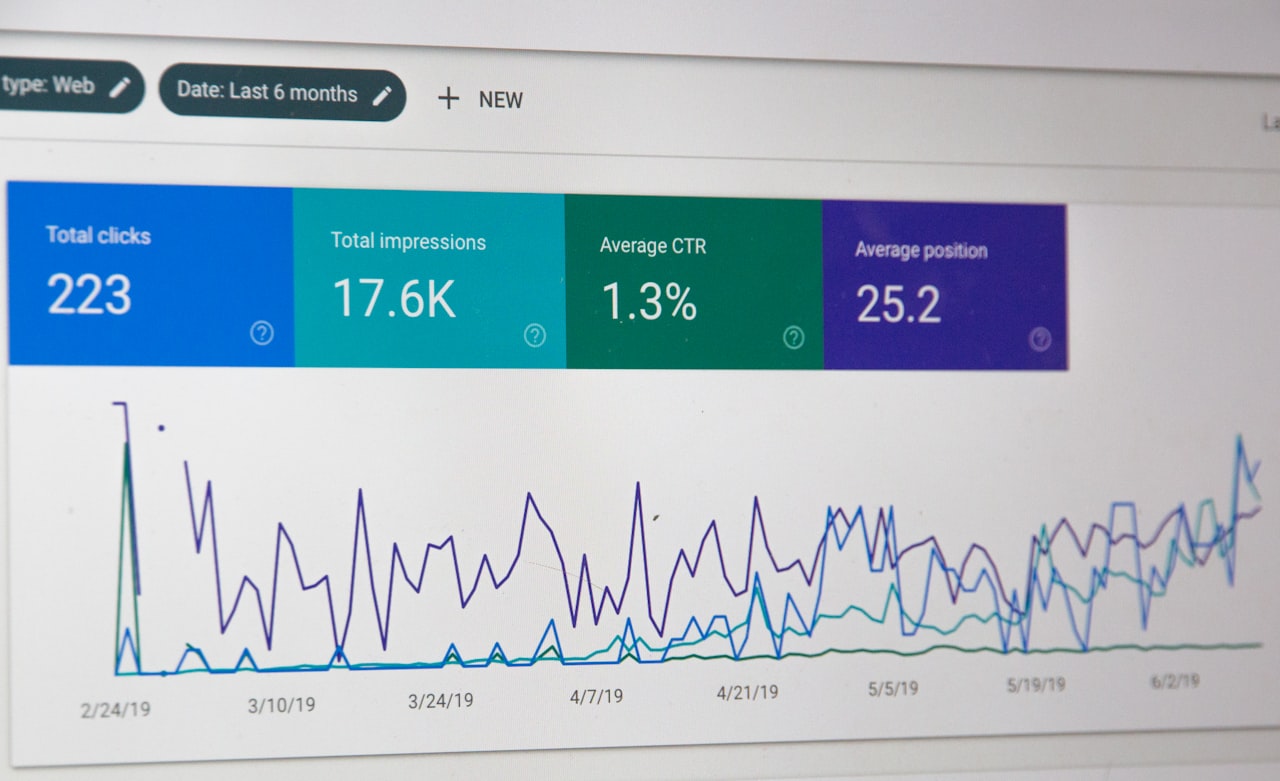
Common automation use cases include daily extraction of keyword performance data into a database, weekly comparison of rankings against the previous period, monthly identification of keywords gaining or losing impressions, and automated detection of pages with declining click-through rates. The API returns up to 25,000 rows per request with pagination support for larger datasets.
The URL Inspection endpoint provides the same data as the manual URL Inspection tool: index status, canonical URL selected by Google, mobile usability status, and rich result eligibility. The API is limited to 2,000 inspections per day per property, so use it strategically to monitor your most important revenue-generating pages. Automate weekly inspections of your top 100 pages to detect indexing issues, canonical changes, or mobile usability problems before they impact traffic.
Authentication uses OAuth 2.0 with a Google Cloud project and service account. Service accounts are preferred over user-based OAuth for automated workflows because they do not require interactive login. Share your Search Console property with the service account email address to grant access. The Sitemaps endpoint allows automated sitemap submission after content deployments and monitoring of the ratio between submitted and indexed URLs over time.
PageSpeed Insights API
The PageSpeed Insights API provides programmatic access to Lighthouse performance audits and Chrome User Experience Report (CrUX) data. It returns both lab data (simulated performance metrics) and field data (real-user performance data) for any publicly accessible URL, making it essential for monitoring Core Web Vitals at scale.
Automate daily or weekly Core Web Vitals monitoring across your key pages to detect performance regressions before they affect rankings. The API returns all CWV metrics including Largest Contentful Paint, Interaction to Next Paint, and Cumulative Layout Shift for both mobile and desktop. Store this data in a time-series database to track performance trends and correlate CWV changes with ranking fluctuations over time.
Beyond CWV, the API returns full Lighthouse audit results including performance score, accessibility score, best practices score, and SEO score plus detailed audit findings. The API supports a generous rate limit of 400 requests per 100 seconds for authenticated requests, allowing you to test hundreds of URLs in a single automated run. Build a script that reads URLs from your sitemap, tests each one, stores results, and flags pages where metrics exceed acceptable thresholds.
Connect your PageSpeed monitoring to an alerting system such as Slack notifications or email alerts that triggers when a page’s performance drops below defined thresholds. For Singapore businesses, where web design and page speed directly affect both rankings and user experience, early detection allows you to address issues before they accumulate enough data to affect your Core Web Vitals assessment in Search Console.
Google Indexing API
The Google Indexing API notifies Google directly when pages are added, updated, or removed. Originally designed for job posting and livestream structured data, it accelerates the discovery and recrawling of new or updated content. For officially supported content types, the API gets Google to crawl and index new pages within minutes rather than hours or days.

For sites that publish job listings or event content, integrate the Indexing API into your content publication workflow. When a new listing is posted, automatically send a URL_UPDATED notification. When a listing expires, send a URL_DELETED notification. This ensures Google processes your content lifecycle in near real time. The API supports batch requests allowing up to 100 URLs per request, with a default daily quota of 200 requests.
While some SEO practitioners use the API for content types beyond its official scope, Google’s documentation explicitly limits support to JobPosting and BroadcastEvent structured data. Using it for other content types carries risk as there is no guarantee it will continue working. For non-supported content, the URL Inspection API’s indexing request feature is the officially endorsed alternative.
Log all API responses to track success rates, error codes, and processing times. Build automated retry logic for transient errors and alerting for persistent failures that indicate configuration issues. Common errors include quota exceeded (429), invalid URL format (400), and authentication failures (403).
Third-Party SEO Tool APIs
Major SEO platforms provide APIs that extend your SEO automation API capabilities beyond Google’s native offerings. The Ahrefs API provides programmatic access to backlink data, organic keyword rankings, content explorer data, and site audit results. Common use cases include daily monitoring of new and lost backlinks, automated competitor backlink analysis, and integration of Ahrefs metrics into client dashboards.
The Semrush API offers access to keyword research data, domain analytics, backlink analytics, and position tracking. Automate competitive analysis by pulling domain-level metrics for your clients and their competitors weekly. Extract keyword difficulty scores and search volumes in bulk for content planning. Integrate Semrush ranking data with GSC performance data for comprehensive visibility reporting.
Screaming Frog supports command-line execution and scheduled crawls, enabling automated site audits without manual intervention. Configure a crawl profile with your audit settings, schedule it weekly via cron job, and export results to a defined location. Post-processing scripts parse the crawl data, identify new issues, and generate alerts. This automates the technical audit cycle that would otherwise require manual initiation. Integrate these tools with your digital marketing operations for a unified data pipeline.
DataForSEO provides a comprehensive API covering SERP data, keyword data, backlink data, and on-page analysis. It is particularly useful for building custom SEO tools and white-label reporting solutions because it aggregates data from multiple sources into a unified API. For agencies building client-facing dashboards or in-house tools, DataForSEO offers a cost-effective alternative to combining multiple tool subscriptions.
Custom Python Scripts for SEO
Python is the dominant programming language for SEO automation due to its extensive library ecosystem, readability, and availability of Google API client libraries. Essential libraries include google-api-python-client for Google APIs, pandas for data manipulation, requests for HTTP requests, beautifulsoup4 for HTML parsing, openpyxl for Excel generation, and schedule or APScheduler for task scheduling.
A foundational automation script connects to the Search Console API, extracts performance data for defined date ranges and dimensions, processes results with pandas, and exports to a spreadsheet or database. Extend it by adding comparative analysis that pulls current and previous periods, calculates changes, and flags significant movements. This single script can replace hours of weekly manual reporting.
Bulk URL testing scripts take a list of URLs from your sitemap and test each one for specific SEO characteristics: status code, canonical tag, meta robots value, title tag, H1, word count, and structured data presence. The output is a comprehensive audit spreadsheet generated in minutes rather than hours of manual checking. Content analysis scripts extract page content via HTTP requests, parse HTML with BeautifulSoup, and calculate content metrics against quality benchmarks.
For scheduling, use cron on macOS and Linux or Task Scheduler on Windows for simple automated runs. For complex workflows with dependencies, use orchestrators like Apache Airflow or Prefect that provide dependency management, error handling, retry logic, and execution monitoring through a web interface. These tools are particularly valuable for Singapore agencies managing automation across multiple client accounts.
Automated Reporting Dashboards
Automated reporting eliminates the weekly or monthly time sink of manually compiling SEO reports. Google Looker Studio connects directly to Google Search Console, GA4, Google Sheets, and numerous third-party data sources. Build a dashboard template displaying organic traffic trends, keyword performance, page-level metrics, Core Web Vitals, and conversion data. Once configured, the dashboard updates automatically as new data becomes available.
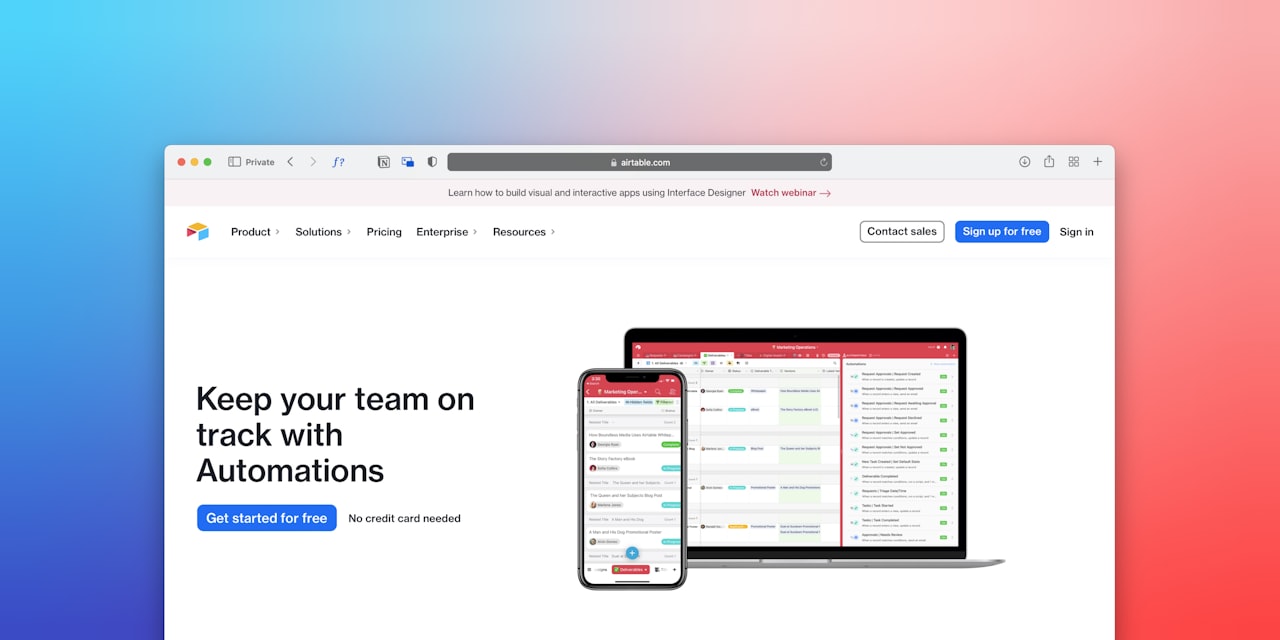
Google Sheets serves as an effective intermediate data store for SEO automation. Python scripts write API data to Sheets using the Sheets API, and Looker Studio reads from those sheets for visualisation. This architecture provides flexibility, transparency for stakeholders who can see raw data, and easy troubleshooting when data appears incorrect.
For agencies requiring more sophisticated reporting, custom dashboard solutions built with frameworks like Streamlit, Retool, or custom web applications provide full control over the reporting experience including white-labelling, custom metrics, automated PDF generation, and client-specific data access controls. The initial development investment is higher but operational savings are significant for agencies managing 20 or more client accounts.
Proactive monitoring through automated alert systems detects SEO issues before they cause significant traffic loss. Build monitoring scripts that compare daily organic traffic against expected ranges and alert when sessions drop more than 20 per cent below the rolling average. Monitor top keywords daily and alert on position changes greater than five positions. Automate weekly checks of critical technical elements including robots.txt, XML sitemaps, SSL certificates, and key page status codes. Route alerts to Slack, email, or SMS based on severity to ensure immediate attention for critical issues. Integrate monitoring with your paid search management to maintain visibility across both organic and paid channels during any disruptions.
Frequently Asked Questions
What programming language is best for SEO automation?
Python is the most widely used language for SEO automation due to its extensive library ecosystem, readability, and strong Google API support. JavaScript (Node.js) is a viable alternative for web-based tools. Google Apps Script works well for lightweight automation within the Google ecosystem. For most SEO professionals, Python offers the best balance of capability and learning curve.
How much does Google Search Console API access cost?
The Google Search Console API is free to use. You need a Google Cloud project (also free) with the API enabled. Rate limits are generous at approximately 1,200 queries per minute for the Search Analytics endpoint and 2,000 inspections per day per property for the URL Inspection endpoint.
Can I automate SEO without programming skills?
Yes, to a degree. Tools like Google Looker Studio, Zapier, and Make allow non-programmers to build automated workflows connecting various data sources. Screaming Frog supports scheduled crawls without code. However, custom Python scripts provide significantly more flexibility and power for complex automation requirements.
What are the API rate limits I need to worry about?
Each API has its own limits. Google Search Console allows roughly 1,200 queries per minute. PageSpeed Insights allows 400 requests per 100 seconds for authenticated requests. The Indexing API allows 200 requests per day by default. Third-party tools like Ahrefs and Semrush have credit-based systems tied to subscription levels. Build rate limiting into your scripts to avoid blocks.
How do I store data from automated SEO processes?
For simple needs, Google Sheets or CSV files work well. For larger datasets, a relational database like PostgreSQL is more appropriate. Cloud-based solutions like Google BigQuery handle very large datasets efficiently and integrate well with Looker Studio. Choose storage based on data volume, query requirements, and team expertise.
Is it safe to use the Google Indexing API for non-job-posting content?
Google’s official documentation limits Indexing API support to pages with JobPosting or BroadcastEvent structured data. Using it for other content types is not officially endorsed and carries risk. For non-job content, the URL Inspection API’s indexing request feature is the officially supported alternative.
How often should automated SEO reports be generated?
Technical health monitoring should run daily. Ranking data collection should run daily or weekly. Client-facing performance reports work best as weekly summaries or monthly detailed reports. Real-time dashboards are useful for internal teams but can create anxiety for clients who overreact to normal daily fluctuations.
Can I automate content optimisation with APIs?
You can automate the analysis and identification of optimisation opportunities such as finding pages with declining rankings, thin content, or missing semantic keywords. Tools like Clearscope and Surfer SEO offer APIs for content scoring. However, the actual content improvement should be done by skilled writers who understand your audience and industry context.
What is the best way to learn SEO automation?
Start with a specific practical project such as automating your weekly GSC data extraction. Learn the minimum Python needed for that project, build it, use it, and iterate. Expand to more complex projects as your skills develop. Always tie your learning to a concrete SEO automation goal rather than learning programming in the abstract.
How do I handle API authentication securely?
Never hardcode API keys or credentials in your scripts. Use environment variables to store sensitive credentials outside your codebase. For Google APIs, use service account JSON key files stored securely. For production automation, use a secrets manager service like Google Secret Manager. Rotate API keys periodically and restrict permissions to the minimum required scope.
