
Part of our Social & Influencer Marketing guide →
Pinterest Ads Guide: Promoted Pins, Shopping Ads and Campaign Setup
Table of Contents
Why Pinterest Advertising Works
This pinterest ads guide explores one of the most underutilised advertising platforms for Singapore businesses. Pinterest is fundamentally different from other social platforms because users come with planning and purchase intent. They search for ideas, save inspiration and actively discover new products and services. This intent-driven behaviour makes Pinterest advertising uniquely effective for businesses in visual and lifestyle categories.
Pinterest has over 450 million monthly active users globally, with growing penetration in Southeast Asia including Singapore. The platform skews towards female users aged 25 to 44, though male user growth has accelerated significantly. Users in home decor, fashion, food, beauty, weddings and travel are particularly active, making these categories prime opportunities for advertisers.
What makes Pinterest special is the longevity of content. While a Facebook post disappears from feeds within hours, a Pinterest pin can drive traffic for months or even years. Promoted pins benefit from this same longevity, continuing to generate organic impressions and clicks long after the paid promotion ends. This extended shelf life improves the lifetime ROI of your digital marketing investment.
Pinterest Ad Formats
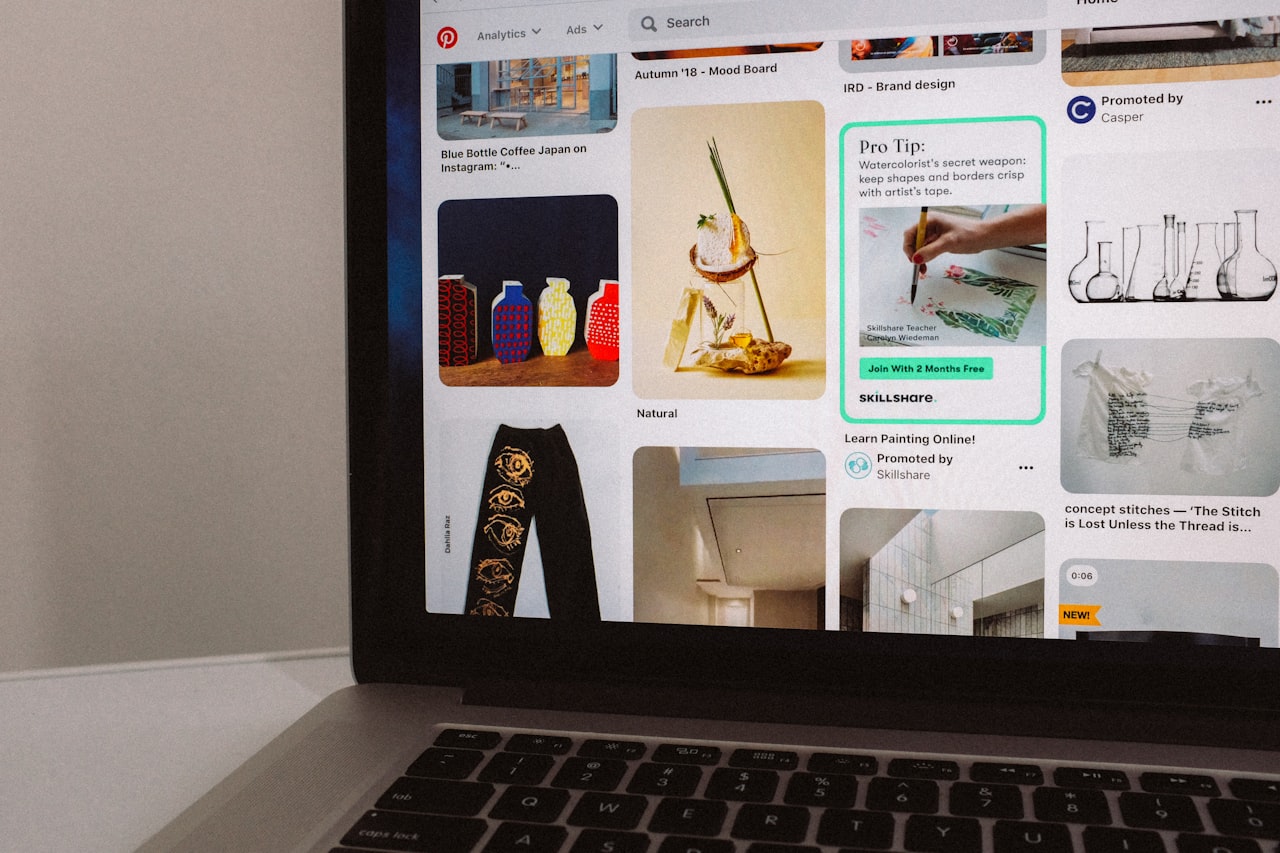
Standard promoted pins look exactly like organic pins but reach a wider audience through paid distribution. They consist of a vertical image, title and description. When users click, they are directed to your website. Standard pins are the simplest format and work well for driving traffic to blog posts, product pages or landing pages.
Video pins autoplay in the feed and capture attention through motion. Pinterest supports standard-width and max-width video formats. Standard-width videos appear the same size as regular pins, while max-width videos span the full feed width for greater impact. Keep videos between 6 and 15 seconds for optimal engagement.
Carousel pins contain two to five images that users swipe through. Each image can link to a different URL, making carousels ideal for showcasing product ranges, step-by-step tutorials or multiple aspects of a single product. The swipe interaction increases engagement time and provides more opportunities to communicate your message.
Shopping pins display real-time pricing, availability and product details pulled from your catalogue. These ads connect directly to your e-commerce store and allow users to purchase without leaving the Pinterest experience. For Singapore e-commerce businesses, shopping pins create a seamless path from discovery to purchase.
Idea pins are multi-page creative canvases that combine images, videos, text overlays and lists. While primarily an organic format, they can be promoted to reach broader audiences. Idea pins work well for tutorials, recipes, DIY projects and educational content that builds brand authority.
Campaign Setup and Structure
Create campaigns through Pinterest Ads Manager by selecting your campaign objective. Options include brand awareness, video views, consideration (traffic), conversions and catalogue sales. Each objective optimises delivery differently, so choose the one that aligns with your primary goal.
Set your daily or lifetime budget at the campaign level. Pinterest recommends starting with at least USD 5 to 10 per day for initial testing. For Singapore-targeted campaigns, plan for SGD 15 to 30 daily to generate sufficient data for optimisation. Budgets below this level may not accumulate enough impressions or clicks for meaningful analysis.
Ad groups within your campaign control targeting, bidding and placement. Create separate ad groups for different audience segments or targeting approaches. This structure lets you compare performance across segments and allocate budget to the best performers, similar to how you would structure campaigns on other platforms.
Choose between automatic bidding, which lets Pinterest optimise your bids, and custom bidding, which gives you control over maximum cost per action. Automatic bidding works well for new advertisers learning the platform, while custom bidding suits experienced advertisers with clear CPA targets. Review your paid media strategy to determine the best approach.
Targeting Options for Singapore
Interest targeting reaches users based on the topics and categories they engage with on Pinterest. Categories include home decor, fashion, food and drink, beauty, travel, weddings, DIY, health and fitness and many more. Select interests that align with your product or service to reach users who are actively exploring related content.
Keyword targeting shows your ads to users searching for specific terms on Pinterest. This is one of Pinterest’s strongest targeting features because it captures active search intent. Bid on keywords related to your products, services and the problems you solve. Use Pinterest’s keyword suggestions tool to discover high-volume relevant terms.
Audience targeting lets you reach users from your own data. Upload customer lists, target website visitors using the Pinterest tag, create engagement audiences from users who have interacted with your pins or build actalike audiences (Pinterest’s version of lookalike audiences) to find new users similar to your best customers.
Demographic targeting includes age, gender, location, language and device. For Singapore campaigns, set location to Singapore and choose English as the primary language. Narrow by age and gender if your product serves a specific demographic, but allow some flexibility for Pinterest’s algorithm to find responsive users outside your assumptions.
Creative Best Practices
Vertical images in 2:3 aspect ratio (1000 x 1500 pixels) perform best on Pinterest. This format maximises screen coverage in the feed and stands out more than square or horizontal images. Ensure your most important visual elements are centred since pins may be cropped in some views.
Text overlays on images significantly improve performance on Pinterest. Unlike Facebook where text-heavy images are penalised, Pinterest users expect and respond well to text on images. Include your headline, a benefit statement or a call to action directly on the image. Use clear, readable fonts at sizes visible on mobile screens.
Lifestyle imagery outperforms product-only shots on Pinterest. Show your product in context, being used by real people in aspirational settings. A furniture brand should show a beautifully styled room rather than a product on a white background. Context helps users envision your product in their own lives.
Include your brand name or logo on every pin. Pinterest content circulates widely and pins can resurface months after posting. Brand visibility ensures that users know who you are regardless of when or where they encounter your pin. Place your logo discreetly but visually in a consistent position. Coordinate your Pinterest creative with your broader advertising efforts for consistent messaging.
Shopping Ads and Product Catalogues
Shopping ads require a product catalogue connected to your Pinterest business account. Upload your catalogue through a data feed, Shopify integration, WooCommerce plugin or manual CSV file. Your catalogue must include product titles, descriptions, prices, images and URLs that Pinterest uses to create shopping pins automatically.
Product groups let you organise catalogue items into segments for targeted advertising. Create product groups by category, price range, season or best sellers. Run separate campaigns for different product groups to control budgets and messaging for each segment.
Dynamic retargeting shows users the specific products they viewed on your website. This personalised approach delivers significantly higher conversion rates than generic ads because users see products they have already expressed interest in. Ensure your Pinterest tag tracks ViewContent and AddToCart events for effective retargeting.
Catalogue campaigns automatically create pins from your product feed, saving significant creative production time. Pinterest optimises which products to show each user based on their interests and behaviour. For e-commerce businesses with large catalogues, this automated approach ensures comprehensive product coverage without manual pin creation for each item.
Measuring Success
Install the Pinterest tag on your website to track conversions, build audiences and measure campaign performance. The tag tracks page visits, sign-ups, add-to-cart events and purchases. Without the tag, you cannot optimise for conversions or measure your return on ad spend.
Key metrics to track include impressions, saves, pin clicks, outbound clicks, click-through rate and conversion rate. Saves are a unique Pinterest metric indicating that a user found your content valuable enough to bookmark. High save rates predict long-term organic visibility as saved pins resurface in feeds over time.
Pinterest’s attribution window captures conversions up to 30 days after a click and 30 days after a view. This longer window reflects Pinterest’s role in the consideration phase where users research and plan before purchasing. Review your attribution settings to ensure they align with your customer journey length.
Compare Pinterest’s contribution against other social media advertising channels. Pinterest typically delivers lower CPC than Facebook and Instagram for lifestyle and shopping categories, with higher average order values due to the platform’s planning-oriented user behaviour.
Frequently Asked Questions
Is Pinterest advertising available in Singapore?
Yes, Pinterest Ads Manager is available to Singapore businesses. You can target users located in Singapore and other countries. Set up a Pinterest business account, connect your payment method and start creating campaigns through the Ads Manager interface.
How much do Pinterest ads cost in Singapore?
Pinterest CPCs in Singapore typically range from SGD 0.30 to 1.50, while CPMs range from SGD 3 to 12. Costs vary by industry, targeting and competition. Fashion, home decor and food categories tend to have lower costs due to higher engagement rates on the platform.
Which industries work best on Pinterest?
Home decor, fashion, food and recipes, beauty, weddings, travel, DIY and crafts, and health and fitness perform exceptionally well. Any visually appealing product or service with an aspirational element tends to succeed. B2B and professional services can also work with the right creative approach.
How long does it take to see results from Pinterest ads?
Initial performance data appears within 24 to 48 hours. However, Pinterest’s algorithm needs one to two weeks to optimise delivery. Full campaign potential typically becomes apparent after 30 days. Additionally, organic impressions from promoted pins continue to grow over several months.
Can I run Pinterest ads without a product catalogue?
Yes, standard promoted pins, video pins and idea pins do not require a product catalogue. Only shopping ads and dynamic retargeting require catalogue integration. You can run effective traffic and awareness campaigns using manually created pins with links to your website.
What is the difference between pin clicks and outbound clicks?
Pin clicks count users who click to see your pin in close-up view. Outbound clicks count users who click through to your external website. Outbound clicks are typically your more valuable metric since they represent users who left Pinterest to visit your site, indicating stronger intent.
How does Pinterest’s algorithm decide which pins to promote?
Pinterest’s algorithm considers bid amount, pin quality, relevance to the user and expected engagement rate. Higher-quality pins with strong engagement signals can win auctions at lower bids. Optimise your pin design, descriptions and keyword targeting to improve your algorithmic competitiveness.