Mailchimp Automation Guide: Set Up Automated Email Journeys
Mailchimp remains one of the most widely used email marketing platforms in the world, and for good reason. Its customer journey builder, pre-built automations and intuitive interface make it an excellent choice for Singapore businesses looking to automate their email marketing without a steep learning curve.
This Mailchimp automation guide covers everything you need to know — from setting up your first automated journey to advanced segmentation, tagging strategies and performance optimisation. Whether you run a boutique consultancy in Tanjong Pagar or an online store shipping across Southeast Asia, these strategies will help you make the most of Mailchimp’s automation capabilities.
Understanding Mailchimp Automation
Mailchimp automation allows you to send targeted emails to subscribers based on specific triggers, behaviours or time-based conditions. Instead of manually crafting and sending every email, you set up rules that handle communication automatically — ensuring the right message reaches the right person at the right moment.
How Mailchimp Automation Has Evolved
Mailchimp’s automation capabilities have grown significantly over the years. What started as simple autoresponders has become a full customer journey builder with branching logic, conditional splits and multi-channel capabilities. The platform now supports automated emails, SMS messages (in supported markets), postcards, social retargeting and more. For Singapore businesses investing in email marketing services, Mailchimp offers a strong balance of power and usability.
Automation vs Regular Campaigns
Regular campaigns are one-time sends to a defined audience. Automations are always-on journeys that trigger when a subscriber meets specific criteria. The distinction matters because automations run continuously, capturing every new subscriber or customer action as it happens. A welcome email automation, for instance, greets every new subscriber the moment they sign up — whether that happens at 2:00 PM on a Tuesday or 3:00 AM on a Saturday.
Pricing Considerations
Mailchimp’s automation features vary by plan. The Free plan includes basic one-step automations. The Essentials plan adds multi-step journeys with a limited number of journey points. The Standard plan unlocks the full customer journey builder with branching, and the Premium plan adds advanced segmentation and comparative reporting. For most Singapore SMEs, the Standard plan offers the best value for automation-focused use cases.
Customer Journey Builder Explained
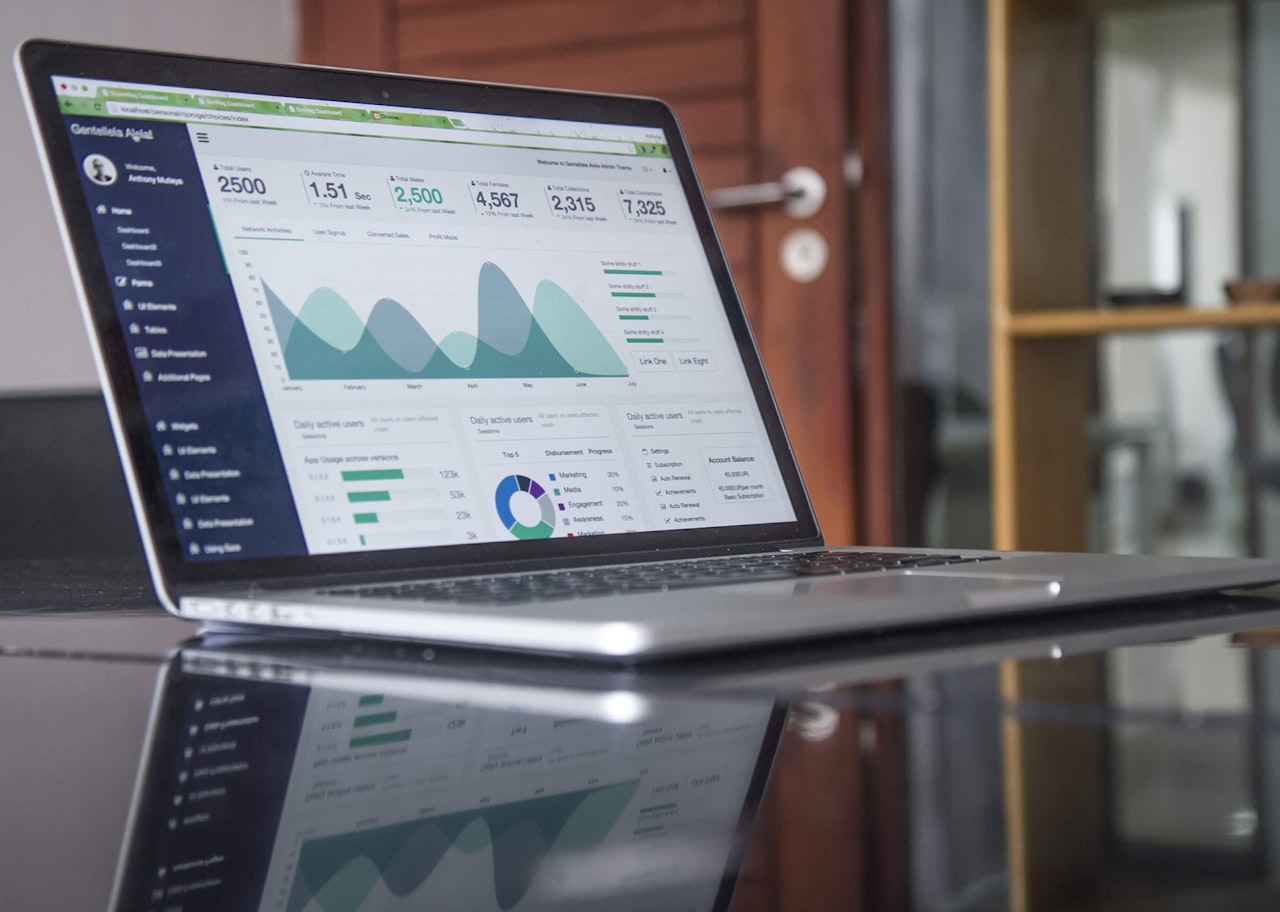
The Customer Journey Builder is Mailchimp’s visual automation tool. It allows you to create multi-step, branching automations using a drag-and-drop interface.
Starting Points
Every customer journey begins with a starting point — the trigger that enrolls a subscriber. Mailchimp offers numerous starting points including sign-up to audience (when someone joins your mailing list), tag added (when a specific tag is applied to a contact), purchase activity (when a subscriber makes a purchase), email activity (when a subscriber opens or clicks a specific campaign), date-based triggers (such as birthdays or anniversaries), and API or integration events.
For Singapore businesses, the most common starting points are audience sign-up (for welcome sequences), purchase activity (for post-purchase follow-ups) and tag-based triggers (for segmented nurture campaigns).
Journey Points and Actions
Once a subscriber enters a journey, you guide them through a series of journey points. These include sending an email, adding or removing tags, waiting for a specified time, creating if/else branches based on conditions, sending to a webhook, and updating audience fields. The visual builder makes it straightforward to create complex journeys — you simply drag and connect the points in the order you want them to execute.
Building a Welcome Journey Step by Step
A practical example helps illustrate the process. Start by creating a new customer journey and selecting “Sign up to audience” as the starting point. Add a “Send email” action with your welcome message — introduce your brand, set expectations for email frequency, and include a special offer if appropriate. Add a time delay of three days. Add an if/else condition checking whether the subscriber clicked a link in the welcome email. For the “yes” branch, send a follow-up with deeper content about your services. For the “no” branch, send a re-engagement email with a different angle. Continue building the journey with additional touchpoints over the following two to three weeks.
Pre-Built Automations to Launch Immediately
Mailchimp offers a library of pre-built automations that you can activate with minimal customisation. These are excellent starting points for Singapore businesses new to automation.
Welcome Automation
The welcome automation triggers when a new subscriber joins your audience. This is arguably the most important automation to set up first, as welcome emails typically achieve open rates of 50 per cent or higher — far above the average campaign open rate. Customise the pre-built template with your brand messaging, a brief introduction to what subscribers can expect, and a compelling call to action.
Abandoned Cart Automation
If you run an e-commerce store connected to Mailchimp, the abandoned cart automation is essential. It sends a reminder email to shoppers who added items to their cart but did not complete the purchase. Configure a time delay of one to four hours for the first reminder, followed by a second email 24 hours later with a gentle nudge or incentive. This automation alone can recover significant revenue for Singapore online retailers.
Birthday and Anniversary Emails
Date-based automations send personalised messages on subscriber birthdays or sign-up anniversaries. These emails feel personal and thoughtful, strengthening the relationship between your brand and your audience. Include a special discount code or exclusive offer to drive conversions. Ensure your sign-up forms collect birthday data if you plan to use this automation.
Re-engagement Automation
Subscribers who have not opened or clicked your emails in a defined period (typically 90 to 180 days) enter the re-engagement automation. Send a compelling “We miss you” email, followed by a final offer or reminder. If the subscriber still does not engage, consider removing them from your active list to maintain healthy deliverability — a critical factor in effective digital marketing.
Tagging and Segmentation Strategies
Tags and segments are the foundation of targeted automation in Mailchimp. Without proper organisation, your automations will lack the precision needed to deliver relevant content.
Tags vs Groups vs Segments
Mailchimp offers three ways to categorise contacts. Tags are internal labels you apply to contacts — subscribers do not see them. Groups are subscriber-facing categories, often used in sign-up forms to let people self-select their interests. Segments are dynamic filters based on contact data, tags, groups, behaviour and more. For automation purposes, tags and segments are most commonly used.
Building a Tagging System
Create a consistent tagging convention before you start building automations. A useful framework for Singapore businesses includes source tags (how the contact was acquired — website, event, referral, paid ad), interest tags (what topics or products they are interested in), behaviour tags (actions they have taken — downloaded guide, attended webinar, requested quote), and status tags (current relationship status — prospect, active customer, churned). Use a prefix system to keep tags organised — for example, “source:google-ads” or “interest:seo-services”.
Segmentation for Automation Triggers
Segments power your automation starting points and conditional branches. Create segments based on combinations of tags, engagement data and purchase history. For example, a segment of contacts tagged “interest:social-media” who have opened at least one email in the last 30 days represents a warm audience perfect for a social media marketing nurture sequence.
Dynamic Content with Merge Tags
Mailchimp’s merge tags allow you to personalise email content dynamically. Use merge tags to insert the subscriber’s name, company, location or any custom field into your automated emails. For Singapore audiences, personalisation increases engagement — addressing someone by name and referencing their specific interest makes automated emails feel less robotic and more human.
Advanced Automation Techniques
Once you have mastered the basics, these advanced techniques will help you extract more value from Mailchimp automation.
Conditional Split Strategies
If/else branches in the customer journey builder allow you to create different paths based on subscriber data. Advanced split strategies include branching by purchase value (sending different follow-ups for high-value versus low-value customers), branching by engagement level (more frequent touches for highly engaged contacts, fewer for passive ones), and branching by geography (sending different content to subscribers in Singapore versus other Southeast Asian markets).
Multi-Channel Automation
While Mailchimp is primarily an email platform, its automation capabilities extend to other channels. You can incorporate retargeting ads on Facebook and Instagram, postcard sends for high-value segments, and webhook actions that trigger events in external systems. Combining email automation with Google Ads retargeting creates a multi-touch experience that reinforces your messaging across channels.
A/B Testing in Automations
Test different elements within your automated journeys to continuously improve performance. Experiment with subject lines, send times, email content, call-to-action buttons and the number of emails in a sequence. Mailchimp’s reporting makes it straightforward to compare performance across journey variants and identify winning combinations.
Integrations and Data Connections
Mailchimp’s value multiplies when connected to your other business tools. The platform offers hundreds of integrations that feed data into your automations.
E-commerce Integrations
Connecting your online store — whether it runs on Shopify, WooCommerce, Magento or another platform — unlocks purchase-based automations. Product recommendations, abandoned cart recovery, post-purchase follow-ups and customer win-back campaigns all depend on e-commerce data flowing into Mailchimp. For Singapore e-commerce businesses, this integration is essential.
CRM and Form Integrations
If you use a CRM like Salesforce, HubSpot or Pipedrive, syncing it with Mailchimp ensures your subscriber data stays current. Form tools like Typeform, Gravity Forms and JotForm can feed submissions directly into Mailchimp audiences with appropriate tags, triggering automations instantly.
Zapier and Custom Integrations
For tools without native Mailchimp integrations, Zapier bridges the gap. Common Zapier automations for Singapore businesses include adding new Facebook Lead Ad submissions to Mailchimp, syncing event registrations from Eventbrite, and pushing Mailchimp subscriber data to Google Sheets for custom reporting. These connections ensure your automations have access to comprehensive, up-to-date data.
Best Practices for Singapore Email Marketers
Effective Mailchimp automation requires more than technical setup. These best practices ensure your automations perform well in the Singapore market.
Respect PDPA Requirements
Singapore’s Personal Data Protection Act requires that you obtain consent before sending marketing emails. Configure your Mailchimp sign-up forms to include clear consent language. Use double opt-in to verify subscriber intent. Maintain records of when and how consent was obtained. Honour unsubscribe requests immediately — Mailchimp handles this automatically, but ensure your processes do not inadvertently re-add unsubscribed contacts.
Optimise for Mobile
Singapore has one of the highest smartphone penetration rates in the world. Every automated email must look excellent on mobile devices. Use Mailchimp’s responsive templates, keep subject lines under 40 characters for mobile preview, use large tap-friendly buttons for calls to action, and test every email on multiple devices before activating the automation.
Time Your Sends Appropriately
For Singapore audiences, optimal email send times typically fall between 10:00 AM and 12:00 PM or 7:00 PM and 9:00 PM SGT on weekdays. Mailchimp’s send-time optimisation feature uses machine learning to determine the best time for each individual subscriber. Enable this feature in your automations where available.
Monitor and Iterate
Review your automation performance monthly. Look at open rates, click rates, conversion rates and unsubscribe rates for each step in your journeys. If a particular email underperforms, revise the subject line, content or timing. Automations are not “set and forget” — they require ongoing optimisation to deliver consistent results. Pairing automation insights with a solid SEO strategy ensures your top-of-funnel traffic feeds into well-optimised nurture sequences.
Frequently Asked Questions
What is Mailchimp automation?
Mailchimp automation refers to the platform’s tools for sending triggered, time-based or behaviour-based emails and other actions without manual intervention. The Customer Journey Builder allows you to create visual, multi-step automations with branching logic, while pre-built automations offer quick-start templates for common use cases like welcome emails and abandoned cart recovery.
Is Mailchimp automation free?
Mailchimp’s Free plan includes basic single-step automations such as a welcome email. Multi-step customer journeys, branching logic and advanced automation features require a paid plan. The Standard plan (from approximately USD 20 per month for 500 contacts) provides the best automation capabilities for most Singapore SMEs.
How do I set up a welcome email automation in Mailchimp?
Navigate to the Automations section, select “Customer Journeys,” and choose the welcome email template. Configure the starting point as “Audience sign-up,” design your welcome email content, set any time delays for follow-up emails, and activate the journey. New subscribers will automatically receive your welcome series from that point forward.
What is the difference between Mailchimp automations and regular campaigns?
Regular campaigns are one-time email sends to a defined audience on a specific date. Automations are always-on journeys that trigger continuously whenever a subscriber meets the entry criteria. Automations run indefinitely once activated, while regular campaigns send once and are complete.
How many automations can I create in Mailchimp?
The number of customer journeys depends on your plan. The Free plan allows basic single-step automations. The Essentials plan offers multi-step journeys with limited journey points. The Standard plan provides full access to the journey builder with more points per journey. The Premium plan removes most limitations. For practical purposes, the Standard plan supports the automation needs of most Singapore businesses.
Can Mailchimp send automated SMS messages?
Mailchimp has introduced SMS marketing capabilities in selected markets, primarily the United States. As of 2026, SMS automation is not natively available in all regions including Singapore. For SMS automation needs, consider integrating Mailchimp with a dedicated SMS platform via Zapier, or explore platforms like Brevo that offer built-in SMS capabilities for the Singapore market.
How do I improve my Mailchimp automation open rates?
Improve open rates by writing compelling subject lines that create curiosity or urgency, personalising the sender name and subject line with merge tags, segmenting your audience so content is relevant, testing different send times, maintaining list hygiene by removing chronically inactive subscribers, and ensuring your domain authentication (SPF, DKIM, DMARC) is properly configured for strong deliverability.
Can I use Mailchimp automation for e-commerce?
Yes, Mailchimp offers robust e-commerce automations when connected to your online store. Key e-commerce automations include abandoned cart recovery, post-purchase follow-ups, product recommendation emails, order confirmation sequences, customer win-back campaigns and browse abandonment triggers. Connect your Shopify, WooCommerce or other e-commerce platform to unlock these features.
What tags should I use in Mailchimp for automation?
Develop a consistent tagging system based on acquisition source, subscriber interests, behaviour and status. Examples include source tags (website, event, paid-ad), interest tags (seo, social-media, email-marketing), behaviour tags (downloaded-guide, requested-quote) and status tags (prospect, customer, churned). Use these tags as automation starting points and conditional filters.
How do I ensure Mailchimp automation complies with Singapore PDPA?
Ensure compliance by using double opt-in for subscriber confirmation, including clear consent language on sign-up forms, providing easy unsubscribe options in every email, maintaining records of consent, honouring data access and deletion requests promptly, and never purchasing or importing email lists without verified consent. Mailchimp’s built-in compliance tools support these requirements, but ultimate responsibility lies with your organisation.