WhatsApp Business API Guide: Automate Messaging for Your Business in 2026
WhatsApp has more than two billion monthly active users worldwide, and in Singapore the platform enjoys a penetration rate above 80 per cent. For businesses that want to move beyond the limitations of the free WhatsApp Business app, the WhatsApp Business API unlocks automated messaging, chatbot workflows, broadcast campaigns, and deep CRM integration at scale.
This guide walks you through everything you need to know — from initial setup and approval to advanced automation strategies that drive revenue. Whether you run an e-commerce store, a professional services firm, or a food and beverage chain in Singapore, the WhatsApp Business API can become a core channel in your digital marketing strategy.
What Is the WhatsApp Business API?
The WhatsApp Business API is a programmatic interface that allows medium and large businesses to send and receive messages on WhatsApp at scale. Unlike the free WhatsApp Business app — which is designed for small businesses managing conversations manually — the API is built for automation, multi-agent access, and integration with existing business systems.
Meta (the parent company of WhatsApp) does not provide a front-end interface for the API. Instead, businesses access it through a Business Solution Provider (BSP), also known as a WhatsApp partner. Popular BSPs in Singapore include Twilio, MessageBird, WATI, and Respond.io.
Core capabilities of the WhatsApp Business API include:
- Multi-agent inbox — multiple team members can handle conversations simultaneously from a shared dashboard.
- Template messages — pre-approved message formats for outbound notifications such as order confirmations, appointment reminders, and shipping updates.
- Session messaging — free-form replies within a 24-hour window after a user messages your business.
- Chatbot automation — programmable conversation flows that handle FAQs, lead qualification, and order tracking without human intervention.
- Rich media — support for images, videos, documents, location pins, and interactive buttons within messages.
For businesses looking to scale their WhatsApp marketing, the API is not optional — it is the foundation.
WhatsApp Business App vs API: Key Differences
Before investing in the API, it helps to understand exactly where the free app falls short and where the API adds value.

- Users and devices — the app supports up to five linked devices. The API supports unlimited agents accessing conversations through a BSP dashboard or custom-built interface.
- Broadcast limits — the app restricts broadcast lists to 256 contacts who must have your number saved. The API allows template-based broadcasts to thousands of opted-in contacts regardless of whether they have saved your number.
- Automation — the app offers basic quick replies and greeting messages. The API enables full chatbot logic, conditional flows, and webhook-triggered messages.
- Integration — the app works in isolation. The API connects to your CRM, e-commerce platform, helpdesk software, and marketing automation tools through webhooks and native integrations.
- Analytics — the app provides minimal data. The API, through your BSP, delivers granular reporting on delivery rates, read rates, response times, and conversion events.
- Verification — API accounts can apply for the green-tick verified badge, which builds trust with recipients.
For sole proprietors and micro-businesses with fewer than a hundred customer conversations per month, the free app may suffice. For everyone else — particularly businesses running promotional campaigns or providing customer support at volume — the API is the right path.
Setting Up the WhatsApp Business API
Getting started with the WhatsApp Business API involves several steps. The process has become simpler since Meta introduced the Cloud API, but it still requires planning.
Step 1: Choose a Business Solution Provider
Your BSP is the intermediary between your business and the WhatsApp API. When evaluating BSPs, consider the following:
- Pricing model — some charge per conversation, others per message, and some offer flat monthly plans. Meta itself charges conversation-based fees, so your total cost is Meta’s fee plus your BSP’s margin.
- Feature set — look for chatbot builders, CRM connectors, analytics dashboards, and team-inbox functionality.
- Support and localisation — if your team is in Singapore, having a BSP with Asia-Pacific support hours is valuable.
- Scalability — ensure the platform can handle your projected message volume without latency issues.
Step 2: Create a Meta Business Account
You will need a verified Meta Business account (formerly Facebook Business Manager). This requires your business name, website, and official documentation. For Singapore-registered companies, your ACRA business profile or UEN registration is typically sufficient.
Step 3: Register Your Phone Number
The API requires a dedicated phone number that is not already associated with a WhatsApp personal or Business app account. You can use a landline, mobile number, or virtual number. Once registered, this number becomes your WhatsApp Business number.
Step 4: Create and Submit Message Templates
Before sending any outbound messages, you must create message templates and submit them to Meta for approval. Templates fall into three categories: marketing, utility, and authentication. Each template must comply with WhatsApp’s commerce and business messaging policies.
Step 5: Build Your Messaging Flows
With your BSP’s tools or your own development resources, configure your automated replies, chatbot logic, and integration points. Start simple — an automated welcome message and an FAQ flow — then expand as you learn what your customers need.
Automated Messaging and Chatbots
Automation is the primary reason businesses upgrade to the WhatsApp Business API. A well-designed chatbot can handle the majority of inbound enquiries, freeing your team for complex conversations that require a human touch.
Types of Automated Messages
- Welcome messages — greet first-time contacts and set expectations for response times.
- Away messages — inform customers when your team is offline and offer self-service options.
- Order updates — automatically trigger shipping confirmations, delivery ETAs, and return instructions via webhook from your e-commerce platform.
- Appointment reminders — reduce no-shows by sending reminders 24 and 2 hours before scheduled appointments.
- Lead qualification — ask a series of questions to determine a prospect’s needs and budget before routing to a sales agent.
Building Effective Chatbot Flows
The best WhatsApp chatbots share several characteristics. They keep menus short — no more than three to five options per step. They offer an instant route to a human agent at every stage. They use interactive buttons and list messages rather than asking users to type keywords. And they handle dead-ends gracefully by circling back to the main menu rather than leaving users stranded.
In Singapore, bilingual chatbots that support both English and Mandarin can significantly increase engagement. Some BSPs offer built-in language-detection features that route users to the appropriate flow automatically.
Broadcast Campaigns and Template Messages
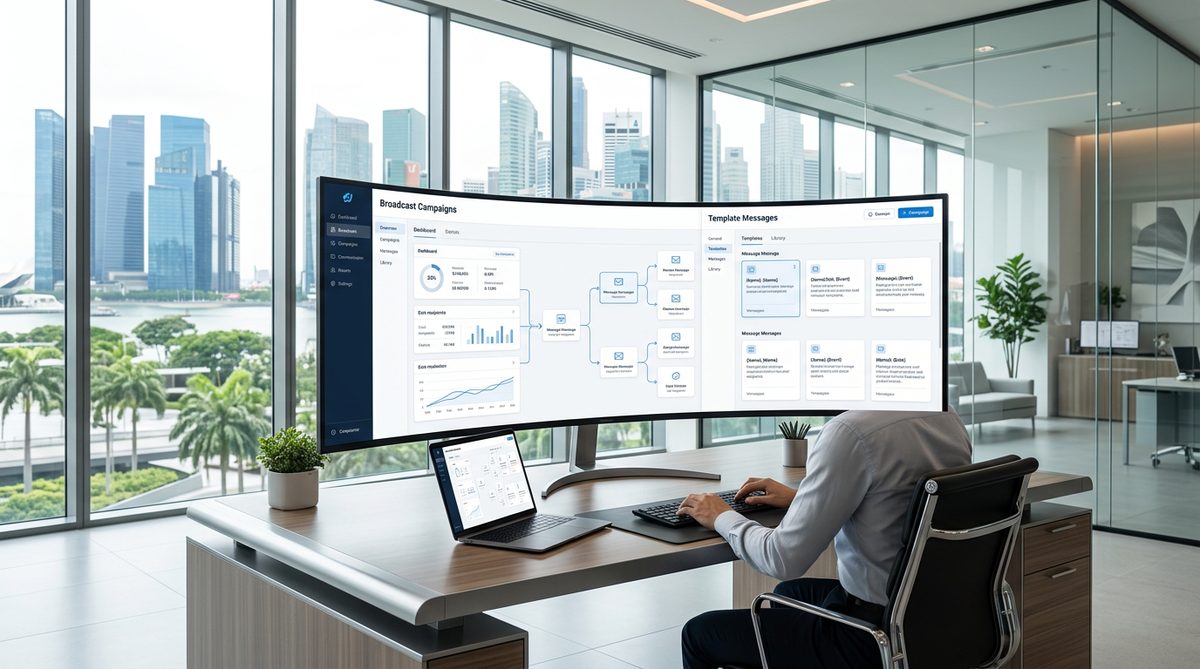
Broadcast messaging on WhatsApp is one of the highest-ROI channels available to Singapore businesses. Open rates typically exceed 90 per cent, and click-through rates of 15 to 30 per cent are common — far above email benchmarks.
How Template Messages Work
Every outbound broadcast message must use a pre-approved template. Templates can include dynamic variables (such as the recipient’s name or order number), call-to-action buttons, quick-reply buttons, and media headers. Meta reviews each template for compliance, and approval usually takes between a few minutes and 24 hours.
Campaign Types That Work
- Product launches — announce new products with an image, a brief description, and a “Shop Now” button linking to your website.
- Flash sales and promotions — time-sensitive offers with clear expiry dates drive urgency and conversions.
- Abandoned-cart recovery — remind customers about items left in their cart with a direct link to complete checkout.
- Re-engagement — reach out to dormant customers with a personalised offer or content update.
- Event invitations — promote webinars, in-store events, or product demos with RSVP buttons.
Segmentation and Personalisation
Blasting the same message to your entire list is a recipe for opt-outs. Segment your audience by purchase history, engagement level, location, and product interest. Use dynamic variables to personalise each message. The more relevant the message, the lower your opt-out rate and the higher your conversion rate.
Frequency and Timing
For most Singapore businesses, one to two broadcast campaigns per week is the sweet spot. Sending more frequently risks fatiguing your audience. Timing matters too — messages sent between 10 am and 12 pm or between 7 pm and 9 pm SGT tend to achieve the highest engagement.
CRM and Tech-Stack Integration
The WhatsApp Business API becomes exponentially more powerful when connected to your broader technology stack. Here are the most impactful integrations.
CRM Integration
Connect WhatsApp to your CRM (HubSpot, Salesforce, Zoho, or similar) to log every conversation, track lead status, and trigger follow-up sequences automatically. When a customer messages your WhatsApp number, a new contact record is created or an existing one is updated — ensuring your sales team has full context.
E-Commerce Platform Integration
Link your Shopify, WooCommerce, or Magento store to WhatsApp to automate order confirmations, shipping notifications, and post-purchase review requests. Some BSPs offer native integrations, while others use middleware like Zapier or Make.
Helpdesk Integration
Route WhatsApp conversations into your helpdesk (Zendesk, Freshdesk, or Intercom) so that support tickets are tracked, SLAs are monitored, and agents work from a unified queue alongside email and live-chat tickets.
Compliance and Best Practices in Singapore
Operating a WhatsApp Business API account in Singapore comes with regulatory and platform-policy obligations that you must not overlook.
PDPA Compliance
Singapore’s Personal Data Protection Act (PDPA) governs how businesses collect, use, and disclose personal data — including phone numbers and conversation content. Before adding anyone to your WhatsApp broadcast list, you must obtain explicit consent. This means a clear opt-in mechanism — not a pre-ticked checkbox buried in your terms and conditions.
Maintain records of when and how each contact opted in. Provide a simple opt-out mechanism in every broadcast message (a “Stop” quick-reply button is standard practice). And ensure that conversation data stored in your BSP and CRM complies with PDPA data-retention and security requirements.
WhatsApp Commerce Policy
WhatsApp prohibits certain categories of businesses and message types. Regulated industries such as firearms, gambling, and adult content are restricted. Even within permitted industries, messages must not be misleading, must not impersonate other businesses, and must clearly identify your brand.
Quality Rating and Messaging Limits
Meta assigns a quality rating to your WhatsApp Business API number based on user feedback. If too many recipients block your number or report messages as spam, your quality rating drops — which can reduce your messaging tier or get your number banned. New API accounts start with a lower messaging tier (typically 1,000 unique contacts per 24 hours). As your quality rating remains high, Meta automatically increases your tier to 10,000, then 100,000, and eventually unlimited.
Measuring WhatsApp Marketing ROI
Without measurement, you cannot optimise. Here are the key metrics to track for your WhatsApp Business API campaigns.

- Delivery rate — the percentage of messages successfully delivered. Rates below 95 per cent suggest issues with phone-number validity or recipient blocking.
- Read rate — the percentage of delivered messages that recipients opened. WhatsApp does not provide native read receipts at the API level, but many BSPs estimate this metric through delivery-status callbacks.
- Click-through rate — if your template includes a CTA button, track how many recipients clicked it. Use UTM parameters on destination URLs to attribute traffic in Google Analytics.
- Response rate — for conversational campaigns, measure how many recipients replied. A high response rate indicates strong engagement and relevance.
- Conversion rate — track how many WhatsApp-originated sessions resulted in a purchase, booking, or lead-form submission on your website.
- Cost per conversation — Meta charges per conversation (marketing, utility, or service category). Calculate your total cost (Meta fees plus BSP fees) divided by the number of conversations initiated.
- Opt-out rate — monitor how many contacts unsubscribe after each broadcast. A rising opt-out rate signals content or frequency problems.
Build a monthly dashboard that tracks these metrics alongside your broader WhatsApp marketing KPIs. Compare WhatsApp performance against email, SMS, and paid social channels to understand where WhatsApp delivers the strongest ROI for your business.
Frequently Asked Questions
How much does the WhatsApp Business API cost?
Meta charges per conversation, with rates varying by category and country. In Singapore, marketing conversations cost approximately USD 0.0732 per conversation, utility conversations cost around USD 0.0050, and service conversations (customer-initiated) are free for the first 1,000 per month. On top of Meta’s fees, your BSP will charge its own platform fee — typically a monthly subscription plus a per-message or per-conversation markup. Total costs for a small business sending 2,000 to 5,000 marketing messages per month typically range from SGD 200 to SGD 800.
Can I use my existing phone number for the WhatsApp Business API?
Yes, but the number must not be currently registered on the WhatsApp personal app or WhatsApp Business app. If you want to migrate an existing WhatsApp Business app number to the API, you can do so — but you will lose access to the app-based account. Many businesses choose to register a new dedicated number (such as a landline or virtual number) to avoid disrupting existing personal or business WhatsApp usage.
How long does WhatsApp Business API approval take?
If you use the Meta Cloud API through a BSP, account setup can be completed in as little as 10 to 15 minutes, assuming your Meta Business account is already verified. Business verification itself can take one to five business days. Message template approvals typically take a few minutes to 24 hours. The entire process from start to sending your first broadcast can be done within a week for most Singapore businesses.
Is the WhatsApp Business API suitable for small businesses?
The API was originally designed for medium and large enterprises, but the introduction of the Cloud API and affordable BSPs has made it accessible to smaller businesses. If you send more than 50 customer messages per day, run promotional broadcasts, or need multi-agent access, the API is worth the investment. For businesses with very low message volumes, the free WhatsApp Business app may still be sufficient.
Can I send promotional messages through the WhatsApp Business API?
Yes, promotional messages are permitted through the API using marketing-category templates. However, recipients must have opted in to receive marketing messages from your business. All promotional templates must be submitted to Meta for approval before use. Messages that violate WhatsApp’s commerce policy — such as those promoting prohibited products — will be rejected. Focus on delivering genuine value in every promotional message to maintain high engagement and a strong quality rating.