CTA Design and Placement: Buttons That Get Clicked
Table of Contents
What Makes a CTA Work
A call to action is the single most important element on any conversion-focused page. This CTA design guide breaks down the visual design, copywriting, and placement strategies that separate high-performing CTAs from the buttons visitors ignore.
Effective CTAs work because they combine three elements: visual prominence that draws the eye, copy that communicates clear value, and placement that aligns with user intent. When any of these elements is weak, click-through rates suffer.
The difference between a good CTA and a great one often translates directly to revenue. A button that converts at 3 percent instead of 1.5 percent doubles your leads from the same traffic. For Singapore businesses investing in SEO and paid advertising, optimising CTAs maximises the return on every marketing dollar spent.
Button Design: Colour, Size and Shape
CTA button design is about contrast, not just aesthetics. The most effective CTA colour is the one that stands out most from its surroundings. There is no universally best colour — it depends entirely on your page design and colour scheme.

The principle is simple: your CTA must be the most visually prominent element in its area of the page. If your site uses blue as a primary brand colour, a blue CTA button will blend in. An orange or green button would create the contrast needed to draw attention.
Size matters, but bigger is not always better. Your CTA should be large enough to be immediately noticeable and easy to click — especially on mobile devices where touch targets need to be at least 44 pixels tall. However, an oversized button can feel aggressive and actually reduce trust.
Rounded corners outperform sharp corners in most tests. Slight rounding (4 to 8 pixel border radius) makes buttons feel clickable and approachable. Fully rounded pill-shaped buttons can work well for modern designs but should be tested against standard rectangles.
Add subtle visual depth to your buttons with shadows or gradient effects. Flat buttons can sometimes blend into the page, while a slight shadow creates the affordance — the visual cue that an element is interactive and clickable. Your web design should ensure every CTA looks unmistakably clickable.
Writing CTA Copy That Converts
Generic CTA text like “Submit,” “Click Here,” or “Learn More” wastes the most valuable real estate on your page. Your CTA copy should tell users exactly what they will get when they click.
Start your CTA text with action verbs: Get, Start, Download, Book, Claim, Join, Request. These words create momentum and make the action feel easy and immediate.
Frame the CTA from the user’s perspective, not yours. “Get My Free Quote” outperforms “Request a Quote” because it uses first-person language and emphasises the benefit (free) rather than the action (request). The user feels they are claiming something valuable rather than doing work.
Add urgency or specificity when appropriate. “Book Your Free Strategy Session” is more compelling than “Contact Us” because it tells users exactly what they will receive. “Start My 14-Day Free Trial” outperforms “Sign Up” because it specifies the offer terms.
Keep CTA text concise — two to five words is ideal. Longer CTAs can work for high-consideration decisions, but brevity generally wins. Every word should earn its place on the button.
Consider adding a supporting micro-copy line beneath the button. “No credit card required,” “Takes 30 seconds,” or “Free for Singapore businesses” addresses objections and reduces hesitation at the critical moment. This technique pairs well with the trust strategies covered in our social proof placement guide.
Placement Strategies for Maximum Visibility
Where you place your CTA determines whether users see it at the right moment in their decision-making process. Placement should align with user intent — show the CTA when the visitor is most ready to act.
Above-the-fold CTAs are essential for homepage and landing pages. Visitors should see a clear call to action without scrolling. This does not mean the CTA must be the first thing they see — it should appear after a concise value proposition that gives users a reason to click.
Repeat your CTA at logical intervals on longer pages. A single CTA at the bottom of a 2,000-word page will be seen by only a fraction of visitors — most will leave before scrolling that far. Place CTAs after each major section where a user might be convinced enough to act.
Sticky CTAs — buttons that remain visible as the user scrolls — can increase conversion rates significantly. A sticky header bar or floating button ensures the action is always accessible without disrupting the reading experience. Use this technique judiciously to avoid feeling intrusive.
For your homepage, place the primary CTA within the hero section and repeat it at least twice more down the page. For service pages, position CTAs after benefit descriptions and case study sections. The goal is to present the CTA when the user’s interest is at its peak.
Directional cues like arrows, eye-gaze in photos, or converging lines can guide attention toward your CTA. These subtle design elements increase the probability that visitors will notice and engage with your button.
Primary vs Secondary CTAs
Most pages need both a primary and a secondary CTA. The primary CTA represents your most desired action — “Get a Quote,” “Start Free Trial,” or “Buy Now.” The secondary CTA is for visitors who are not ready for the primary action — “Learn More,” “See Pricing,” or “Download Guide.”
Visual hierarchy between primary and secondary CTAs is critical. Your primary CTA should be a solid, prominently coloured button. Your secondary CTA should be visually lighter — an outlined button, a text link, or a less saturated colour. Users should instinctively know which action is primary.
Never give two CTAs equal visual weight on the same section of a page. When users face two equally prominent options, they experience decision paralysis and often choose neither. The Hick-Hyman law tells us that decision time increases with the number of equally viable choices.
For Singapore B2B companies, a common effective pairing is “Get Your Free Quote” (primary) and “View Our Work” (secondary). The primary captures high-intent visitors while the secondary nurtures those who need more information before committing. Align these CTAs with your broader content marketing funnel.
Testing and Measuring CTA Performance
CTA optimisation should be driven by data, not opinions. What works for one audience may not work for another, and the only way to know is to test.
A/B test one CTA element at a time. Test button colour, then text, then placement, then size — changing multiple elements simultaneously makes it impossible to identify which change drove the result.
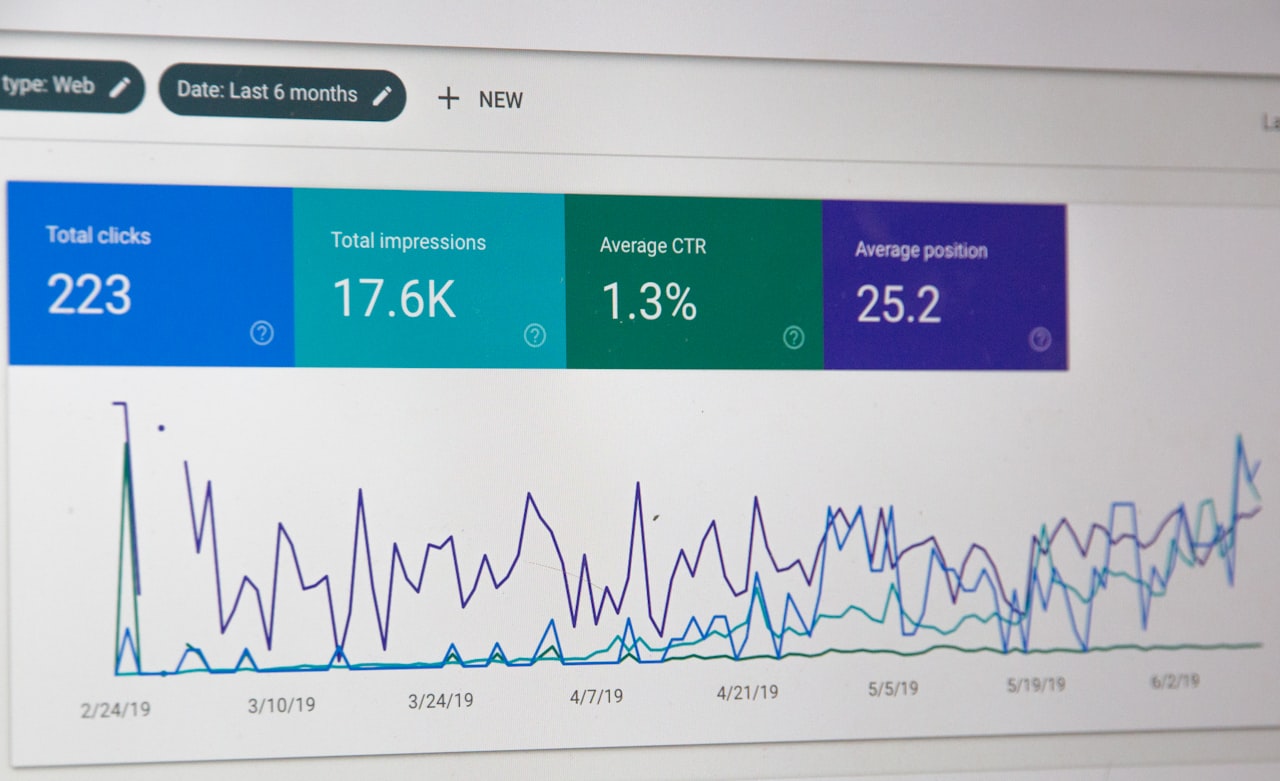
Track CTA performance using click-through rate (CTR), not just total clicks. CTR accounts for traffic variations and gives you a reliable metric for comparison. Use Google Analytics event tracking or your marketing platform’s built-in analytics to measure performance.
Heatmap tools like Hotjar reveal how users interact with your CTAs. You might discover that users hover over a CTA but do not click — suggesting the copy or offer needs work. Or you might find that a CTA positioned below a certain section gets very few views because users stop scrolling earlier.
Run tests for a minimum of two weeks or until you reach statistical significance — whichever comes later. Short tests with small sample sizes produce unreliable results that can lead you to make changes that actually harm performance. Your digital marketing partner can help you set up proper testing frameworks.
Common CTA Mistakes to Avoid
Even experienced marketers make CTA mistakes that cost conversions. Avoid these common pitfalls to ensure your buttons work as hard as possible.
Too many CTAs. When every element on a page is competing for attention, nothing stands out. Limit each page section to one primary CTA and no more than one secondary option.
CTA-page mismatch. When a user clicks “Get Your Free Guide” and lands on a generic contact form, trust is broken. Ensure the destination page matches the promise made by the CTA exactly.
Ignoring mobile. A CTA that looks great on a wide desktop screen may be tiny and hard to tap on a phone. Always test your CTAs across devices. Our mobile UX guide covers responsive CTA design in detail.
No white space. CTAs surrounded by dense text and other elements get lost. Give your buttons generous breathing room — at least 20 to 30 pixels of padding on all sides.
Ghost buttons for primary actions. Outlined or transparent buttons (ghost buttons) can look elegant but are less effective as primary CTAs because they lack visual weight. Reserve ghost buttons for secondary actions only.
Neglecting post-click experience. The CTA is only the beginning. If the page, form, or experience that follows is poor, the click is wasted. Ensure your forms are optimised to match the quality of your CTAs.
Frequently Asked Questions
What is the best colour for a CTA button?
There is no single best colour. The most effective CTA colour is the one that creates the strongest contrast with the surrounding page elements. If your site is predominantly blue, try orange, green, or red. Test different colours with your specific audience to find the winner.
How many CTAs should I have on a page?
Each page should have one primary CTA that appears multiple times as the user scrolls, plus optionally one secondary CTA. Avoid having more than two distinct call-to-action types on a single page to prevent decision paralysis.
Should my CTA be above or below the fold?
Both. Place your primary CTA above the fold for immediate visibility, and repeat it at strategic points below the fold — after key selling points, testimonials, and feature descriptions. Users who are not ready to act immediately should encounter the CTA again after consuming more content.
Do animated CTAs perform better?
Subtle animations like a gentle pulse or colour shift on hover can draw attention and increase clicks. However, aggressive animations — flashing, bouncing, or spinning — feel spammy and reduce trust. Keep animations minimal and purposeful.
What CTA text works best for service businesses?
For Singapore service businesses, specific and value-focused text works best. “Get Your Free Quote,” “Book a Strategy Call,” and “See Our Packages” consistently outperform generic alternatives. Test variations that include specifics like “30-Minute Consultation” or “Customised Proposal.”
How do I create urgency without being pushy?
Use honest scarcity and time constraints. “Limited spots available this month,” “Offer ends Friday,” or “Only 3 consultation slots remaining this week” create urgency without deception. Never manufacture false scarcity — it damages brand trust long-term.
Should I use icons in my CTA buttons?
Small icons like arrows, download symbols, or phone icons can reinforce the action and improve scannability. However, icons should supplement the text, not replace it. Test with and without icons to see if they improve click-through rates for your audience.
How do sticky CTAs affect user experience?
Sticky CTAs improve conversions when implemented thoughtfully. Use them on pages where the primary action is clear and consistent throughout the content. Ensure the sticky element is small enough not to obscure content and includes a close or dismiss option on mobile. For guidance on navigation and page structure, see our dedicated article.