Push Notification Marketing: Best Practices for Engagement in 2026
Push notifications have matured into a sophisticated marketing channel that, when used effectively, drives engagement, retention and conversions at rates that rival the best-performing digital channels. In 2026, push notifications reach users instantly on their devices, whether through web browsers or mobile applications, creating a direct communication line that bypasses crowded email inboxes and algorithmically filtered social media feeds.
The power of push notifications lies in their immediacy and visibility. Unlike emails that may sit unread for hours, push notifications appear on a user’s screen within seconds of being sent. This real-time capability makes them ideal for time-sensitive communications, behavioural triggers and personalised engagement. However, this same immediacy means that poorly executed push notification marketing quickly becomes intrusive, leading to opt-outs and app uninstalls.
This comprehensive guide covers every aspect of push notification marketing in 2026, from understanding the differences between web and mobile push to mastering opt-in strategies, segmentation, personalisation, automation and analytics. Whether you are implementing push notifications for the first time or refining an existing programme, you will find actionable strategies to maximise engagement while respecting your users’ attention as part of your broader digital marketing strategy.
Web Push vs Mobile Push Notifications
Push notifications are delivered through two primary channels: web browsers and mobile applications. While they share the same fundamental concept of delivering messages directly to users’ devices, the technical implementation, user experience and strategic applications differ significantly between the two.
Web push notifications are delivered through web browsers (Chrome, Firefox, Safari, Edge) and do not require users to have a mobile app installed. They appear on desktop and mobile devices when the user’s browser is open. Web push is particularly valuable for businesses that drive traffic to websites but do not have a mobile application. E-commerce sites, content publishers, news outlets and SaaS platforms all benefit from web push as a re-engagement channel.
The opt-in process for web push involves a browser-level permission prompt that the user must accept. Once accepted, the site can send notifications to that user’s browser. The permission is persistent across sessions, meaning a single opt-in enables ongoing communication. However, browser policies around these prompts have tightened. Chrome, for instance, may suppress the prompt entirely if a site has a history of low acceptance rates, making the timing and context of your opt-in request critical.
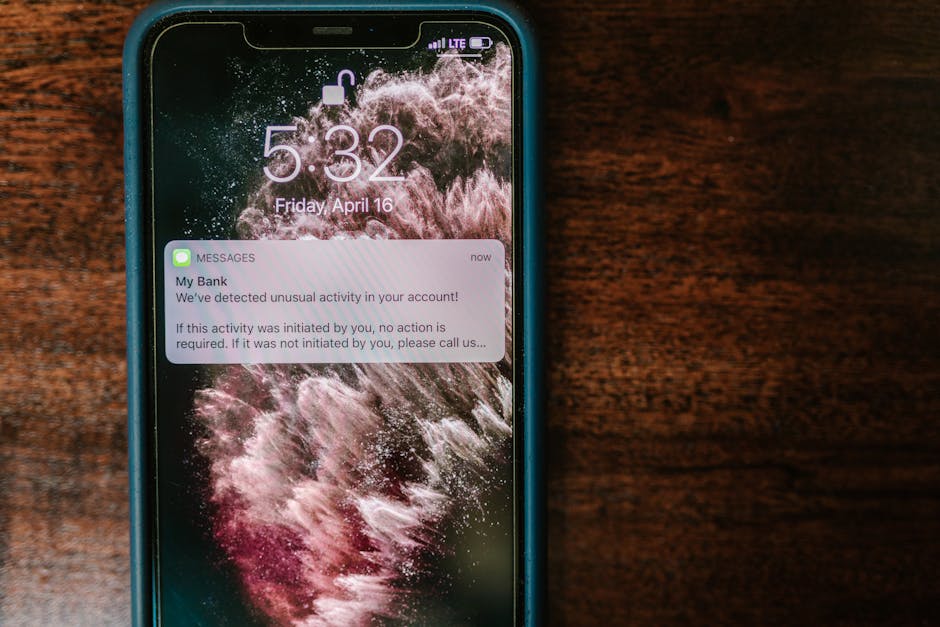
Mobile push notifications are delivered through native mobile applications and appear on the device’s lock screen, notification centre or as banners. Mobile push benefits from deeper device integration, including badge counts, sounds, haptic feedback and integration with the device’s notification management system. Mobile push typically achieves higher engagement rates than web push, as app users have already demonstrated commitment by downloading and installing the application.
On iOS, users must explicitly opt in to receive push notifications from each app, creating a clear consent mechanism. Android historically delivered push notifications by default upon app installation, though recent Android versions have introduced more granular notification controls and opt-in requirements. These platform differences affect opt-in rates and should influence your strategy for each operating system.
For most businesses, the ideal approach combines both web and mobile push, using web push to engage website visitors and mobile push for app users. The two channels complement each other within a comprehensive social media and digital marketing ecosystem, each reaching users in different contexts and at different stages of their engagement journey.
Opt-In Strategies
The foundation of any push notification programme is the opt-in rate. Users who have not granted permission cannot receive push notifications, making your opt-in strategy the gateway to the entire channel. Industry average opt-in rates hover around 5 to 15 per cent for web push and 40 to 70 per cent for mobile push, but strategic optimisation can significantly improve these numbers.
Delayed prompting dramatically outperforms immediate prompts. Asking for push notification permission the moment a user arrives on your site or opens your app for the first time is the single most common mistake in push notification marketing. The user has no relationship with your brand and no understanding of what value notifications will provide. Instead, delay the prompt until the user has demonstrated engagement: after browsing several pages, spending a meaningful amount of time on site, completing a specific action or reaching a natural decision point.
Pre-permission priming involves displaying a custom in-page message or in-app dialog before triggering the browser or OS-level permission prompt. This “soft ask” explains the value of subscribing (for example, “Get notified when prices drop on items you’ve viewed”) and includes a custom accept or decline button. Only when the user clicks accept do you trigger the actual permission prompt. This two-step approach filters out users who would decline, protecting your prompt acceptance rate and preventing browser suppression of future prompts.
Value-driven messaging in your opt-in request clearly communicates what the user will receive and why it benefits them. Generic prompts like “This site would like to send you notifications” perform poorly because they offer no compelling reason to accept. Instead, communicate specific value: “Get instant alerts for flash sales with up to 50% off” or “Be the first to know when your favourite items are back in stock.” The more specific and valuable the promise, the higher the acceptance rate.
Contextual triggering presents the opt-in request at moments of high intent or satisfaction. For e-commerce sites, triggering the prompt after a user adds an item to their wishlist (“Want to be notified when this item goes on sale?”) aligns the request with an action that makes the notification’s value immediately clear. For content sites, prompting after a user finishes reading an article (“Enjoy this? Get notified when we publish new guides”) capitalises on demonstrated interest.
Monitor your opt-in rate alongside opt-out rates and notification engagement to assess the quality of your subscriber base. A high opt-in rate achieved through aggressive prompting is counterproductive if it leads to low engagement and high opt-outs. The goal is a growing base of subscribers who genuinely want to receive your notifications and engage with them actively.
Segmentation and Targeting
Sending the same notification to your entire subscriber base is the push notification equivalent of sending a mass email blast: it guarantees that most recipients will find the message irrelevant. Segmentation is essential for ensuring that each notification reaches users who are likely to find it valuable and act upon it.
Behavioural segmentation groups users based on their actions on your website or app. Browse behaviour (categories viewed, products examined), purchase history (items bought, average order value, purchase frequency), engagement level (active versus dormant users) and in-app actions (features used, content consumed) all provide rich segmentation data. A notification about a sale on electronics should target users who have browsed electronics, not your entire subscriber base.
Demographic segmentation uses user profile attributes such as location, language, device type and account type. Location-based segmentation is particularly useful for businesses with physical locations or region-specific offers. In Singapore’s context, segmenting by language preference (English, Mandarin, Malay, Tamil) enables notifications in the user’s preferred language, significantly improving engagement rates.
Lifecycle segmentation delivers different messages based on the user’s relationship stage. New subscribers receive onboarding notifications that highlight key features and popular content. Active users receive personalised recommendations and exclusive offers. Dormant users receive re-engagement notifications with compelling reasons to return. Segmenting by lifecycle stage ensures each user receives messaging appropriate to their current relationship with your brand.
Engagement-based segmentation differentiates between users who actively engage with notifications and those who do not. Frequent engagers can receive more notifications without fatigue, while low-engagement users should receive fewer, more compelling messages. Some platforms support “smart frequency” features that automatically adjust notification frequency based on individual engagement patterns.
The technical implementation of segmentation depends on your push notification platform and the data you collect. Ensure your platform integrates with your analytics, CRM and marketing automation systems to access the full breadth of user data for segmentation. Tags, custom events and user attributes should be passed to your push platform in real time to enable dynamic segmentation that reflects each user’s most recent behaviour.
Personalisation Techniques
Personalisation transforms push notifications from generic broadcasts into relevant, individual communications. Personalised notifications consistently achieve two to three times higher engagement rates than non-personalised messages, making personalisation one of the highest-impact optimisations you can implement.
Dynamic content insertion replaces static message elements with user-specific data. Insert the user’s name, their most recently viewed product, their loyalty points balance, their abandoned cart contents or their preferred category into the notification message. “Sarah, the dress you viewed is now 30% off” is vastly more compelling than “Sale: 30% off selected items.”
Recommendation-based notifications use collaborative filtering or machine learning algorithms to suggest products, content or actions tailored to each user’s interests and behaviour. These notifications leverage the same recommendation logic that powers personalised website and app experiences, delivering suggestions through the high-visibility push channel. “Based on your recent purchases, you might love these new arrivals” creates a personalised browsing prompt.
Localised personalisation adapts notifications based on the user’s geographic context. For businesses operating in Singapore, this might include neighbourhood-specific offers, weather-triggered messages (promoting umbrella delivery during a sudden downpour) or event-based notifications tied to local happenings. The intimacy of push notifications makes localised relevance particularly impactful.
Urgency personalisation creates individualised time pressure. Rather than a generic “Sale ends soon,” a personalised notification might say “Your saved item has only 3 left in stock” or “Your promo code expires in 2 hours.” This personalised urgency drives action because it relates to the individual user’s specific situation rather than a blanket promotional deadline.
Personalisation requires a robust data infrastructure that captures, processes and serves user data in real time. The investment in this infrastructure pays dividends across all marketing channels, not just push notifications. Businesses with mature personalisation capabilities through their content marketing and digital strategies are well-positioned to extend these capabilities to push notifications with minimal additional investment.
Timing Optimisation
The timing of push notifications has a profound impact on engagement, conversion and opt-out rates. Unlike email, where messages queue in an inbox, push notifications demand immediate attention, making send timing one of the most critical variables to optimise.
Time zone awareness is the baseline requirement. Sending notifications at 3:00 am in the recipient’s local time is guaranteed to generate annoyance and opt-outs rather than engagement. Ensure your platform supports time zone-aware delivery, either by detecting the user’s time zone automatically or by scheduling sends based on device time.
Optimal send windows vary by notification type and audience. For Singapore audiences, general marketing notifications tend to perform best between 10:00 am and 1:00 pm, and between 6:00 pm and 9:00 pm. Commute times (8:00 am to 9:00 am and 6:00 pm to 7:00 pm) can be effective for content-driven notifications that users browse casually. E-commerce promotions often peak in engagement during evening hours when users have leisure time to browse and shop.
AI-powered send time optimisation is one of the most valuable features offered by modern push notification platforms. Rather than sending to all users at a fixed time, AI models predict the optimal send time for each individual user based on their historical engagement patterns. User A might be most responsive at 8:00 am during their commute, while User B engages most at 9:00 pm. Machine learning automates this individualised timing, improving engagement rates by 15 to 30 per cent compared to fixed-time sends.
Frequency capping prevents notification fatigue by limiting the number of notifications a user receives within a defined period. Set maximum daily and weekly notification limits based on your audience’s tolerance. Start conservatively (one to two notifications per day maximum) and adjust based on engagement and opt-out data. Exceeding users’ tolerance thresholds leads to opt-outs, notification disabling and app uninstalls, all of which are difficult and costly to reverse.
Event-triggered timing delivers notifications at precisely the right moment based on user actions. A browse abandonment notification sent 30 minutes after a user leaves your site catches them while your products are still top of mind. A reorder reminder sent when a consumable product is likely running low (based on purchase date and typical usage period) arrives at the moment of highest relevance. These contextual timing strategies consistently outperform scheduled sends.
Rich Push Notifications
Rich push notifications extend beyond plain text to include images, videos, GIFs, action buttons and interactive elements. These enhanced notifications capture attention more effectively, communicate more information and provide convenient paths to action directly from the notification itself.
Images in push notifications increase engagement by 56 per cent on average compared to text-only notifications. Product images in e-commerce notifications, hero images in content notifications and branded visuals in promotional notifications all leverage the visual attention-grabbing power of rich media. Ensure images are high quality, properly sized for each platform (dimensions differ between iOS, Android and web) and clearly communicate the notification’s value proposition.
Action buttons add interactive elements directly to the notification. Rather than a single tap that opens the app or website, action buttons provide multiple response options: “Buy Now” and “Save for Later,” or “Yes, Remind Me” and “No Thanks.” These buttons reduce friction by enabling immediate action without navigating through the app or site. Action buttons typically increase click-through rates by 40 to 60 per cent compared to notifications without buttons.
Carousel notifications display multiple items in a swipeable format, ideal for showcasing product collections, content roundups or sequential offers. Each card in the carousel can feature its own image, title and deep link, creating a mini-browsing experience within the notification itself. This format is particularly effective for e-commerce businesses and content publishers.
Video and GIF notifications add motion to capture attention in the notification centre. Short product demonstrations, animated sale announcements and attention-grabbing GIFs can differentiate your notifications from the static text surrounding them. Keep video and GIF content brief (three to five seconds) and ensure the core message is communicated even if the media does not autoplay.
Rich push notification support varies by platform. iOS and Android native apps support the most advanced rich notification features, while web push support depends on the browser. Design your notifications with graceful fallbacks, ensuring that users on platforms with limited rich push support still receive a compelling text-based notification. Test rich notifications across all target devices and browsers before deploying to your full subscriber base.
Automation and Triggers
Automated push notifications triggered by specific user behaviours or events consistently outperform manually scheduled campaigns. Triggered notifications arrive at moments of high relevance, making them more welcome and more effective than broadcast messages sent on a fixed schedule.
Browse abandonment notifications re-engage users who viewed products or content but left without taking action. Trigger these notifications 30 minutes to two hours after the user’s session ends, featuring the specific items they viewed. Include a compelling reason to return, such as limited stock warnings, price drop alerts or exclusive discount codes. Browse abandonment notifications typically achieve three to five times higher click-through rates than promotional broadcasts.
Cart abandonment notifications target users who added items to their cart but did not complete the purchase. These are among the highest-converting automated notifications, as the user has demonstrated strong purchase intent. Send the first reminder within one to two hours, followed by a second reminder 24 hours later if the cart remains abandoned. Including the specific items in the notification (with images if your platform supports rich push) and potentially a time-limited incentive maximises recovery rates.
Price drop alerts notify users when products they have viewed, saved or wishlisted decrease in price. These notifications deliver immediate, tangible value and achieve exceptionally high conversion rates. Implementing price drop alerts requires integration between your push notification platform and your product catalogue, monitoring price changes and matching them against individual users’ interaction histories.
Restock and back-in-stock alerts notify users when previously unavailable products become available again. For users who attempted to purchase a product that was out of stock, a back-in-stock notification arrives at a moment of high intent and typically converts at rates far above average promotional notifications.
Onboarding sequences guide new users or subscribers through key features, content and actions that drive long-term engagement. A series of two to five automated notifications over the first week introduces new users to your most valuable offerings, encourages account completion and establishes the notification relationship on a foundation of genuine helpfulness. Effective onboarding sequences significantly improve long-term retention and lifetime value.
Re-engagement campaigns target dormant users who have not visited your site or app within a defined period. These notifications aim to remind users of the value you provide and incentivise a return visit. Timing, messaging and incentives should escalate based on the duration of dormancy. A user dormant for one week receives a gentle reminder; a user dormant for three months might receive a compelling offer or highlight significant changes since their last visit.
Tools and Platforms
Selecting the right push notification platform depends on your technical capabilities, channel requirements (web, mobile or both), scale, budget and integration needs. The platform landscape ranges from self-service tools suited to small businesses to enterprise-grade solutions with advanced personalisation and orchestration capabilities.
OneSignal is one of the most popular push notification platforms, offering web and mobile push, in-app messaging and email capabilities. Its free tier supports up to 10,000 subscribers with basic features, making it accessible for businesses testing push notifications for the first time. Paid plans unlock advanced segmentation, A/B testing, intelligent delivery and analytics. OneSignal’s developer-friendly API and extensive documentation make integration straightforward.
PushOwl specialises in web push notifications for e-commerce, with deep integration with Shopify and other e-commerce platforms. Its automated workflows for cart abandonment, browse abandonment, price drops and back-in-stock alerts are purpose-built for online retailers. PushOwl’s e-commerce focus means its features, templates and analytics are optimised for the specific needs and metrics of online retail businesses.
Braze is an enterprise-grade customer engagement platform that includes push notifications alongside email, in-app messaging, SMS and content cards. Braze’s strength lies in its cross-channel orchestration capabilities, enabling sophisticated customer journeys that span multiple touchpoints. Its Canvas feature allows marketers to build complex automated workflows with branching logic, delays and channel selection. Braze is best suited for larger businesses with mature marketing operations and the budget to match.
Firebase Cloud Messaging (FCM) from Google provides free, unlimited push notification delivery for mobile and web applications. It is a developer tool rather than a marketing platform, offering delivery infrastructure without built-in segmentation, personalisation or campaign management features. FCM is ideal for businesses with development resources that want to build custom push notification systems or integrate push capabilities into existing marketing technology stacks.
When evaluating platforms, assess their integration with your existing tools, including your website platform, mobile app framework, analytics system, CRM and email marketing platform. Seamless integration ensures that push notification data flows into your broader marketing analytics and that user data from other channels informs your push notification segmentation and personalisation.
Frequently Asked Questions
What is a good opt-in rate for web push notifications?
Web push opt-in rates typically range from 5 to 15 per cent, with well-optimised implementations achieving 15 to 20 per cent or higher. The opt-in rate depends heavily on your prompting strategy, the clarity of your value proposition and the timing of the permission request. Using a two-step opt-in process (custom prompt followed by browser prompt) generally yields higher opt-in rates than triggering the browser prompt immediately. Focus on quality over quantity; a smaller base of genuinely interested subscribers will outperform a larger base of reluctant ones.
How many push notifications should I send per day?
For most businesses, one to two notifications per day is the maximum that users will tolerate. Many successful programmes send three to five notifications per week rather than daily. The appropriate frequency depends on your industry, the value of your notifications and your audience’s expectations. News and content apps can sustain higher frequencies because users expect timely updates. E-commerce and service businesses should be more conservative. Monitor opt-out rates and engagement metrics to find your audience’s optimal frequency, and implement frequency capping to prevent over-messaging.
Do push notifications work on iOS Safari?
Yes, as of iOS 16.4, web push notifications are supported on Safari for iOS, though with some requirements. Users must add the website to their Home Screen as a Progressive Web App (PWA) before web push permissions can be requested. This additional step reduces opt-in volume compared to Android Chrome, where web push works directly from the browser. Despite the extra friction, iOS Safari web push opens up a previously unreachable audience segment and is worth implementing alongside standard web push.
How do I prevent users from disabling push notifications?
The most effective prevention is providing consistent value with every notification. Users disable notifications when they perceive them as irrelevant, excessive or interruptive. Ensure every notification offers genuine value, personalise content to individual interests, respect frequency preferences and optimise send timing. Implementing preference centres where users can choose which notification types they want to receive gives them control without requiring a complete opt-out. If a user does disable notifications, in-app or on-site messages can gently encourage them to re-enable with a clear explanation of what they are missing.
Can push notifications replace email marketing?
Push notifications complement rather than replace email marketing. Each channel has unique strengths: push notifications excel at immediacy, brevity and time-sensitive alerts, while email supports longer-form content, detailed information and complex campaigns. Push notifications achieve higher open rates but lower information density per message. The most effective marketing programmes use both channels strategically, with push for immediate, urgent or triggered communications and email for nurturing sequences, newsletters and detailed content. Together, they provide comprehensive subscriber coverage and engagement.