
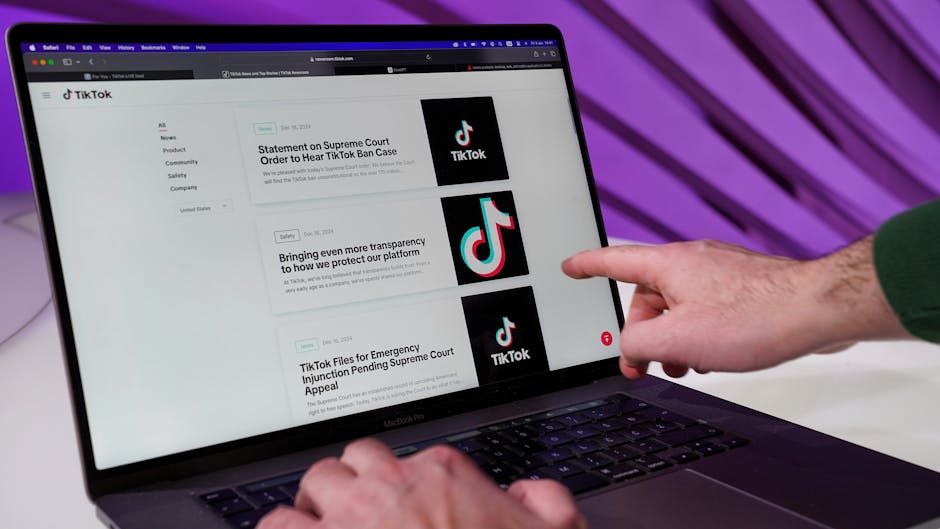
TikTok Ads Manager Tutorial: Launch Your First TikTok Ad Campaign
TikTok has evolved far beyond a platform for dance trends and lip-syncing videos. In 2026, it is a serious advertising channel with sophisticated targeting, diverse ad formats, and an audience that spans well beyond Gen Z. This tiktok ads manager tutorial will show you how to set up and launch effective campaigns, even if you have never advertised on the platform before.
Singapore is one of TikTok’s most engaged markets in Southeast Asia, with over 3 million monthly active users. The platform’s influence extends across demographics — from teenagers discovering new brands to professionals researching products and services. For Singapore businesses, TikTok advertising offers access to an audience that is increasingly difficult to reach through traditional channels.
In this guide, we cover everything you need to know: setting up your TikTok Ads Manager account, understanding the campaign structure, configuring targeting options for the Singapore market, choosing the right ad formats including In-Feed Ads, TopView, and Spark Ads, installing the TikTok Pixel, and applying creative best practices that align with how the platform works. Let us get started with your digital marketing on TikTok.
Setting Up Your TikTok Ads Manager Account
Before you can run ads on TikTok, you need to create a TikTok for Business account and set up Ads Manager. The process is straightforward but requires a few specific details.
Step 1: Register at ads.tiktok.com. Visit the TikTok for Business website and click “Create Now” or “Get Started.” Enter your email address and create a password. You will receive a verification code via email to confirm your account.
Step 2: Complete your business information. Fill in your business name, country (select Singapore), industry category, phone number with the +65 country code, and your business website URL. Choose the correct industry category as this affects the types of ads you can run and the audiences available to you.
Step 3: Set up billing. Navigate to the Payment section and add your payment method. TikTok Ads Manager for Singapore businesses accepts credit cards (Visa, Mastercard) and PayPal. You can choose between automatic payments (charged when you reach a billing threshold or at month-end) or manual top-ups. Set your currency to SGD for clearer budget tracking.
Step 4: Account review. TikTok reviews new advertising accounts, which typically takes 24 to 48 hours. During this period, you can explore the dashboard and begin planning your campaigns, but you will not be able to launch live ads until approval is granted.
Step 5: Connect your TikTok business account. If you have an existing TikTok business account with organic content, link it to your Ads Manager. This enables features like Spark Ads (boosting organic posts) and provides a cohesive brand presence. Go to Assets > TikTok Accounts to connect.
Understanding the Campaign Structure
TikTok Ads Manager uses a three-level campaign structure similar to other major ad platforms, but with its own terminology and options.
Campaign level: This is where you select your advertising objective and set an optional campaign-level budget. TikTok offers objectives grouped into three categories: Awareness (Reach), Consideration (Traffic, Video Views, Lead Generation, Community Interaction), and Conversion (Website Conversions, App Installs, Product Sales). Your choice of objective determines how TikTok’s algorithm optimises your ad delivery.
Ad Group level: Within each campaign, you create ad groups that define your targeting, placements, budget, schedule, and bidding strategy. You can run multiple ad groups within a single campaign to test different audiences or placements. Think of ad groups as containers that control who sees your ads and how much you spend.
Ad level: This is where you create the actual ad creative — the video, copy, call-to-action button, and landing page URL. Each ad group can contain multiple ads, allowing you to test different creative approaches. TikTok’s algorithm will allocate more spend to the better-performing ads automatically.
Recommended structure for beginners: Start with one campaign, two to three ad groups (each targeting a slightly different audience or using different placements), and two to three ads per ad group. This gives the algorithm enough variety to optimise while keeping your account manageable. As you gain confidence, expand using lessons from our Facebook Ads Manager tutorial — many structural principles apply across platforms.
Targeting Options for the Singapore Market
TikTok’s targeting capabilities have matured significantly, offering Singapore advertisers a range of options to reach their ideal customers.
Location targeting: Select Singapore as your target location. Unlike some platforms, TikTok does not currently offer sub-regional targeting within Singapore, so you target the entire country. This is generally not a limitation given Singapore’s compact geography.
Demographics: Target by age (13-17, 18-24, 25-34, 35-44, 45-54, 55+), gender (male, female, all), and language. For most Singapore campaigns, select English and Chinese as languages to cover the majority of the population.
Interests: TikTok categorises users by their content consumption patterns. Interest categories include Business, Entertainment, Fashion, Food & Beverage, Gaming, Sports, Technology, Travel, and many more. Each category has sub-interests for more precise targeting. A Singapore restaurant might target users interested in “Food & Beverage” with sub-interests in “Restaurants” and “Asian Cuisine.”
Behaviour targeting: Target users based on how they interact with content — video completion rates, likes, comments, and shares within specific content categories. This is particularly powerful because it targets based on active engagement rather than passive interest signals.
Custom Audiences: Upload customer lists (email addresses or phone numbers), create audiences from website visitors (requires TikTok Pixel), or build audiences from users who have engaged with your TikTok content or ads. For Singapore businesses with existing customer databases, Custom Audiences offer highly targeted reach.
Lookalike Audiences: Create audiences that resemble your best customers. TikTok allows you to build narrow, balanced, or broad Lookalike Audiences. Start with a narrow lookalike for the most similar users, then test broader options for scaling. This approach is particularly effective for e-commerce brands looking to find new customers in Singapore.
TikTok Ad Formats Explained
TikTok offers several ad formats, each designed for different objectives and levels of investment. Understanding these formats helps you choose the right approach for your campaign goals.
In-Feed Ads: These appear in users’ For You feed as they scroll through content. They look and feel like organic TikTok videos, blending naturally into the browsing experience. In-Feed Ads support video lengths from 5 to 60 seconds (though 15 to 30 seconds performs best), a caption of up to 100 characters, and a call-to-action button. This is the most common format and the best starting point for most Singapore businesses.
TopView Ads: TopView is TikTok’s premium placement — the first video users see when they open the app. It supports up to 60 seconds of full-screen video with sound on. Due to its premium nature, TopView guarantees maximum visibility but comes at a significantly higher cost. It is best suited for major product launches, large-scale brand campaigns, or national promotions. Pricing typically requires a reservation through a TikTok sales representative.
Spark Ads: This is one of TikTok’s most innovative formats. Spark Ads allow you to boost existing organic TikTok posts — either your own or content from creators who have authorised their videos for your use. The boosted post retains its original likes, comments, and shares, providing social proof. For Singapore businesses working with local influencers or KOLs (key opinion leaders), Spark Ads offer a seamless way to amplify creator content.
Branded Hashtag Challenges: Create a branded challenge that encourages user participation. While these can generate massive engagement, they are enterprise-level products with minimum spends typically starting at SGD 100,000 or more. They are most suitable for large brands looking to create cultural moments in the Singapore market.
Branded Effects: Custom filters, stickers, or augmented reality effects that users can apply to their own videos. Like Hashtag Challenges, these are premium products aimed at larger brands with significant budgets.
For most Singapore SMEs, In-Feed Ads and Spark Ads offer the best balance of cost, reach, and effectiveness. Start with these formats before considering premium options as your social media advertising programme matures.
Installing and Configuring the TikTok Pixel
The TikTok Pixel is essential for tracking conversions, building retargeting audiences, and optimising ad delivery. Installing it before launching conversion campaigns ensures accurate measurement from day one.
Step 1: Create your pixel. In TikTok Ads Manager, go to Assets > Events > Web Events. Click “Set Up Web Events” and select “TikTok Pixel.” Name your pixel and choose your setup method — manual installation or partner integration.
Step 2: Choose your installation method. If you use Shopify, WooCommerce, WordPress, or another supported platform, select “Partner Integration” for the easiest setup. For custom websites, choose “Manually Install Pixel Code” and add the base code to the header of every page on your site.
Step 3: Configure events. TikTok supports standard events including ViewContent, AddToCart, InitiateCheckout, CompletePayment, SubmitForm, and Contact. Set up the events relevant to your conversion funnel. For e-commerce, ensure CompletePayment fires with the transaction value in SGD. For lead generation, configure SubmitForm to fire when a contact form is submitted.
Step 4: Verify installation. Use the TikTok Pixel Helper Chrome extension to verify that your pixel is firing correctly on all key pages. Check the Events dashboard in Ads Manager to confirm that events are being recorded. Test the complete user journey from ad click to conversion to ensure everything tracks accurately.
Step 5: Set up Events API. Similar to Meta’s Conversions API, TikTok’s Events API sends server-side data directly to TikTok, complementing browser-based pixel tracking. This improves data accuracy, particularly with increasing browser privacy restrictions. Most major e-commerce platforms offer built-in Events API integrations. For custom setups, your web development team can implement the API using TikTok’s documentation.
Creative Best Practices for TikTok Ads
The creative you use determines the success of your TikTok campaigns more than any other factor. TikTok’s audience expects content that feels native to the platform, not repurposed television commercials or polished corporate videos.
Make TikToks, not ads: This is TikTok’s own advice, and it is the most important creative principle. Your ads should look and feel like organic content. Use vertical video (9:16 aspect ratio), speak directly to camera, use trending sounds and music, and adopt a conversational, authentic tone.
Hook within the first second: TikTok users scroll quickly. If your opening frame does not capture attention immediately, they will move on. Start with a bold statement, a surprising visual, a question, or text overlay that creates curiosity. For Singapore audiences, opening with “Singaporeans need to know this…” or “POV: You just discovered…” can be effective hooks.
Keep it short: While TikTok supports videos up to 60 seconds for ads, the sweet spot is 15 to 30 seconds. Deliver your core message quickly and include your call-to-action before viewers lose interest. Test different lengths to find what works for your specific audience.
Use text overlays and captions: Many users browse TikTok with varying sound levels. Add text overlays to communicate key messages visually. Captions also improve accessibility and comprehension, especially in Singapore where users consume content in multiple languages.
Leverage user-generated content (UGC): Ads featuring real people using products or sharing testimonials consistently outperform highly produced content on TikTok. Partner with Singapore micro-influencers or encourage customers to create review videos that you can amplify through Spark Ads.
Test multiple creatives: TikTok recommends running three to five creative variants per ad group. The algorithm will identify the best performer and allocate budget accordingly. Refresh your creatives every one to two weeks, as ad fatigue sets in faster on TikTok than on other platforms.
Budgeting, Bidding, and Optimisation
Setting the right budget and bidding strategy ensures your TikTok campaigns deliver results without overspending.
Minimum budgets: TikTok requires a minimum daily budget of SGD 30 at the campaign level and SGD 20 at the ad group level. These minimums are higher than Facebook’s, so plan your budget accordingly. For a meaningful test, allocate at least SGD 50 to 100 per day for two to three weeks.
Bidding strategies: TikTok offers several options. “Lowest Cost” lets TikTok find the cheapest results within your budget — ideal for beginners. “Cost Cap” sets a target cost per result, and TikTok tries to stay close to that target. “Bid Cap” sets the maximum you are willing to pay per result, giving you the most cost control but potentially limiting delivery.
The learning phase: Each ad group enters a learning phase where TikTok’s algorithm explores which users are most likely to take your desired action. This typically requires 50 conversion events within a week. Avoid making significant changes (budget, targeting, creative) during this phase, as doing so resets the learning process.
Optimisation strategies: Once your campaigns exit the learning phase, begin optimising. Pause ad groups with costs consistently above your target. Scale winning ad groups by increasing budgets gradually — no more than 20% every 48 hours to maintain stability. Refresh creatives before performance declines, and expand audiences incrementally.
Tracking ROI: Use TikTok’s attribution tools alongside Google Analytics to measure the true impact of your campaigns. TikTok’s default attribution window is 7-day click and 1-day view, which captures most conversion paths. For a complete picture of your advertising performance across channels, integrate TikTok data with your Google 광고 and social media reporting.
자주 묻는 질문
How much do TikTok ads cost in Singapore?
TikTok ad costs vary by industry, targeting, and competition. On average, Singapore advertisers can expect a CPM (cost per thousand impressions) of SGD 5 to SGD 15 and a CPC (cost per click) of SGD 0.50 to SGD 2.00 for In-Feed Ads. Premium placements like TopView are significantly more expensive and typically require direct negotiation with TikTok.
Can small businesses in Singapore afford TikTok ads?
Yes, but you need to account for the minimum budget requirements. With a minimum daily ad group budget of SGD 20, a small-scale test campaign can run for SGD 600 to SGD 1,000 per month. Focus on In-Feed Ads and Spark Ads for the most cost-effective approach, and start with one well-targeted campaign rather than spreading budget too thin.
What video specifications do TikTok ads require?
TikTok recommends vertical video in 9:16 aspect ratio with a resolution of 720 x 1280 pixels or higher. Supported formats include MP4 and MOV. Maximum file size is 500MB, and video length for In-Feed Ads can be 5 to 60 seconds. Always include sound, as TikTok is a sound-on platform — unlike many other social channels.
Should I use a TikTok Creator Marketplace influencer or run ads?
The best strategy combines both. Use the TikTok Creator Marketplace to find Singapore-based influencers who create authentic content featuring your brand, then amplify their best-performing content through Spark Ads. This approach gives you the authenticity of influencer content with the targeting precision of paid advertising.
How do TikTok ads compare to Facebook ads for Singapore businesses?
TikTok tends to deliver lower CPMs and higher engagement rates but requires more creative effort, as content needs to feel native to the platform. Facebook offers more mature targeting options and better conversion tracking infrastructure. Many Singapore businesses run campaigns on both platforms and allocate budget based on where they see the best results for their specific objectives.
Can I run TikTok ads without a TikTok business account?
Technically yes — you can create ads in Ads Manager without an organic TikTok profile. However, having an active business account allows you to use Spark Ads, builds brand credibility, and provides a destination for users who discover your brand through advertising. We strongly recommend setting up an organic presence alongside your paid campaigns.



 Korean
  English
  Chinese
  Malay
Malay