
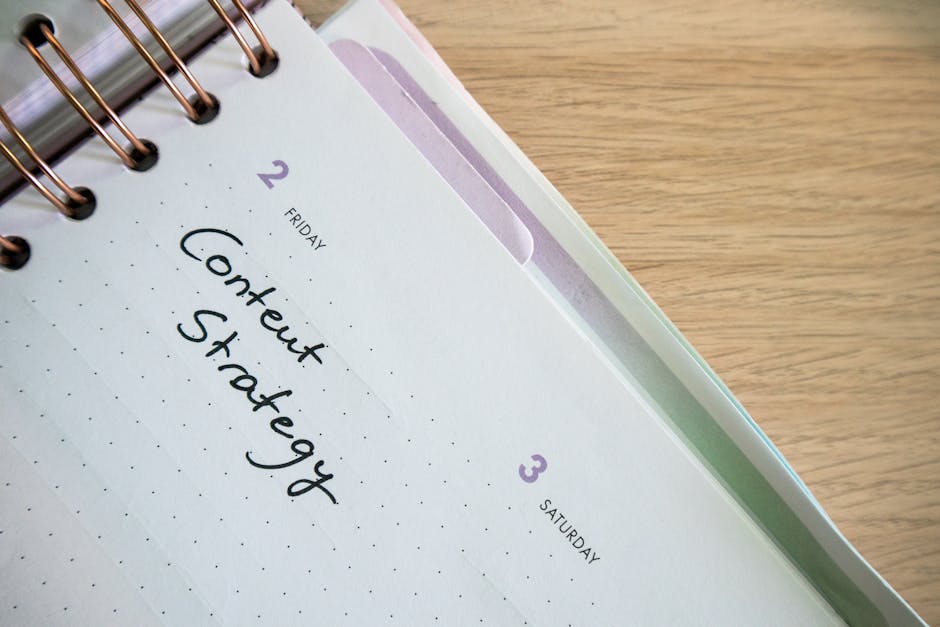
Content Calendar Template: Plan Your Publishing Schedule
A content calendar is the difference between a marketing team that publishes consistently and one that scrambles for ideas every Monday morning. Yet many Singapore businesses still rely on ad-hoc posting — publishing when inspiration strikes rather than following a deliberate schedule aligned to business goals.
In Singapore’s competitive digital landscape, consistency matters. Whether you are targeting local consumers searching on Google or building thought leadership on LinkedIn, a structured publishing cadence signals professionalism and builds audience trust over time. The businesses that win attention in 2026 are the ones that show up reliably.
This article provides a complete content calendar template you can adapt immediately. We cover the essential columns and fields, how to set the right publishing frequency, tools to manage your calendar, and Singapore-specific content hooks that keep your schedule relevant and timely.
What Is a Content Calendar and Why You Need One
A content calendar is a planning document that maps out what content you will publish, when, where, and who is responsible for each piece. It transforms your 콘텐츠 마케팅 from reactive to proactive, giving your team visibility into upcoming deadlines and ensuring a balanced mix of topics and formats.
Without a content calendar, marketing teams face several recurring problems:
- Inconsistent publishing — weeks of silence followed by a flurry of posts, confusing your audience and undermining algorithmic favour on social platforms
- Topic duplication — multiple team members covering similar ground without realising it
- Missed opportunities — forgetting key dates, holidays, or industry events until it is too late to produce quality content
- Resource bottlenecks — writers and designers overwhelmed because nothing was planned in advance
- No strategic alignment — content that does not connect to business objectives or campaign themes
A well-maintained content calendar solves all of these. It becomes the single source of truth for your publishing programme, aligning everyone from the marketing director to the freelance copywriter.
Essential Fields for Your Content Calendar Template
The best content calendar templates balance comprehensiveness with usability. Include too few fields and you lack the context needed for execution. Include too many and no one fills them in. Here are the essential columns to include:
| Field | 설명 | 예 |
|---|---|---|
| Publish Date | The scheduled date for the content to go live | 15 Mar 2026 |
| Content Title | Working title or headline | 5 Ways SMEs Can Cut Google Ads Spend |
| Content Type | Format of the piece | Blog post, infographic, video, social post |
| Channel | Where it will be published | Website blog, LinkedIn, Instagram, EDM |
| Target Keyword | Primary SEO keyword for the piece | google ads cost singapore |
| Topic Pillar | Which content theme or category it falls under | Paid advertising, SEO, social media |
| Funnel Stage | Awareness, consideration, or decision | Awareness |
| Assigned To | Person responsible for creating the content | Sarah (Content Writer) |
| Status | Current stage in the workflow | Ideation, drafting, review, scheduled, published |
| CTA / Goal | What action you want the reader to take | Download guide, book consultation, sign up |
| Notes | Any additional context, references, or links | Include case study from Q1 campaign |
Optional Fields Worth Adding
Depending on your team size and workflow complexity, consider adding these supplementary fields:
- Visual assets required — specifying whether the piece needs custom graphics, stock photos, or video
- Repurposing plan — how the content will be adapted for other channels (e.g., blog post becomes LinkedIn carousel)
- Internal links — which existing pages or posts should be linked from the new piece
- Promotion plan — paid amplification, email inclusion, social sharing schedule
- Performance metrics — columns for tracking views, clicks, and conversions after publication
How to Set Your Publishing Frequency
One of the most common questions Singapore businesses ask is how often they should publish. The honest answer depends on your resources, goals, and channels. Here is a practical framework for deciding:
Frequency by Channel
| Channel | Minimum Frequency | Recommended Frequency | Notes |
|---|---|---|---|
| Blog / Website | 2 posts per month | 4-8 posts per month | Consistency matters more than volume for SEO |
| 3 posts per week | 5 posts per week | Mix of text, carousel, and video posts | |
| 인스타그램 | 3 posts per week | 4-5 posts per week + daily Stories | Reels drive the most reach in 2026 |
| Email / EDM | 2 per month | Weekly | Segment lists for relevance |
| TikTok | 3 videos per week | 5-7 videos per week | High volume rewarded by the algorithm |
The Quality vs Quantity Trade-Off
For SEO 기반 콘텐츠, one thoroughly researched, well-optimised article outperforms five thin posts. Prioritise depth for your blog and website content. For social media, frequency and consistency are more important — the algorithm rewards accounts that post regularly, even if individual posts are simpler.
Start with a frequency you can sustain for at least three months without burnout. It is better to publish two excellent blog posts per month every month than to publish eight in January and none in February.
Singapore Content Hooks and Seasonal Planning
A content calendar for a Singapore audience should account for local events, holidays, and cultural moments. These provide natural hooks for timely, relevant content that resonates with your audience.
Key Dates for Singapore Content Planning in 2026
- January-February — Chinese New Year, back-to-work planning content, annual budget allocation
- March-April — Hari Raya Aidilfitri, Good Friday, financial year-end for many companies
- May-June — Vesak Day, Great Singapore Sale (if applicable to your industry), mid-year reviews
- July-August — National Day (9 August), school holidays, SG-themed campaigns
- September-October — Deepavali, Formula One Singapore Grand Prix, Q4 planning
- November-December — 11.11 and 12.12 sales events, Christmas, year-end reviews and predictions
Industry-Specific Hooks
Beyond public holidays, build your content calendar around industry events and cycles relevant to your audience. Singapore Budget announcements, MAS regulatory updates, trade shows like TechWeek, and sector-specific conferences all provide timely angles for content that demonstrates your relevance and expertise.
Map these dates into your content calendar at the start of each quarter, working backwards to ensure you have enough lead time for research, writing, design, and review.
Tools for Managing Your Content Calendar
Your content calendar template can live in various tools depending on your team’s size and budget. Here are the most practical options for Singapore marketing teams:
Spreadsheet-Based Calendars
Google Sheets or Microsoft Excel remain the most accessible option for small teams. They are free, familiar, and infinitely customisable. Create tabs for each month or each channel, use conditional formatting to colour-code status, and share with your team for real-time collaboration.
Project Management Tools
For larger teams, tools like Asana, Monday.com, Trello, or Notion offer dedicated content calendar views with features spreadsheets lack — automated reminders, file attachments, approval workflows, and calendar visualisations. Many have free tiers suitable for teams of five or fewer.
Dedicated Content Calendar Platforms
Tools like CoSchedule, ContentCal, and Loomly are purpose-built for content planning. They integrate directly with social media platforms for one-click scheduling and offer analytics dashboards. These are best suited for agencies or in-house teams managing multiple brands or channels.
The best tool is the one your team actually uses. A Google Sheet that gets updated daily beats a sophisticated platform that sits empty.
Step-by-Step: Building Your First Content Calendar
Follow these steps to go from a blank spreadsheet to a functioning content calendar in a single afternoon:
- Define your content pillars — Identify three to five core topics that align with your business expertise and audience interests. For a digital marketing agency, these might be SEO, paid advertising, social media, web design, and analytics.
- Audit existing content — List everything you have already published. Identify gaps in your topic coverage and note pieces that could be updated or repurposed.
- Set your publishing frequency — Based on the framework above, commit to a sustainable cadence for each channel.
- Map out key dates — Add Singapore holidays, industry events, product launches, and campaign dates to the calendar first. These are your fixed anchors.
- Brainstorm topic ideas — Generate at least two months’ worth of topics, assigning each to a content pillar and funnel stage. Use keyword research to validate demand.
- Assign ownership and deadlines — Every piece needs a named owner and a clear deadline. Build in buffer time for review and revisions.
- Fill in the template — Populate all fields for the next four to six weeks of content. Leave future weeks at the ideation stage.
- Schedule a weekly review — Block 30 minutes each Monday to update statuses, add new ideas, and adjust the schedule as needed.
Common Content Calendar Mistakes to Avoid
Even well-intentioned content calendars fail when teams fall into these traps:
- Over-planning too far ahead — Planning six months of detailed content sounds impressive but creates rigidity. Plan in detail for four to six weeks; keep the rest at the topic level so you can respond to trends and news.
- Ignoring the funnel — A calendar full of awareness-stage blog posts but no consideration or decision content leaves leads stranded. Balance your mix deliberately.
- No accountability — If status columns are never updated, the calendar becomes fiction. Assign one person as the calendar owner responsible for keeping it current.
- Treating it as set-and-forget — Your content calendar should be a living document. Review your content strategy quarterly and adjust the calendar accordingly.
- Channel duplication without adaptation — Copying the same post verbatim across LinkedIn, Instagram, and your blog ignores the different formats, audiences, and norms of each platform. Plan for adaptation, not duplication.
- Skipping the promotion plan — Publishing is only half the job. Your calendar should include how each piece will be promoted — through email marketing, social sharing, or paid amplification.
자주 묻는 질문
What is the difference between a content calendar and an editorial calendar?
A content calendar covers all content across all channels — blog posts, social media, emails, videos, and more. An editorial calendar is typically narrower, focusing on long-form written content like blog articles, guides, and publications. Many teams use the terms interchangeably, but a content calendar is generally the broader planning document.
How far in advance should I plan my content calendar?
Plan in detail for four to six weeks ahead and keep a high-level outline for the next quarter. Planning too far in advance reduces your flexibility to respond to industry changes, trending topics, or business pivots. Review and refresh your calendar weekly.
What is the best tool for a content calendar in Singapore?
For small teams and startups, Google Sheets is hard to beat — it is free, collaborative, and flexible. For teams of five or more managing multiple channels, project management tools like Asana or Notion offer better workflow features. The best tool is whichever one your team will actually update consistently.
How many content pillars should I have?
Three to five content pillars is the sweet spot for most businesses. Fewer than three and your content feels repetitive. More than five and you spread yourself too thin, struggling to build depth in any single topic. Choose pillars that intersect your expertise with your audience’s search intent.
Should I include social media in my content calendar?
Yes. While some teams maintain a separate social media calendar, integrating all channels into one view prevents scheduling conflicts, ensures a consistent brand message, and makes it easier to plan content repurposing. Use tabs or filters to separate views by channel if the single calendar feels cluttered.
How do I keep my content calendar updated when plans change?
Assign a calendar owner — one person accountable for keeping it current. Hold a brief weekly check-in (15 to 30 minutes) to review upcoming deadlines, update statuses, and flag any pieces that need to be rescheduled. Build flexibility into your calendar by keeping some slots open for reactive or timely content.



 Korean
  English
  Chinese
  Malay
Malay